Adding a New Surplus Lines Tax Authority
Last updated: July 14, 2026
Introduction
BindHQ allows Administrators to create Surplus Lines Tax Authorities used to calculate taxes and fees on surplus lines policies.
The BindHQ taxation engine applies the appropriate surplus lines tax and stamping fee based on the configured Tax Authority and the applicable state tax rates.
Surplus lines taxes are generally calculated as a percentage of the premium for surplus lines policies.
Users can enter premiums by line of business along with applicable fees, such as Policy Fees, Carrier Fees, Inspection Fees, and other standard surplus lines fees.
BindHQ updates taxation rates frequently.
During implementation, the BindHQ Implementation team typically configures the initial list of Tax Authorities based on the states in which your organization writes business.
Creating a New Tax Authority
Note: Only users with Administrator permissions can create a new Tax Authority.
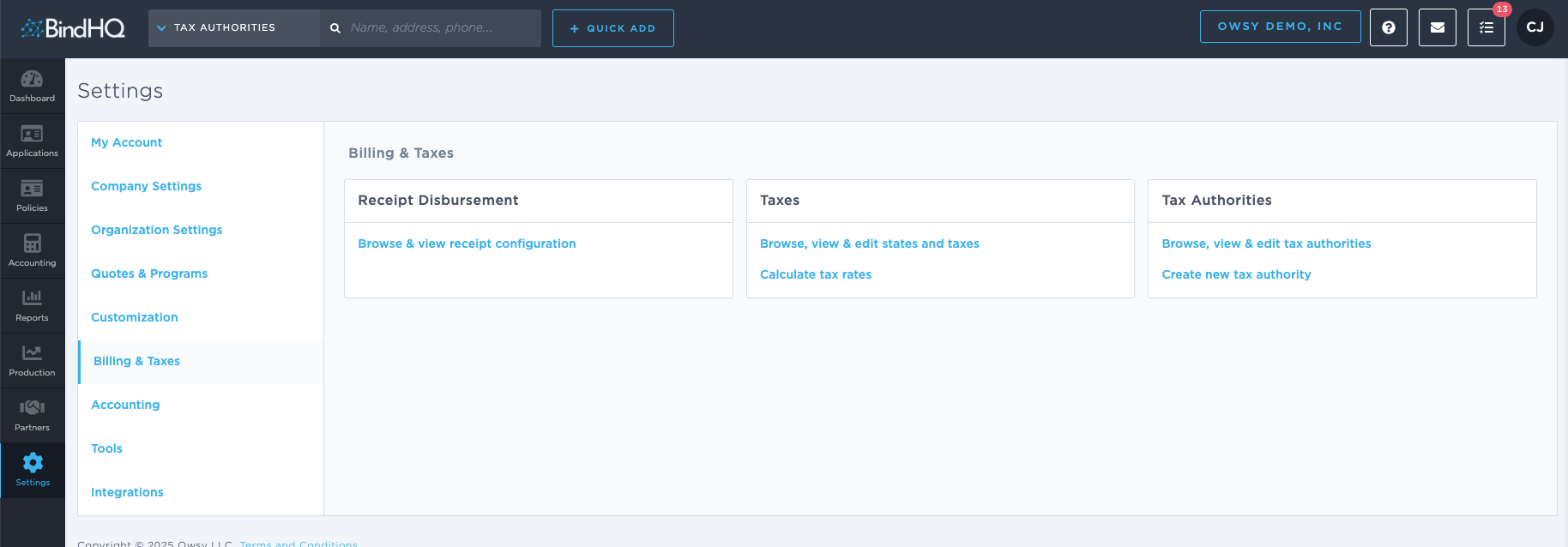
Navigate to Settings > Billing & Taxes > Create New Tax Authority.
Enter a Name for the Tax Authority. This is the only required field.
Complete any additional fields as needed.
Click Create Tax Authority.
Once created, the Tax Authority is immediately available to use within BindHQ.
Last Update: July 2026