Manage Automations in BindHQ
Last updated: July 29, 2026
Introduction
Automations allow you to streamline repetitive tasks in BindHQ by automatically performing actions when specific events occur. By defining trigger events, conditions, and actions, you can automate common workflows such as sending emails, creating tasks, or generating quotes.
Only users with Administrator permissions can create, edit, or manage automations.
Automation Frequency
BindHQ evaluates automations once per day.
During the daily automation job, the system checks all automations scheduled to trigger on that date and executes any that meet their configured conditions.
Tip: When testing an automation, configure it to trigger on the following day. This allows the daily automation job to evaluate and execute it, allowing you to verify that it behaves as expected.
Accessing Automations
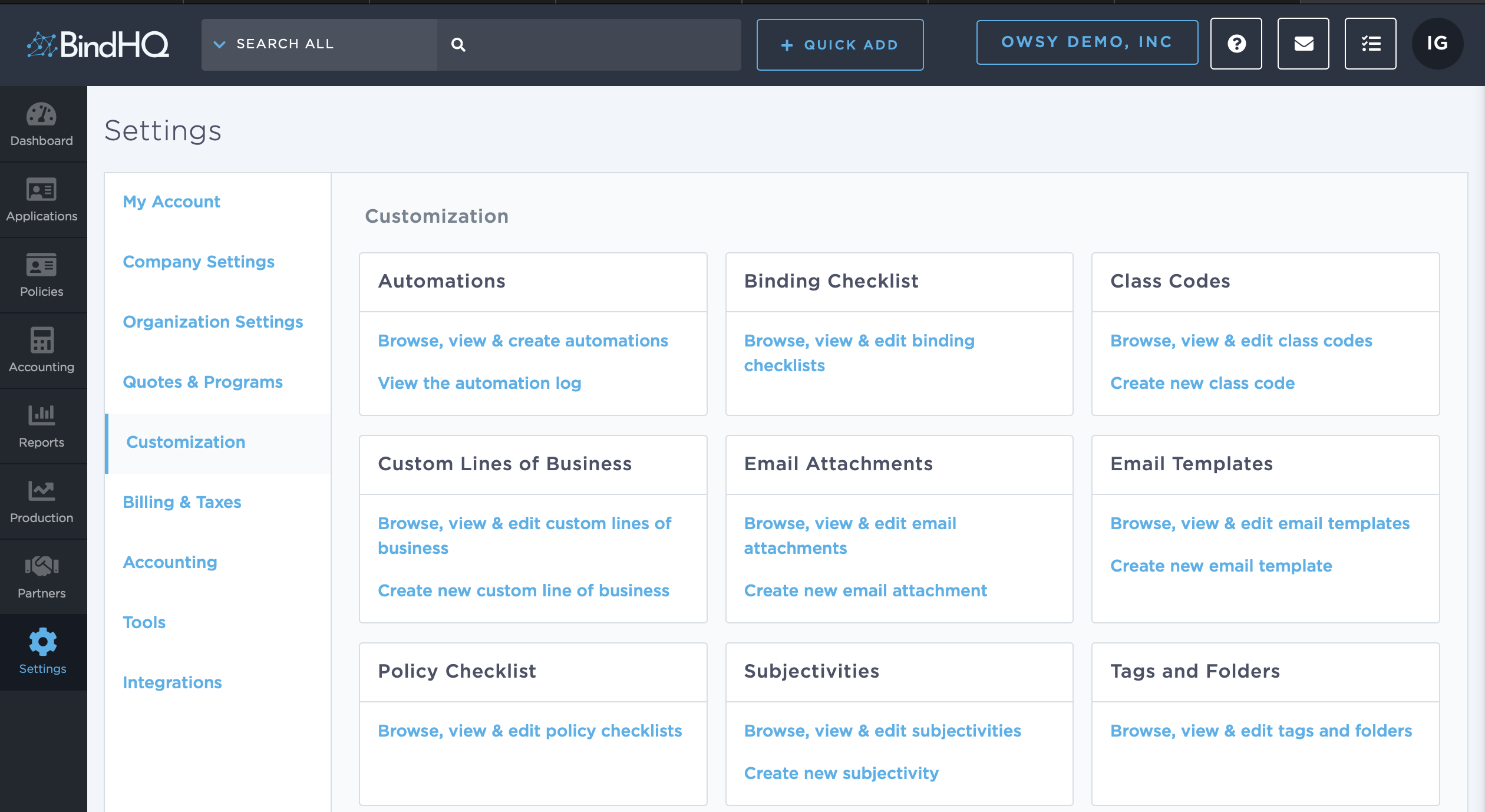
Navigate to Settings.
Select Customization.
Click Browse, View & Create Automations.
The Automations page displays all existing automations and provides options to create, edit, archive, and review automation activity.
Creating a New Automation
From Browse, View & Create Automations, click New Automation.
Select the desired Trigger Event.
Complete the automation details.
Configure one or more Conditions.
Configure one or more Actions.
Save the automation.
Available Trigger Events
BindHQ currently supports the following trigger events:
Application Created
Claim Created
Endorsement Invalidated
Endorsement Issued
Invoice Due
Policy Created
Policy Expiration
Policy Notice Created
Policy Notice Rescinded
Policy Voided
Quote Created
Configuring Conditions
Conditions determine whether an automation should execute when its trigger event occurs.
You can combine multiple conditions using AND and OR operators to build more advanced logic.
At least one condition is required for every automation.
Default Outcome
The Default Outcome determines what happens if the configured conditions are not satisfied.
Yes – Executes the configured actions.
No – Prevents the automation from executing.
For example, you could configure an automation to trigger 30 days before a policy expires, but only for policies assigned to a specific carrier.
Configuring Actions
Actions define what BindHQ should do when an automation evaluates to Yes.
The available action types are:
Send Email
Sends an email using a saved email template.
Create Task
Creates a task associated with the relevant application or policy.
Webhook
Sends an outgoing webhook to an external service or custom integration.
Quote Application
Automatically creates a quote for an application. If a program is selected, underwriting rules, rating calculations, and form rules are applied automatically.
Note: Not every action type is available for every trigger event.
Editing an Automation
To edit an existing automation:
Navigate to Settings → Customization → Browse, View & Create Automations.
Select the automation you want to modify.
Update the required fields.
Save your changes.
Inactivating or Reactivating an Automation
Automations can be archived without being deleted.
To change an automation's status:
Navigate to Settings → Customization → Browse, View & Create Automations.
Open the desired automation.
Under System Status, select or clear the Inactive checkbox.
Click Save & Exit.
Inactive automations:
Stop running immediately.
Are hidden from the automation list by default.
They can be reactivated at any time by clearing the Inactive option.
Viewing the Automation Log
The Automation Log records every automation that has been evaluated and executed by the system.
To view the log:
Navigate to Settings → Customization → Browse, View & Create Automations.
Click View the Automation Log.
The log displays:
The automation name.
The trigger event.
The date and time the automation ran.
The result of the execution, including any errors.
A link to the associated automation.
Reviewing the Automation Log is the recommended way to verify whether an automation has executed successfully or troubleshoot any issues.
Last Update: July 2026