Assigned Users Feature in BindHQ
Last updated: July 5, 2025
Applies to:
-
Admins
-
Producers
-
Underwriters
-
Operations Teams
Last Updated: March 2025
Overview
The Assigned Users feature in BindHQ allows users to allocate roles to specific team members on Applications and Policies. This feature helps track production and ensures accurate reporting for underwriting responsibilities and can be used to attribute credit to larger teams.
Benefits of Assigned Users
-
Shares responsibility for users involved in binding an account.
-
Provides better reporting on who contributed to securing a policy.
Steps to Assign a User on an Application or Policy
-
Navigate to the Applications or Policies module in BindHQ.
-
Open the relevant application or policy where a user needs to be assigned.
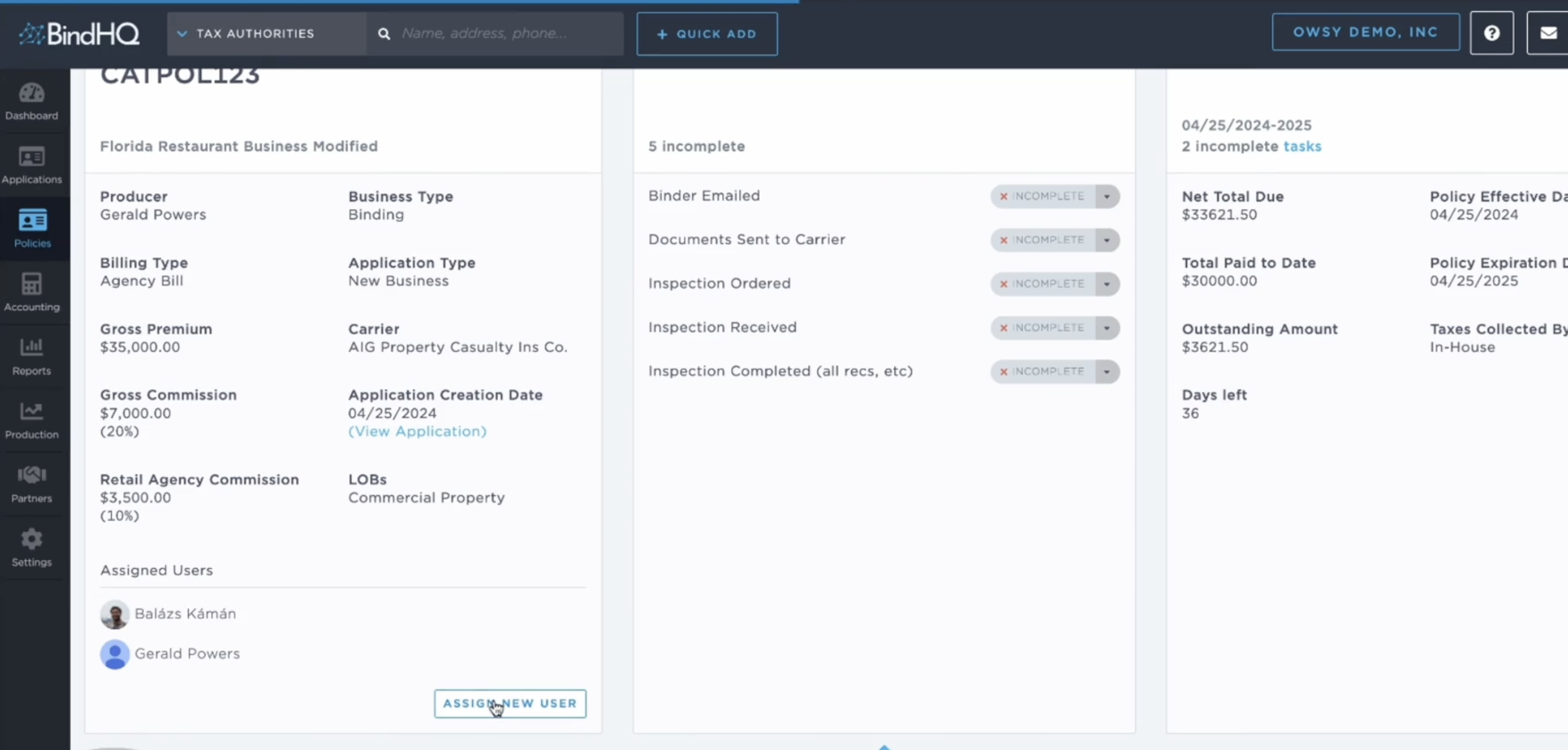
3. Locate the Assigned Users section.
4. Click Assign User.
5. Select the user you want to assign from the available list.
6. Choose a role for the user:
-
-
Producer – Responsible for sales and client interaction.
-
Underwriter – Evaluates risk and approves the policy.
- Underwriter Assistant– Aids in risk review and processing.
-
Issuance – Supports policy issuance activities and post-bind activities.
-
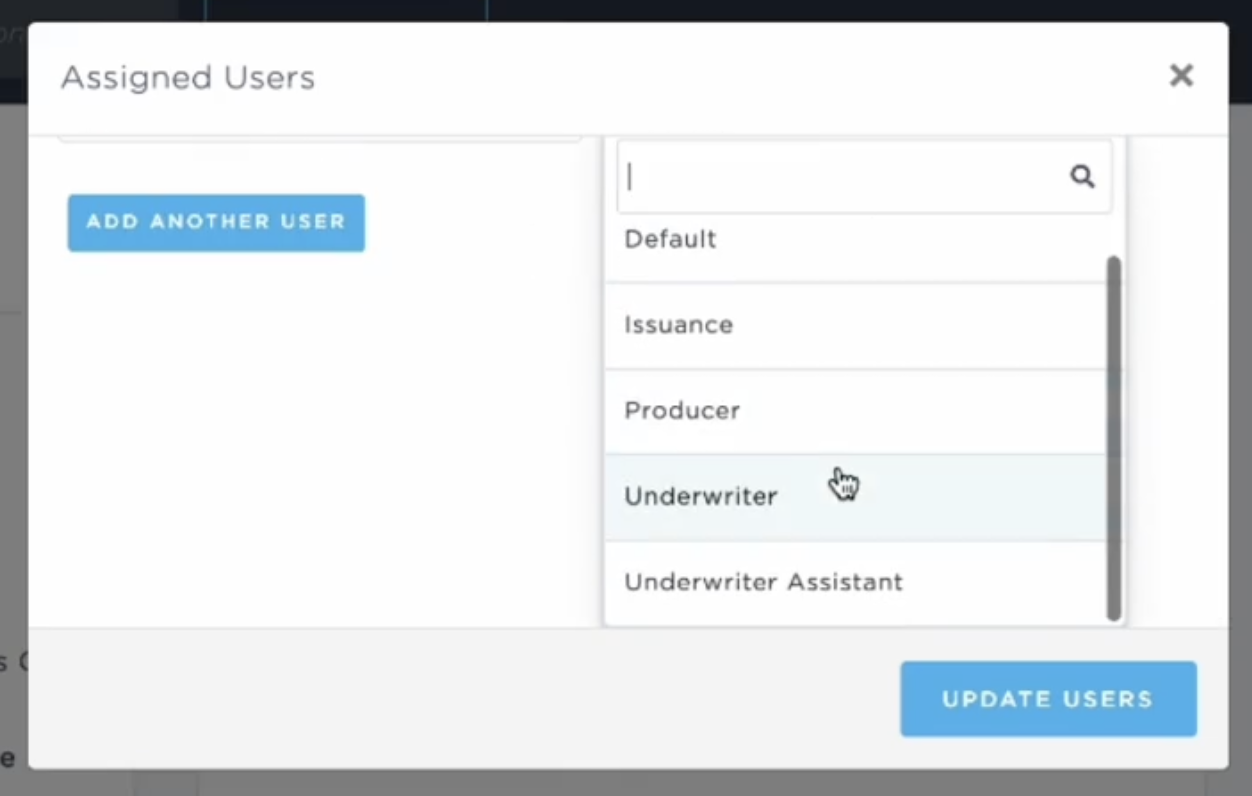
7. Click Save to finalize the assignment.
- The assigned user will now appear under the Assigned Users column of the Monthly Production Report and Full Data Export.
- Use these to track contributions on a per-account basis.
Example Use Case
BindHQ only supports tracking commission to the individual or team listed as the Producer on an account. However, some customers use the Assigned Users list to track who else aided in the sourcing and processing of a quote or policy.
For example, if a retail agency submits an application that involves both a producer and an underwriter, the Producer listed on the account will receive the commission. However, assigning additional users in the Assigned Users section allows agencies to document contributions from underwriters, support staff, or other team members who played a role in securing the policy.
Keywords for Search:
-
Assigned Users
-
Producer Assignment
-
Underwriter Roles
-
Commission Splitting
-
Application Tracking