Using the Risk Bordereau Report
Last updated: July 5, 2025
Applies to:
- Producers
- Assistants
- Accountants
- Managers
Last Updated: June 2025
This article guides you on how to access and utilize the Risk Bordereau Report. This report provides detailed risk level data, categorized by building type and risk level coverage, for the following lines of business: Commercial Property, General Liability, Homeowners, and Dwelling Property.
To find the report:
- Navigate to Reports on the left-hand navigation menu.
- Select Bordereau Reports.
- Click on Bordereau Risk.
Upon opening the Bordereau Risk Report page, you'll notice no transactions are initially displayed. To view the filtered transactions, click the "Run Report" button, and they will appear in the table on the page.
The default filter settings are:
- Bordereau Type: Transactional
- Date Type: Accounting Posting Date
- From Date: the first day of the current month
- To Date: the last day of the current month
- Marketing Company: none
- Carrier: none
The transactional report contains all transactions, including invalidated endorsements and voided policies. Filtering the Transactional Risk Bordererau Report by:
- Effective Date filters the transactions by Policy Effective Date, with ‘From Date’ and ‘To Date’ being inclusive
- Transaction Date filters transactions by Transaction Date, with ‘From Date’ being inclusive and ‘To Date’ being exclusive
- Accounting Posting Date filters transactions by later of the Transaction Effective Date and Transaction Date
The in-force report contains all in-force transactions. It does not include invalidated endorsements and voided policies, but it contains cancellations.
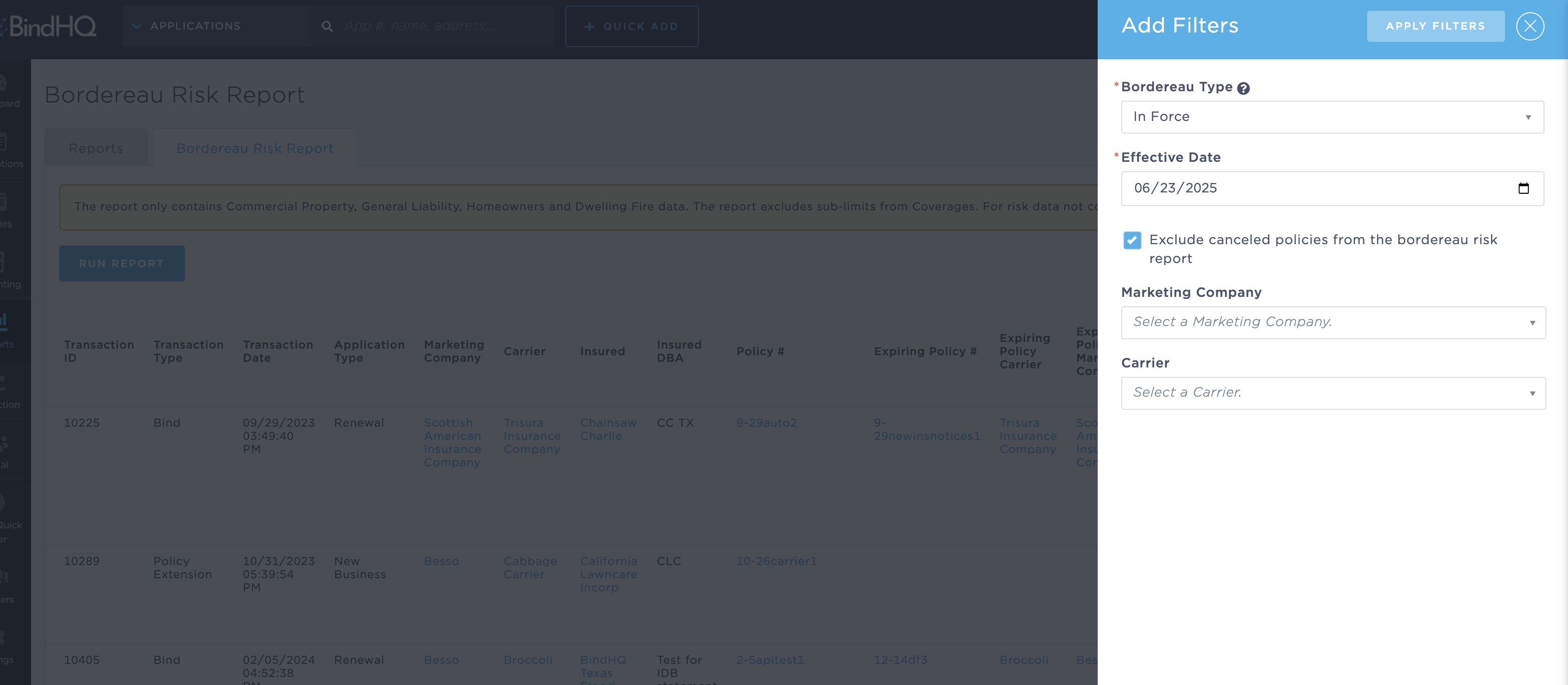
As of June 2025, users can now exclude canceled policies from the In-Force Bordereau Risk Report by checking the new "Exclude canceled policies" option in the filter panel.
This helps generate reports that focus only on active policies, making it easier to prepare exports for exposure analysis or reinsurer distribution.
Filtering the In-Force Risk Bordereau Report by the Effective Date filters transactions by Transaction Effective Date, with the date being inclusive.
Exporting Results
Once the report is generated, you can download it by clicking the Download CSV button at the top of the results table.
Keywords for Search:
- Bordereaux
- BDX
- Bordereau