Using the BindHQ AI Assistant
Last updated: August 7, 2026
Introduction
The BindHQ AI Assistant answers questions about applications, policies, endorsements, and risk data, and generates summaries and overviews of commercial insureds.
To use the BindHQ AI Assistant, your admin must first enable BindHQ AI Features.
Using the AI Assistant
Once AI features have been enabled by your admin, you'll see the BindHQ AI Assistant to the right of your screen when you open an application. By default, the AI widget will display a basic summary of the application.
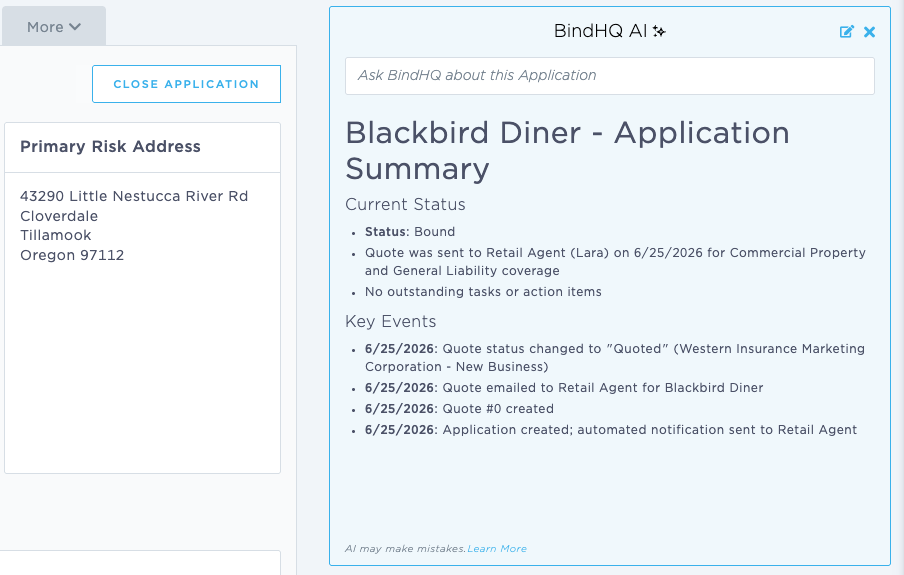
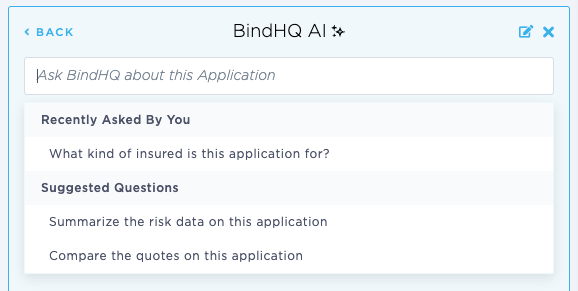
In the query field, you can ask questions about the application (or policy). The AI Assistant will remember recent questions as well as suggest questions.
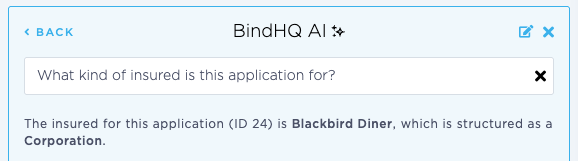
Answers to AI queries will appear in the AI Assistant widget.
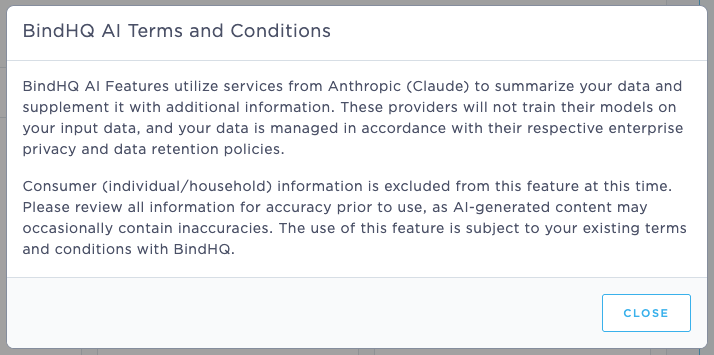
Information about the limits of AI can be found using the "Learn More" link at the bottom of the widget.
AI Assistant Terms and Conditions:
How to turn off the BindHQ AI Assistant
You can close the BindHQ AI Assistant at any time using the X in the upper right corner of the AI widget.
Users can also choose to have the AI Assistant default to "closed" in their user settings:
Last Update: August 2026