Creating an API Key in BindHQ
Last updated: July 5, 2025
API keys in BindHQ are associated with individual system users. While you can generate an API key for your own user account, we recommend creating a dedicated API user to manage roles and permissions in a more granular and secure manner.
Prerequisites:
- Feature Flag Activation: The ability to create an API key requires the relevant feature flag to be enabled. An admin user can enable this feature flag for a specific user.
Steps to Create an API Key:
-
Log in to BindHQ with the user account for which you want to create an API key.
-
Navigate to the API Key Section:
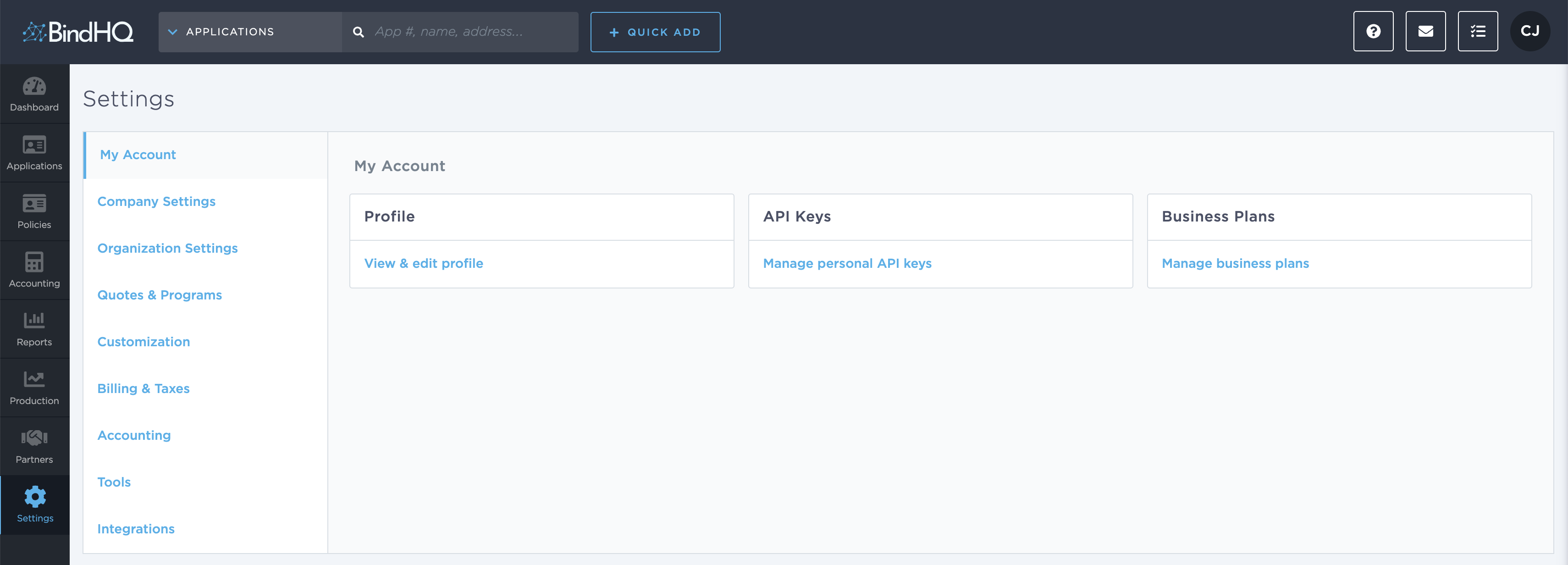
- Go to Settings in the left-hand navigation menu.
- Under My Account, click on API Keys.
-
Generate an API Key:
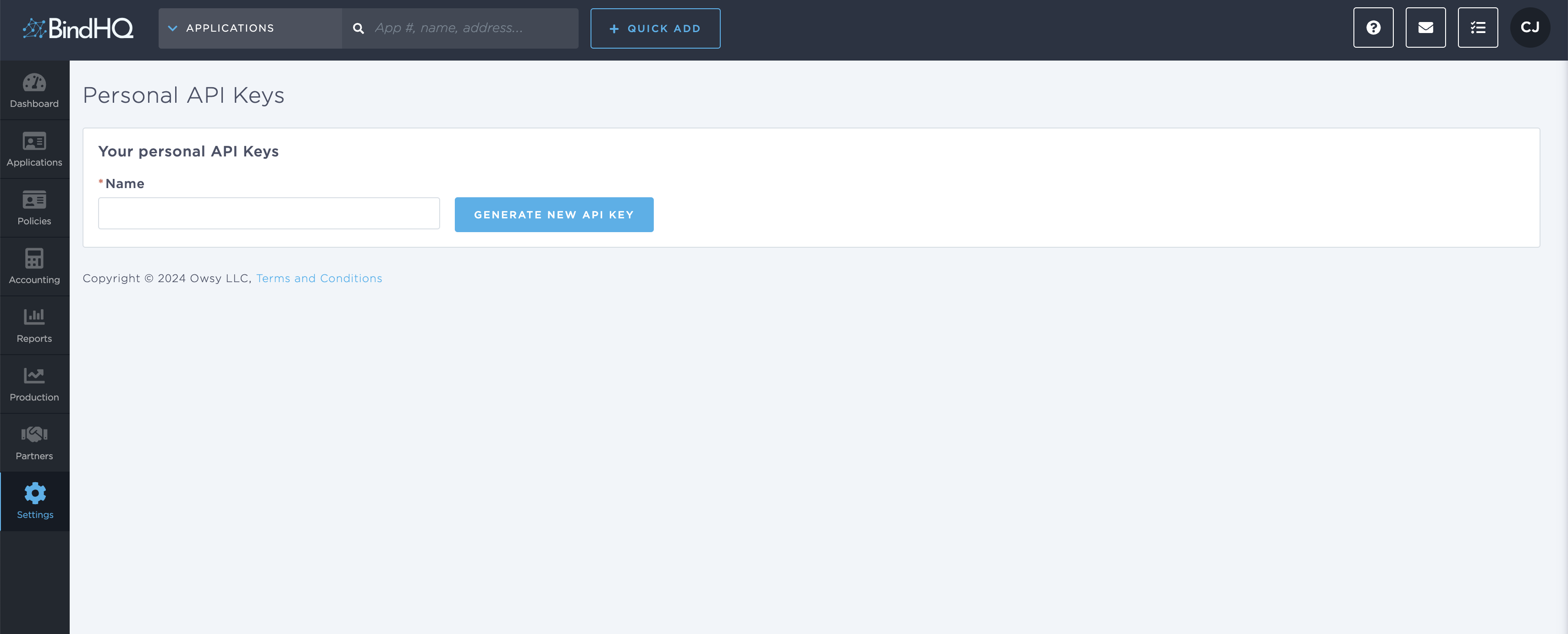
- In the API Key section, you will see a field labeled
Name. Enter a meaningful name for the key (e.g., "Integration Key for Reporting"). - Click Generate New API Key.
- In the API Key section, you will see a field labeled
-
Copy and Store the Key:
- Once generated, make sure to securely copy and save the API key. For security purposes, BindHQ does not allow you to view this key again.
Important Notes:
- One Key per User: Each user must generate their own API key. You cannot create an API key for another user.
- Dedicated API User: Consider creating a dedicated API user account for managing integrations. This approach allows you to configure specific roles and permissions for better security and control.
- Security Best Practices: Review and revoke unused keys regularly to minimize potential security risks.
By following these steps, you can successfully generate and manage API keys in BindHQ to enable integrations with other tools and systems. If you encounter any issues, contact your BindHQ admin or support team.