BindHQ API
Last updated: July 5, 2025
You can use the BindHQ API to create, modify, or read data through API calls
Applies to:
- Agency Owners
- Managers
- Administrators
Last Updated: March 2025
This article explains how to access the BindHQ API documentation and how to go through a basic flow of creating an application, quote, and binding it through the BindHQ API.
Introduction
BindHQ enables you to manage the complete lifecycle of an insurance application. You can set data points for the Insured, Retail Agency, Retail Agent, Lines of Business, and more—then create quotes and bind policies efficiently.
Each BindHQ installation has an API Reference available at:
{your_business_shortname}.bindhq.com/api/v2
(for example, mymga.bindhq.com/api/v2)
You can also go to Settings / Integrations / API to find:
- The API documentation
- The API reference
- The API log
Use Cases and Benefits
BindHQ’s API is designed to empower digital innovation through secure, scalable, and customer-focused solutions. Here are some key use cases and benefits:
-
Streamline Application Processing:
Automate the complete insurance application lifecycle—from data entry and quote generation to policy binding—reducing manual tasks and speeding up processing. -
Synchronize Data and Enhance Reporting:
Keep your systems up-to-date by syncing insurance data between BindHQ and other enterprise applications, ensuring consistency and enabling comprehensive analytics. -
Customize Workflow Automation:
Develop custom workflows in a web portal or mobile application that cater to your unique business requirements, integrating BindHQ’s capabilities seamlessly with your existing processes.
How it works
Access
Ensure an Administrator has granted you access to create and use API keys within your Profile page found under Settings > Company Settings > Browse, View & Edit Users .
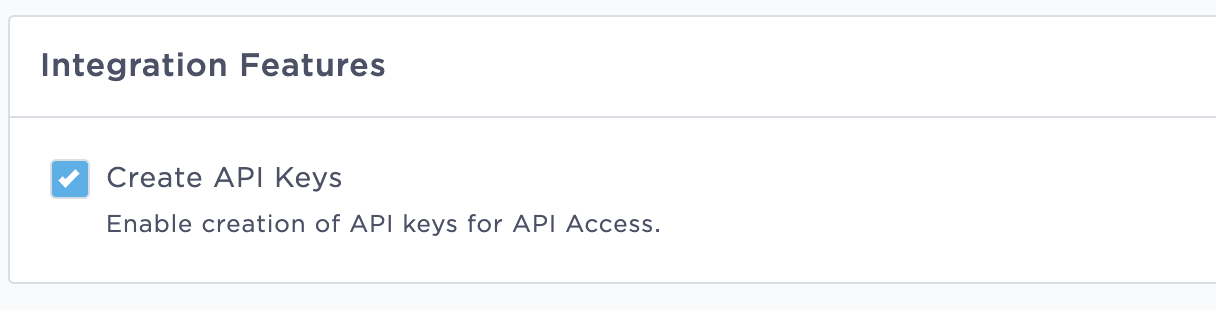
Once confirmed, you can proceed to follow these instructions:
To access the BindHQ API, you need to create one or more users on the BindHQ UI and authenticate your platform through API keys. Each user in BindHQ can have multiple API keys.
Key Management
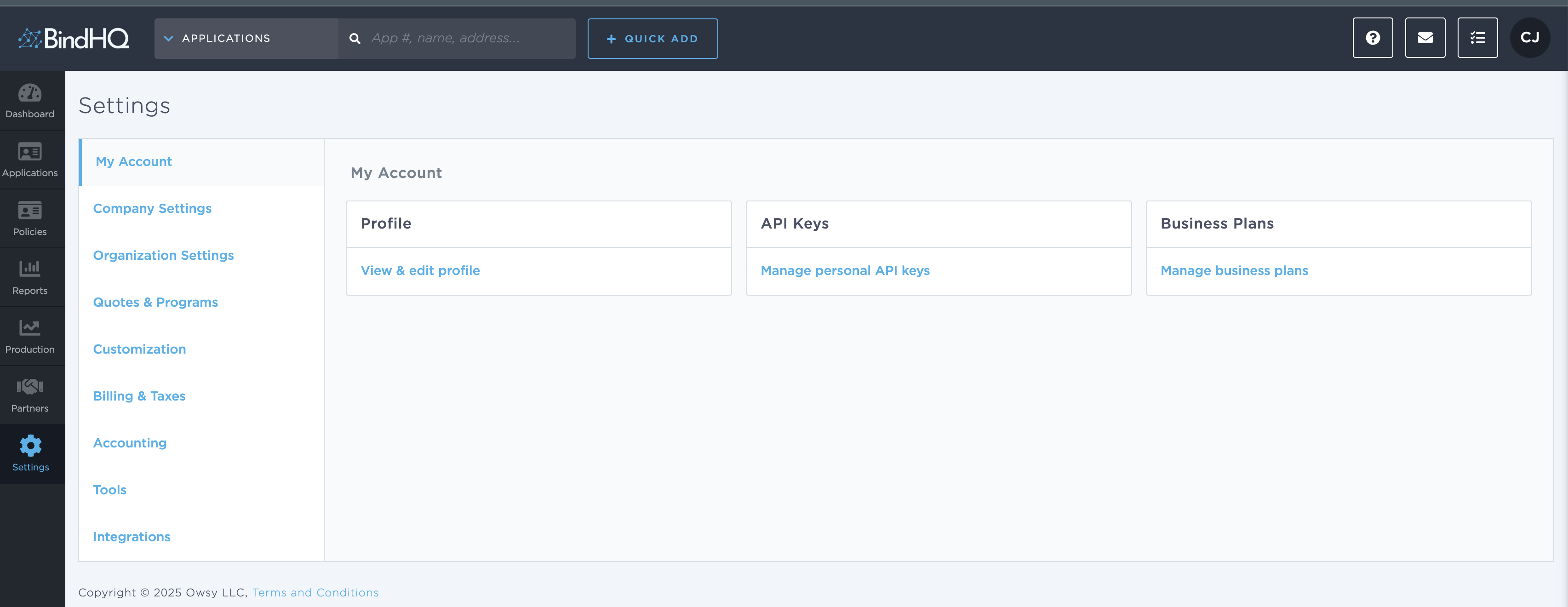
Create or View keys by going to Settings > My Account > API Keys
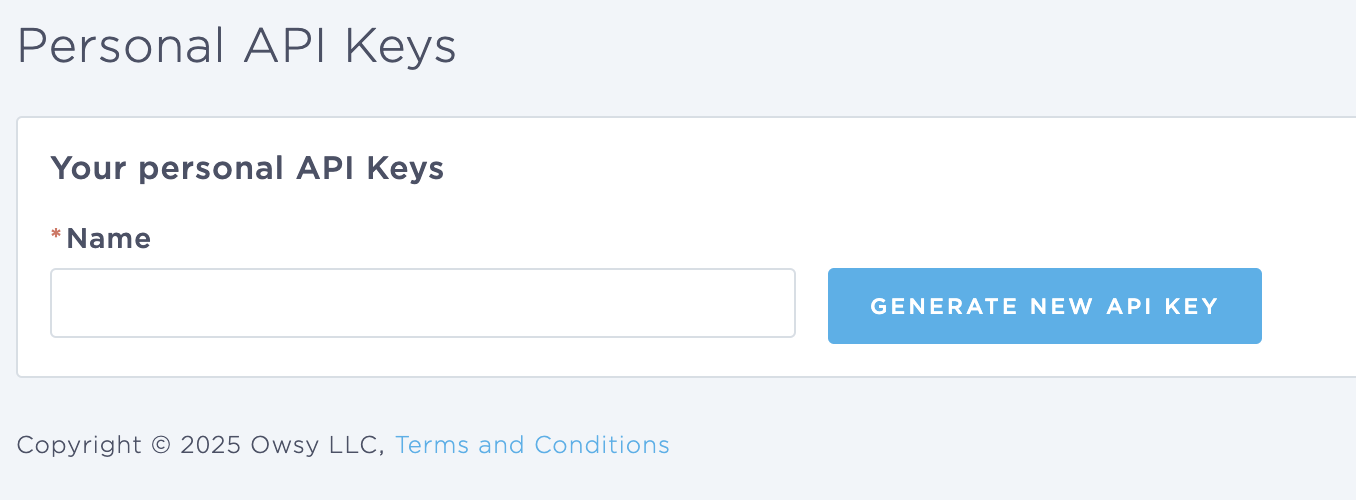
You can name your keys and then generate a key for specific use cases.
The API is organized using REST best practices and uses the JSON-LD format to link entities.
Authentication
Each BindHQ installation has a unique organization name typically displayed as {your businesses shortname}.bindhq.com. To Authenticate you will need to use your API key as a bearer token when accessing the BindHQ API endpoint.
API Key Authentication - Simply include your API key as a bearer token in your request’s “Authorization” header. This is the simplest authentication method. Learn more about how to create an API key here.
| API Keys are Sensitive: They provide full access to BindHQ API, and they do not automatically expire. These keys should only be stored on secure servers. Please contact us immediately if you believe your API key has been compromised. |
Authorization Errors
If we are unable to successfully authenticate and authorize your request, you will receive a 401 Unauthorized error response. This can happen for several reasons, including:
- The “Authorization” header is not provided
- The header value is not formatted as “Bearer [bearer_token]”
- The token is invalid
Expected Workflow
Creating Applications & Quotes, Bind a Policy
Once you're set-up, you can create applications. Applications require a Line of Business (or set of Lines of Business), Insured, Retail Agency and Retail Agent, and an internal Producer or Underwriter.
The Basic workflow to create a Bound policy in BindHQ is the following:
- Select and existing or Create a new Insured
- Create an Application
- Create a Quote with Premiums, Fees and Terms
- Bind a Quote
The required and optional fields for each step can be found in our API documentation.
API Log
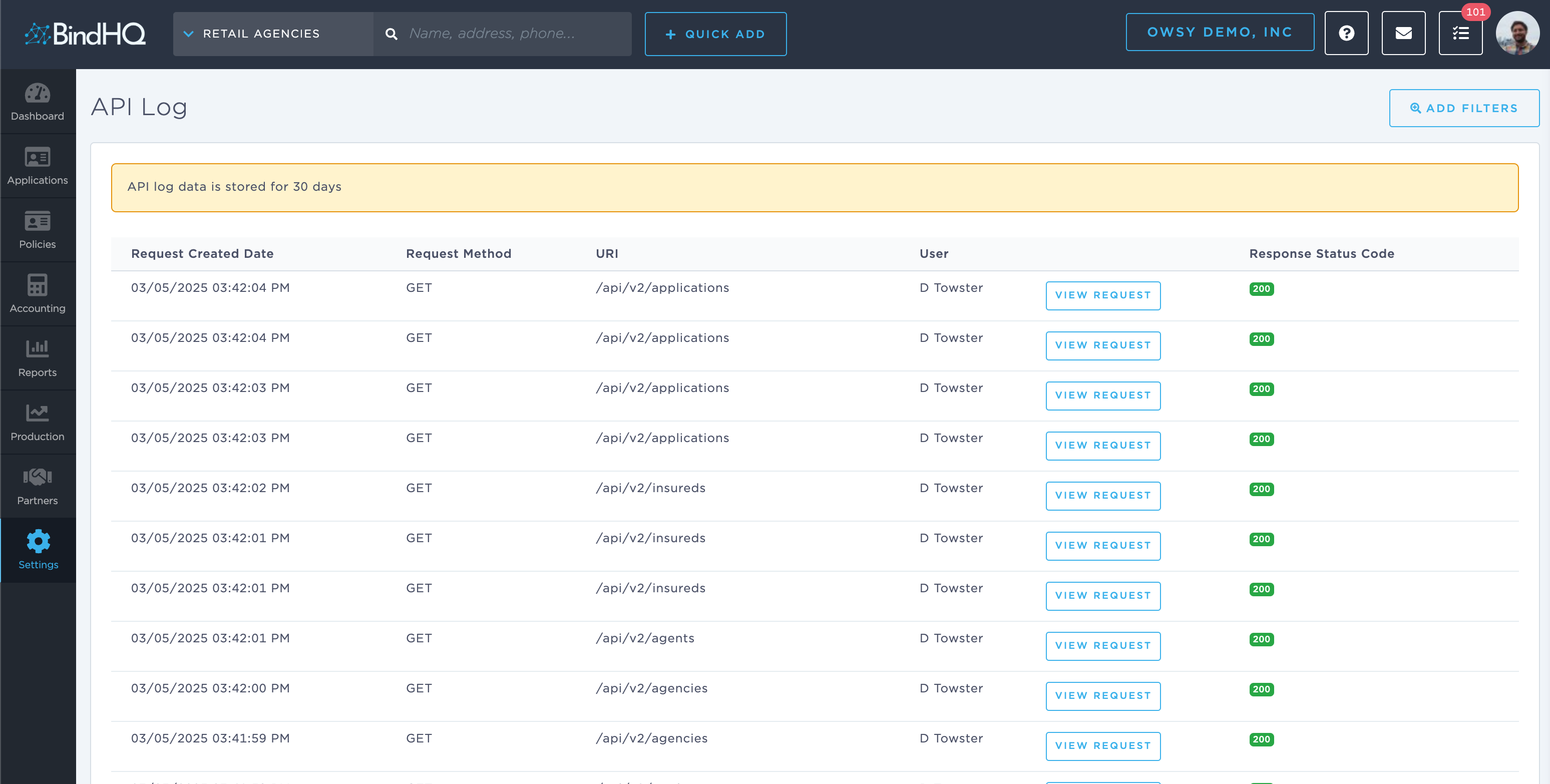
The API log provides a log of all API calls that happened over the last 30 days.
Keywords for Search:
- API
- Integration
- API key