Managing Your Account Details
Last updated: April 1, 2026
Introduction
BindHQ allows users to manage their personal account information and preferences directly within the platform. Keeping your account details up to date ensures accurate contact information, proper team access, and a personalized system experience.
This article explains how to access and update your user account details.
Accessing Your Account Settings
To edit your account details:
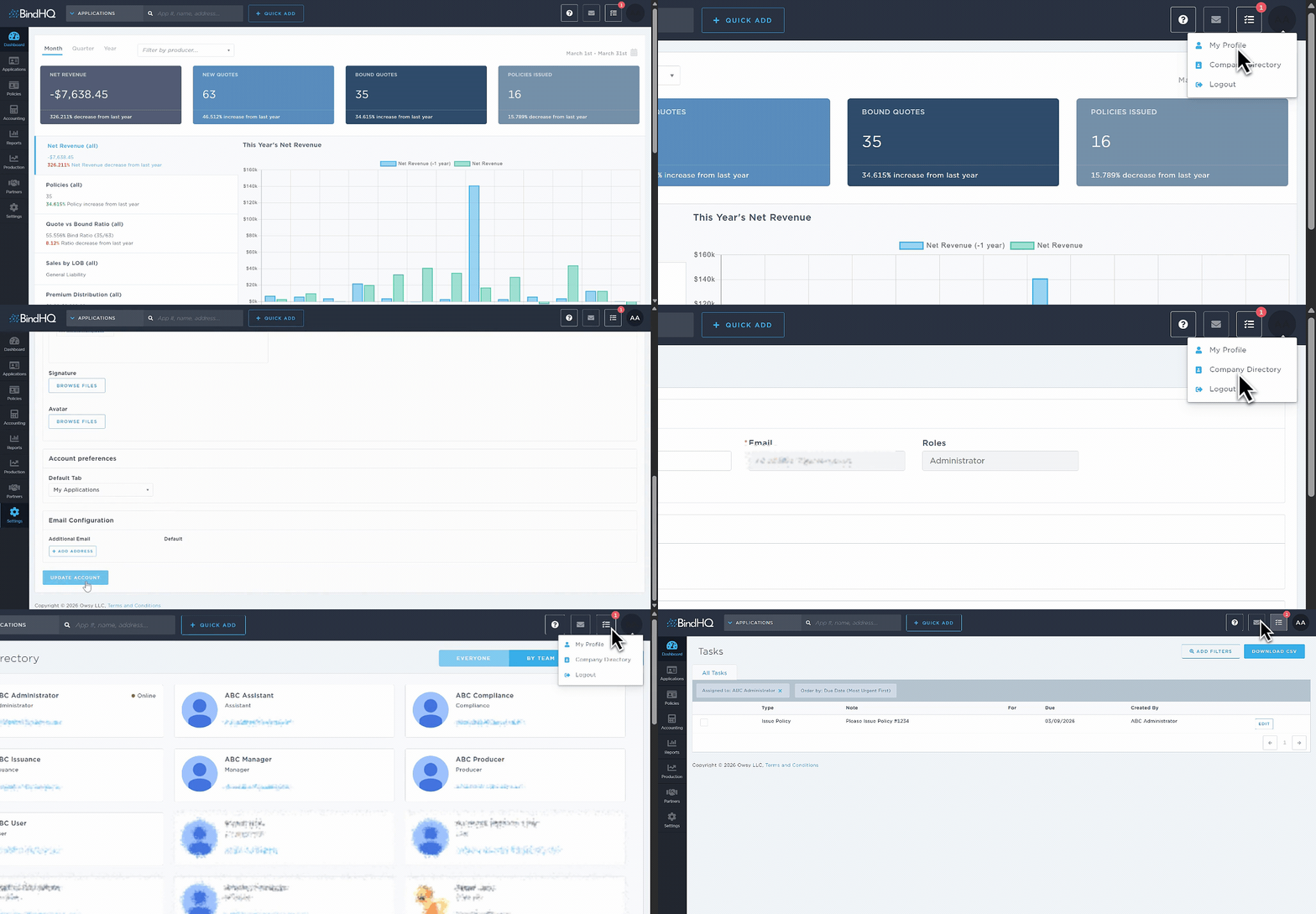
Click the upper-right corner
Click on My Profile
Select My Profile.
or
In the left sidebar, click Settings.
Select My Account.
Under Profile, click View & Edit Profile.
Updating Your Account Information
You can make changes to the following:
First and Last Name
Teams – View, join, or leave teams (if applicable)
Contact Information – Cell phone and office phone
Bio
Email Signature
Avatar
Default Tab Preferences
Additional Email Addresses linked to your account
Saving Your Changes
After making the necessary updates:
Scroll to the bottom of the page.
Click Update Account to save your changes.
Your updates will take effect immediately.
Last Update: March 2026