Create a Quote Template in BindHQ
Last updated: March 2, 2026
This article offers an overview of Quote Templates, their purpose, and the steps to create or deactivate them.
Overview of Quote Templates
Quote templates are available during the quoting process in BindHQ. They provide a quick and efficient way to streamline insurance transactions by eliminating the need to enter common details repeatedly. They allow underwriters and brokers to predefine standard language, fees, terms, and commonly paired lines of business into a reusable package. These templates can be easily adjusted during the sales process, ensuring flexibility while maintaining consistency.
Creating a Quote Template
1. Navigate to Quote Templates
Admins can configure Quote Templates by following these steps:
Go to Admin > Templates & Documents.
Select Quote Templates.
Click Add New Quote Template.
2. Required Fields
Quote Templates require the following fields:
Name: An easy-to-remember name format for underwriters and brokers to identify the Template. Many customers use the {Carrier Name} + {Line of Business} e.g. "Century Risk General Liability" format.
Description: A more detailed description of the Template.
Marketing Company: The entity that will be paid for when the risk is bound.
Carrier: The Risk company, often referred to as the 'Paper' company.
Eligible Regions: The states or regions this Template can be used in.
Line of Business: The kinds of business associated with this Template.
Business Type: Binding or Brokerage
Billing Type: Direct Bill, Insured Direct Bill or Agency Bill transaction.
Taxes Collected By: For non-admitted policies, an entity must be selected to collect the taxes, either the Agency, the Carrier, or your business.
3. Optional Fields
Subjectivities: Easily add, remove, or create Subjects associated with the Quote Template to communicate what you will ultimately require to bind the account.
Additional optional fields include Exclusions, Terms, and Requirements.
4. Line Items
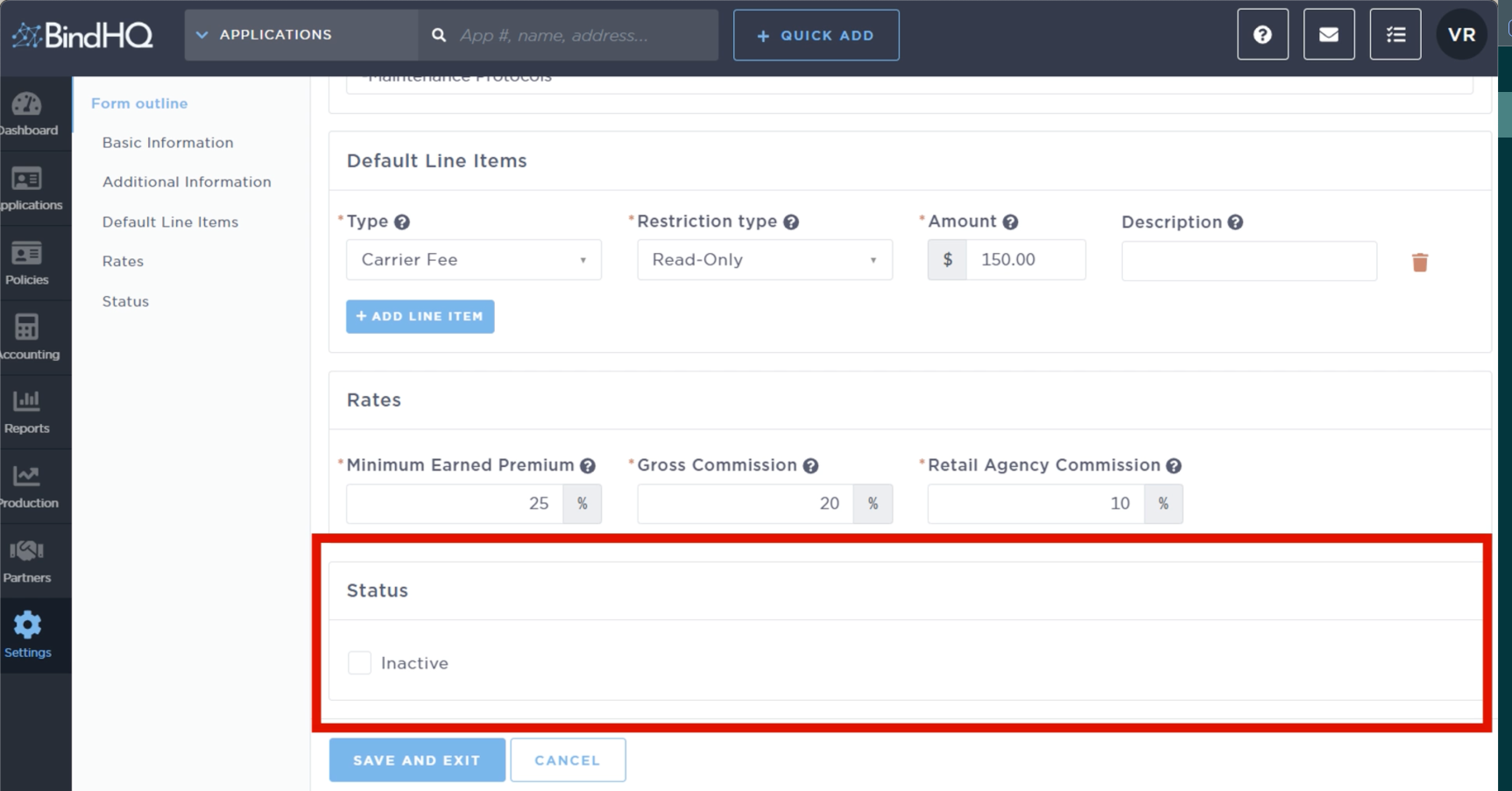
The Default Line Items section allows admins to predefine common fees—such as carrier fees, MGA fees, and inspection fees—within each quote template. This ensures consistency across transactions, reduces manual data entry, and helps streamline the quoting process by automatically including these standard charges. Admins can customize these items as needed to fit specific policies.
Each fee can be configured as editable or read-only.
Deactivating a Quote Template
To deactivate a Quote Template, navigate to the Status section and select the Inactive checkbox. This prevents the template from being used or appearing during the quoting process in the future.