Application, Quote and Policy statuses
Last updated: July 5, 2025
Understand how Application, Quote, and Policy statuses can change, what drives the behavior, and what the limitations are.
Applies to:
- Producers
- Assistants
- Admins
Last Updated: January 2023
This article explains how Application, Quote, and Policy statuses behave in BindHQ.
The sections for this article are:
- Overview and use cases
- How changing an application status works
- How changing a quote status works
- Automated status changes
- Constraints and possibilities
Overview and use cases
Application, Quote, and Policy statuses can be used to track the lifecycle of an account. BindHQ provides a flexible way to change statuses and leave a comment when doing so so that each of the changes can be tracked with the rationale entered by the user who initiated the change.
The Application statuses are:
- Open
- Closed
- Pending (Market)
- Pending (Agent)
- Quoted
- Bound
- Cancelled
The Quote statuses are:
- Open
- Quoted
- Bound
- Rejected
- Cancelled
The Policy statuses are:
- Not Issued
- Issued
- Cancelled
- Non-Renewal
- NOC Pending
- Void
Changing Application Status
To change the Application status click the "Change" button in the top right corner next to the current Application status.
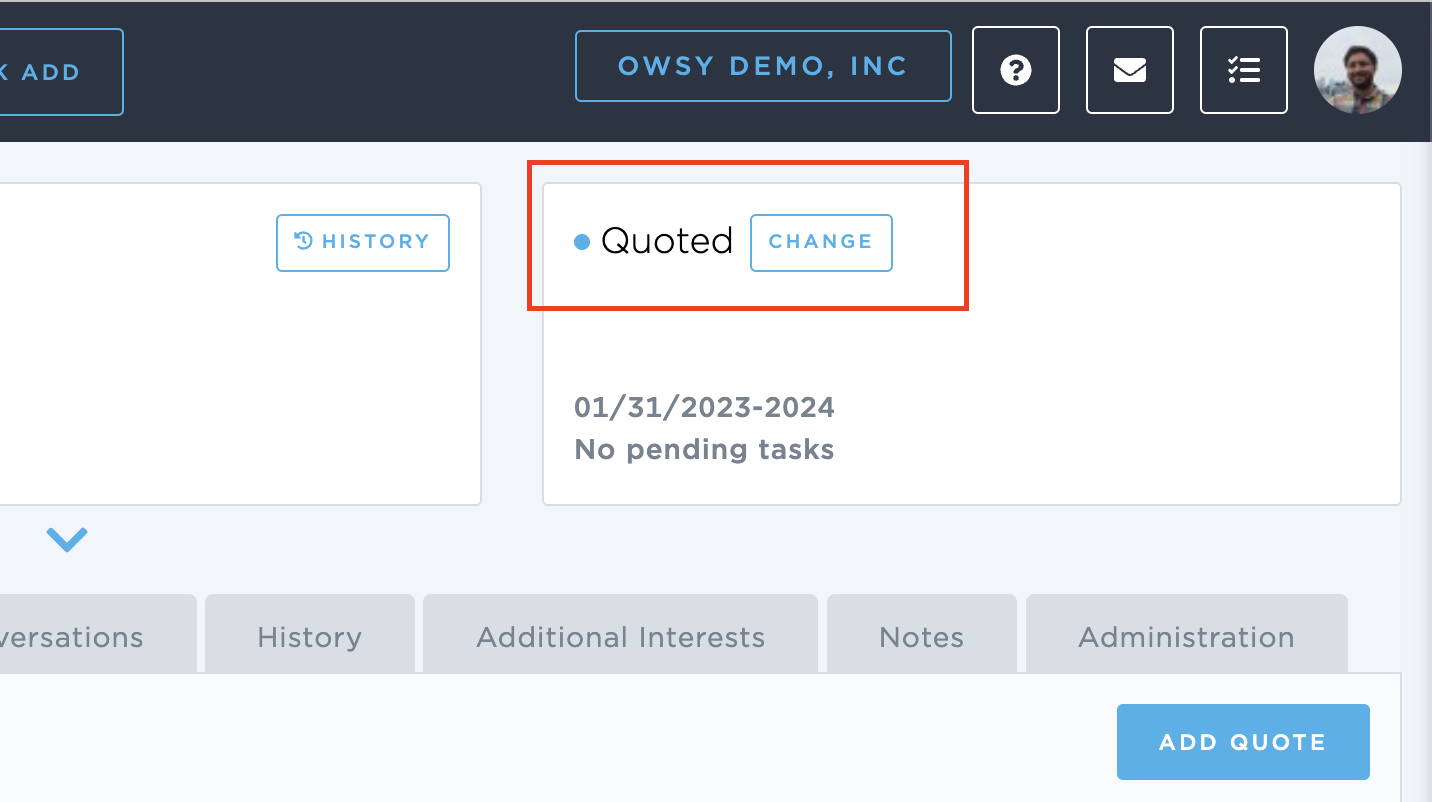
In the modal window choose from the available statuses, enter a reason for the change if needed, then click save. The Application status will be updated and displayed on all screens and reports. The change with the comment will be recorded in the history of the Application.
Changing Quote Status
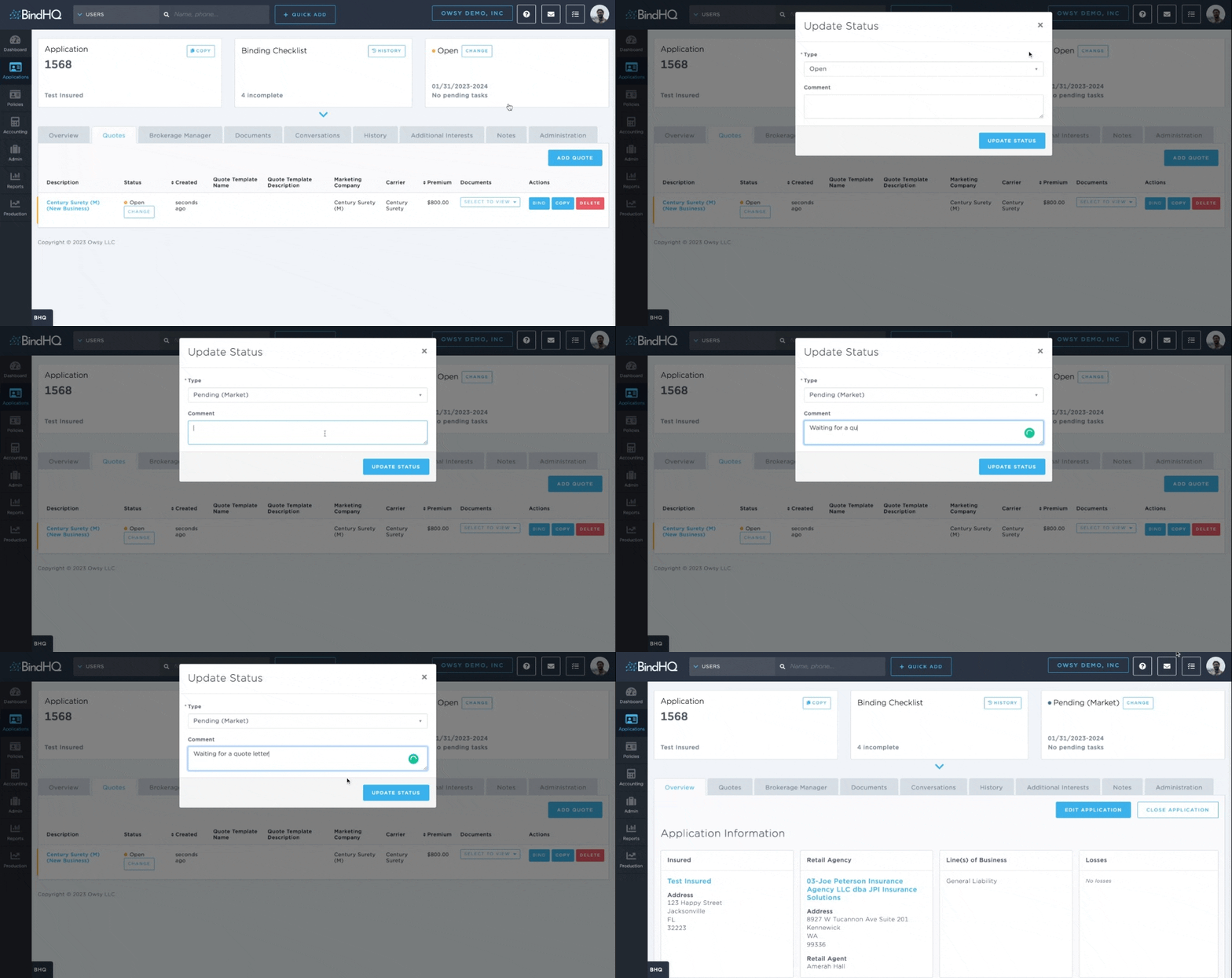
To change the status of the Quote, click the "Change" button next to the quote status.
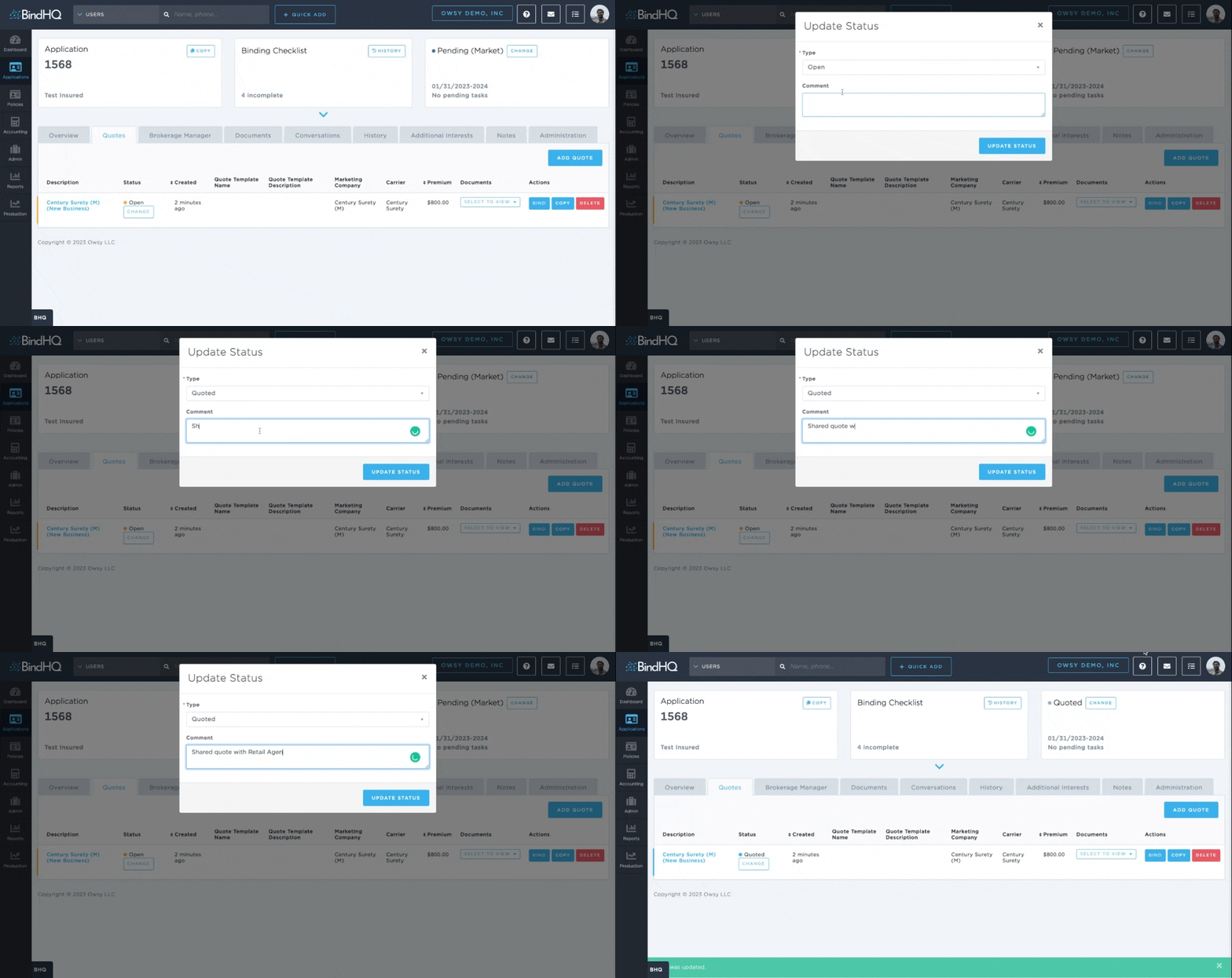
In the modal window choose from the available statuses, enter a reason for the change if needed, then click save. The Quote status will be updated and displayed on all screens and reports. The change with the comment will be recorded in the history of the Application.
Changing the status of the Quote to "Quoted" will automatically change the Application status to "Quoted".
Only automated actions—binding a quote, cancelling a bound policy, and reinstating a cancelled policy—will update the quote status to "Bound" or 'Cancelled".
Changing Policy Statuses
Policy Statuses change automatically.
When a Policy is bound it will have a status of "Not Issued".
Once the Policy is issued, its status will become "Issued".
After a cancellation, the status will become "Cancelled".
After issuing a notice the status will become "NOC Pending" or "Non-Renewal" based on the notice type.
After a reinstatement, the status will revert to the most recent status before the cancellation.
Automatic status changes
BindHQ supports some automatic status changes when specific actions are taken in the system. These are:
- When an Application is Closed: --> Application status:
Closed - When a Quote is changed to Quoted: --> Application status:
Quoted - When a Quote is bound: --> Application status:
Bound, Quote statusBound - When a Policy is cancelled: --> Application status:
Cancelled, Quote statusCancelled - When a Cancelled policy is reinstated: --> Application status:
Bound, Quote statusBound
Constraints and Possibilities
Some of the Application and Quote statuses are not available until some prerequisites are met.
For an Application:
- Quoted - needs to have at least one quote, with at least one quote marked as "Quoted" or "Bound"
- Bound - needs to have at least one quote that was bound
- Cancelled - needs to have at least one quote that was bound, then cancelled
- Closed - unavailable because there is a separate workflow to close the application
For a Quote:
- Once a quote is bound or cancelled, the quote status cannot be updated manually anymore