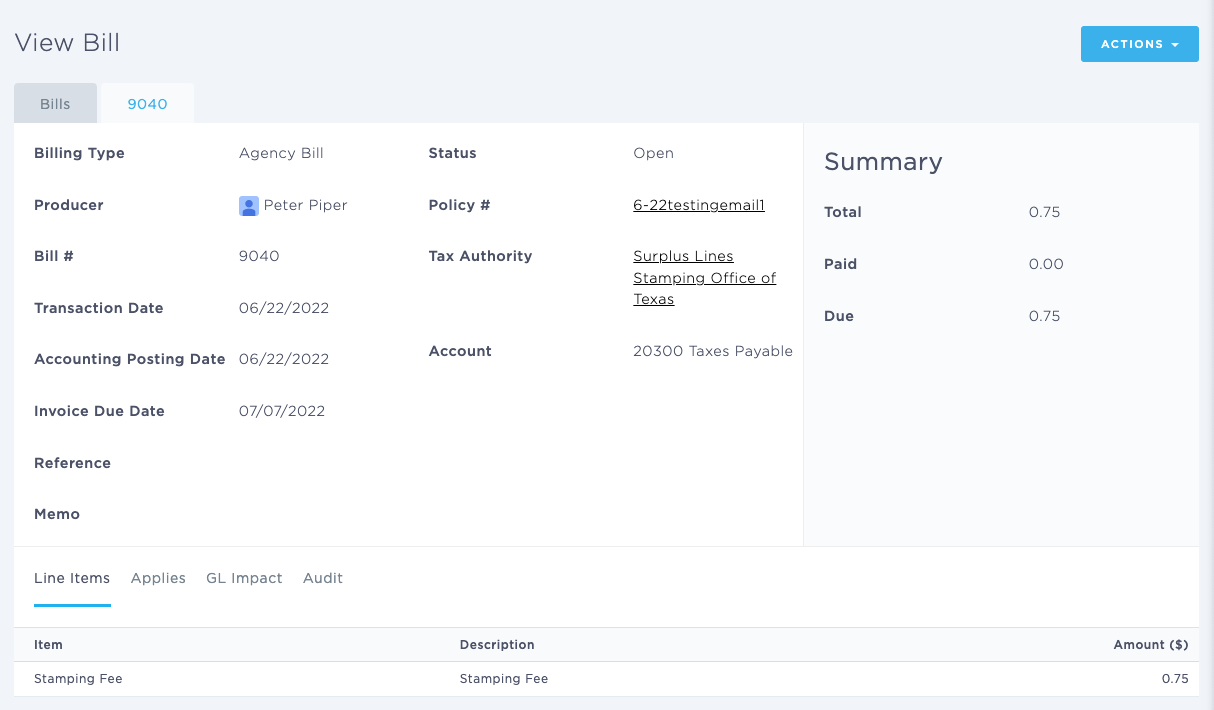
Using the Bill Detail Page
Last updated: July 5, 2025
You can use the Bill Detail page to make a new payment.
This article explains how you can view an individual Bill.
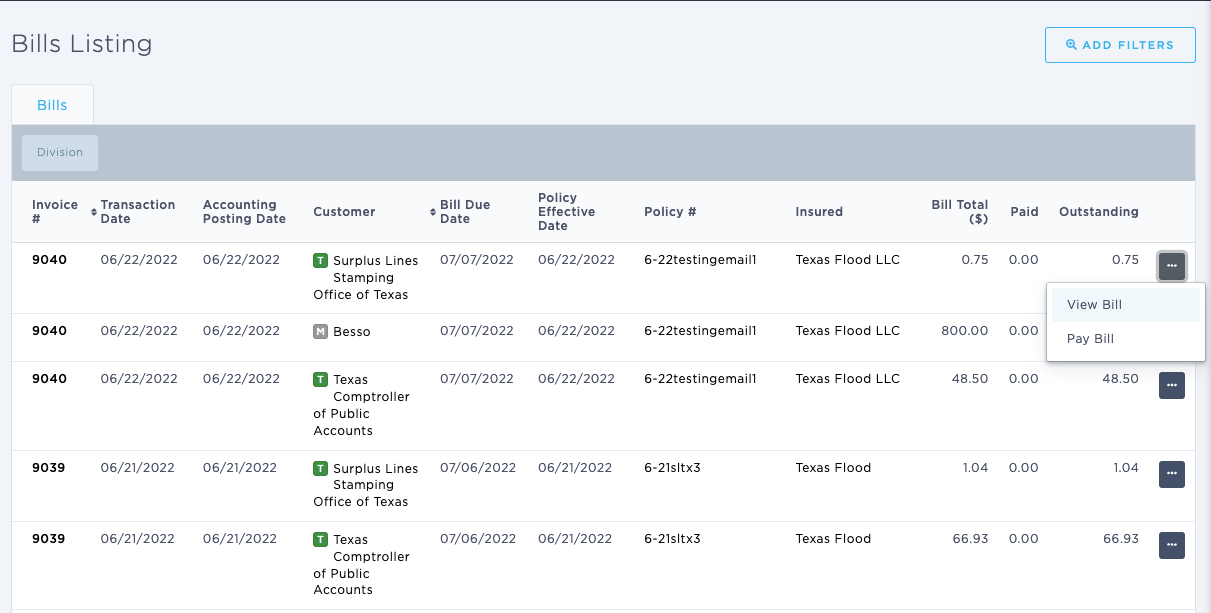
You can find this page by going to the “Accounting” tab in the side navbar, then going to “General”, and then selecting “Browse & View Bill” from the Accounts Payable tab. You can then select an individual Bill Credit and click on the hyperlink.
You can use this page to answer the following questions:
- What are the specific details of an individual Bill?
The Bill Detail page displays the following information:
- Producer
- Bill #
- Transaction Date
- Posting Date
- Due Date
- Reference
- Memo
- Status
- Policy
- Marketing Company
- Account
On the left hand side of the screen, it displays a financial summary, including:
- Total
- Paid
- Due