Application Clearing
Last updated: September 28, 2026
BindHQ automatically clears a new application being entered with existing applications for that insured, based on the line of business.
When adding a new application in BindHQ, always search for the insured first. This will help prevent duplicate insureds in the system.
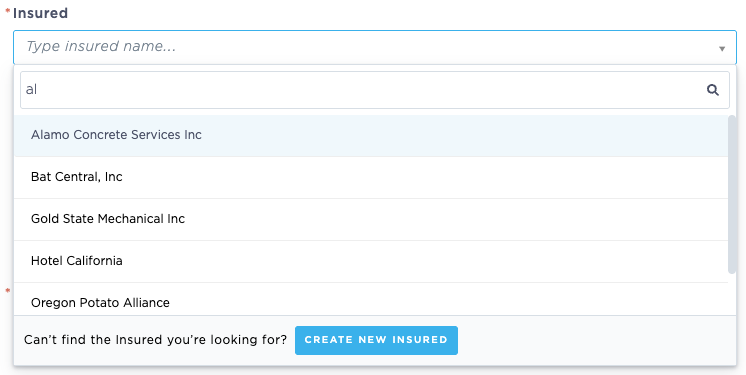
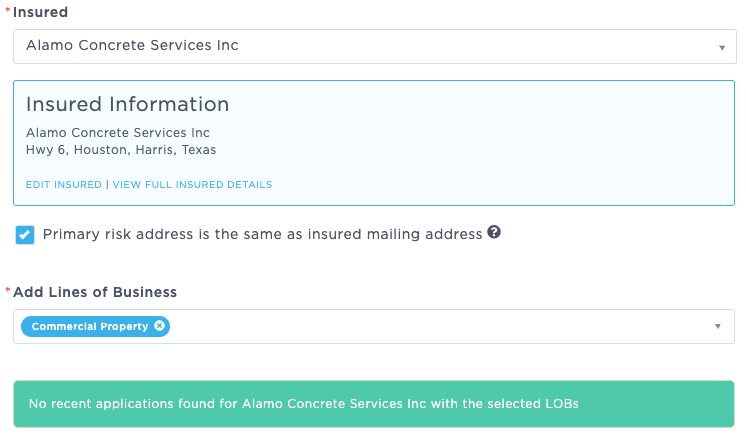
If you select an existing insured, when you add lines of business to the application, those LOBs will be cleared against existing applications.
If the application clears, a message will display in green below the Line of Business selector.
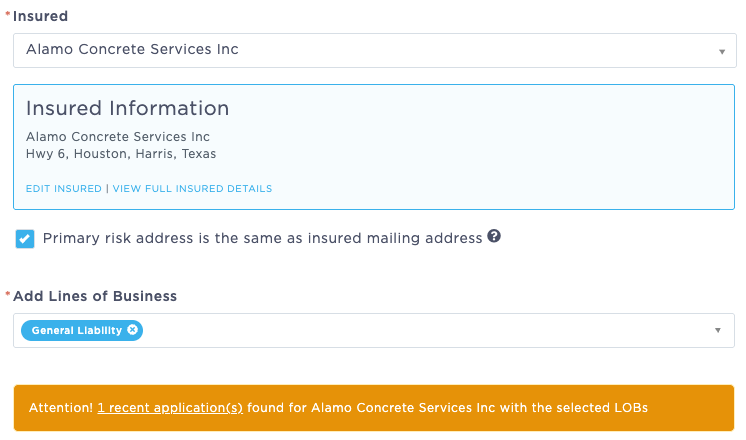
If a matching line of business is found in the system, a message will appear in yellow indicating how many applications match the selected line of business under this insured.
Clicking the link provided will display a list of the potential conflicting LOBs.
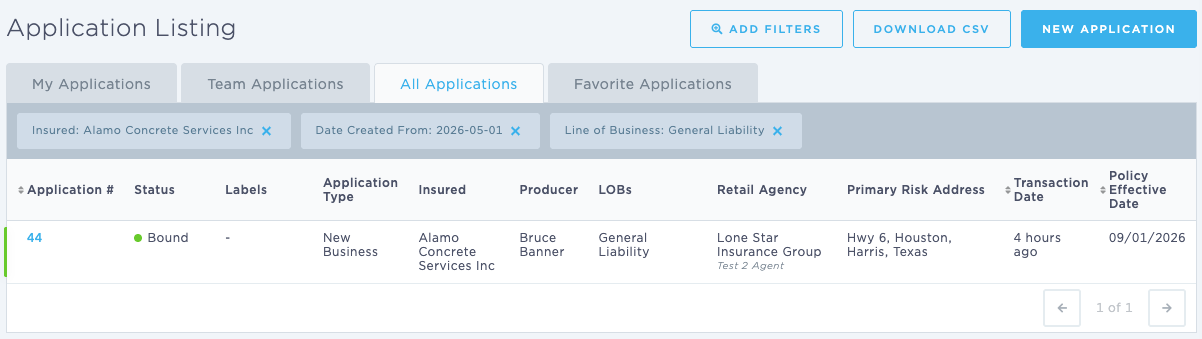
NOTE: The Application Clearing function is for informational purposes only. It will not keep a user from entering a duplicate application, as sometimes multiple applications in the same line of business type may be created for one insured.
Updated September 2026