Email Attachments
Last updated: July 5, 2025
Applies to:
- Admins
Last Updated: March 2024
BindHQ enables you to create Email Attachments in the system that can be used as attachments for Emails sent from your AMS.
Who can access the Email Attachments?
Only Admins can access and manage Email Attachments, but everyone can use the uploaded Email Attachments on Policies.
For Admins, the feature is accessible at Admin > Templates & Documents.
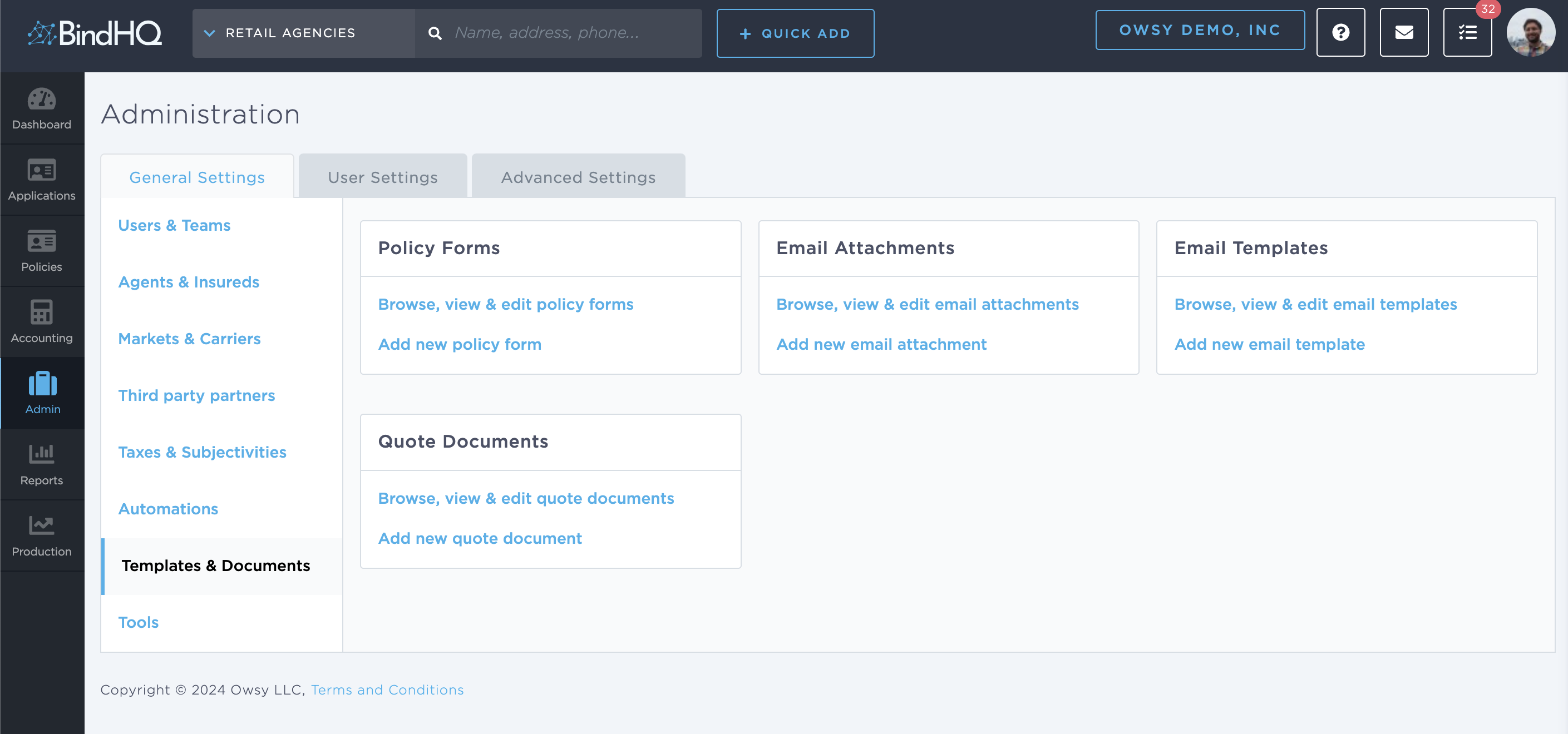
Creating an Email Attachment
To create a new Email Attachment, click on the '+ Add New' button on the top right then select "Email Attachment", which will take you to the Email Attachment creation screen.
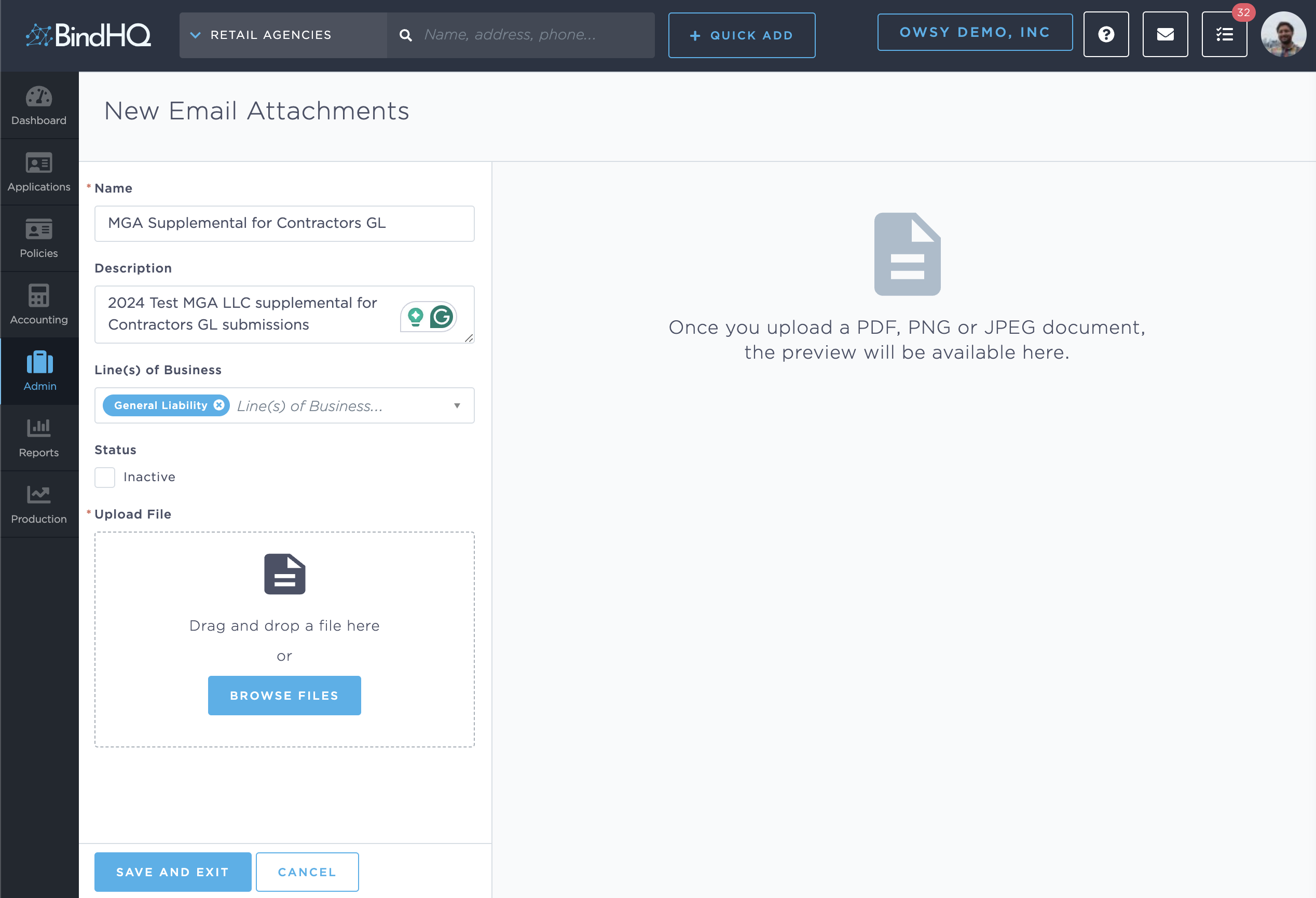
Add a name and description for the Email Attachment. One or more Line(s) of Business can be selected where the Email Attachment is applicable, for instance, if it is a Supplemental for a specific class or a flyer for a specific Line of Business.
Using Email Attachments
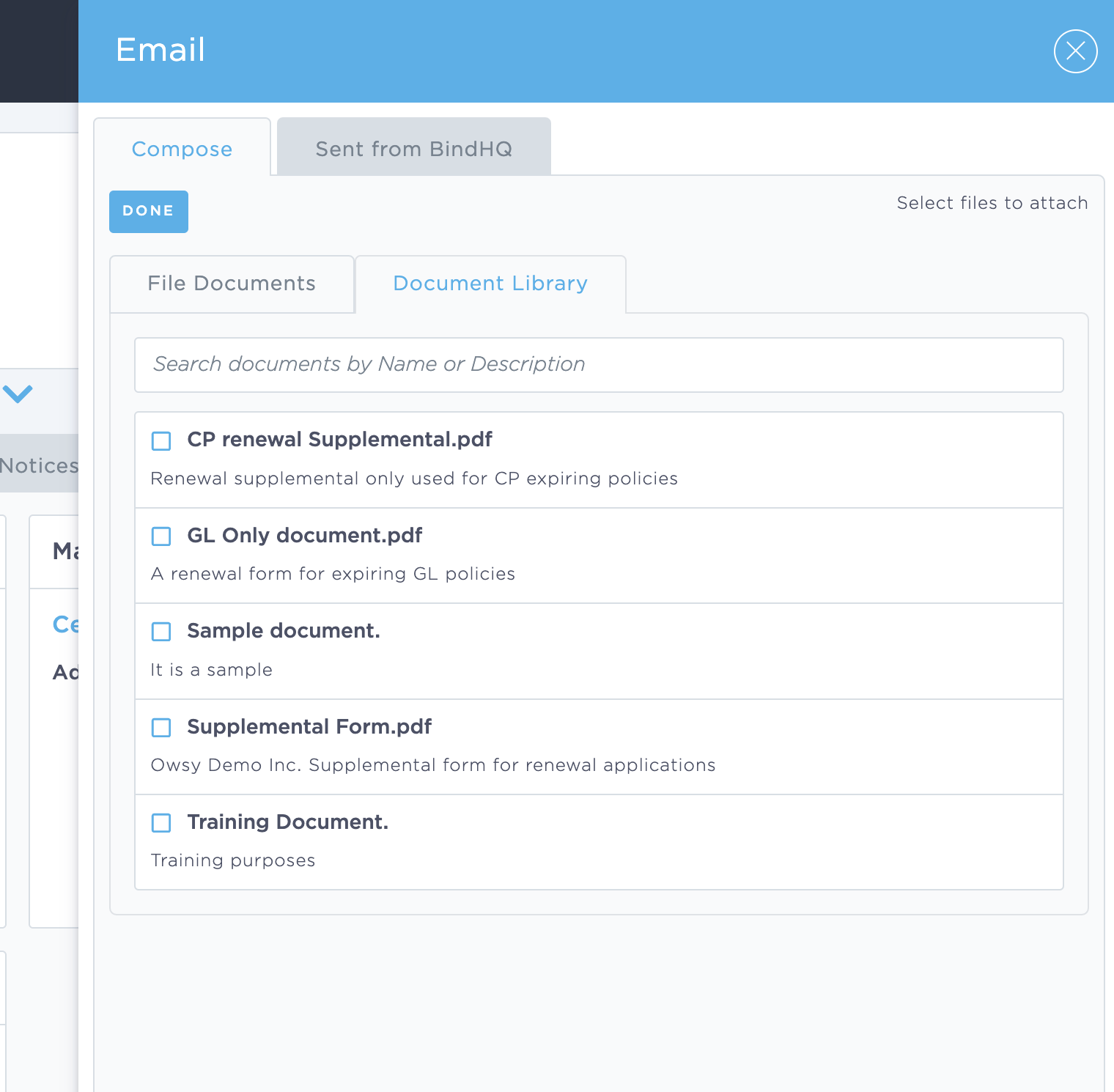
When sending an Email from a Policy context, sending out a Renewal email from the renewals manager, or configuring an automation the uploaded files can be used as attachments.
To access the Email Attachment documents when sending a one-off email from a policy, click Add Attachment, then Document Library.
Keywords for Search:
- Email template
- Configure email
- Email Attachment
- Supplemental
- Renewal