Quote Documents
Last updated: July 5, 2025
Understand how to configure Quote Documents
Applies to:
- Admins
Last Updated: March 2024
This article explains how to upload, map, and configure Quote Documents.
The sections for this article are:
- Add & Configure Quote Documents
- Quote Documents on Applications
Add & Configure Quote Documents
Admins can access the Quote Documents listing screen through Admin / Templates & Documents / Add & Edit Quote Documents
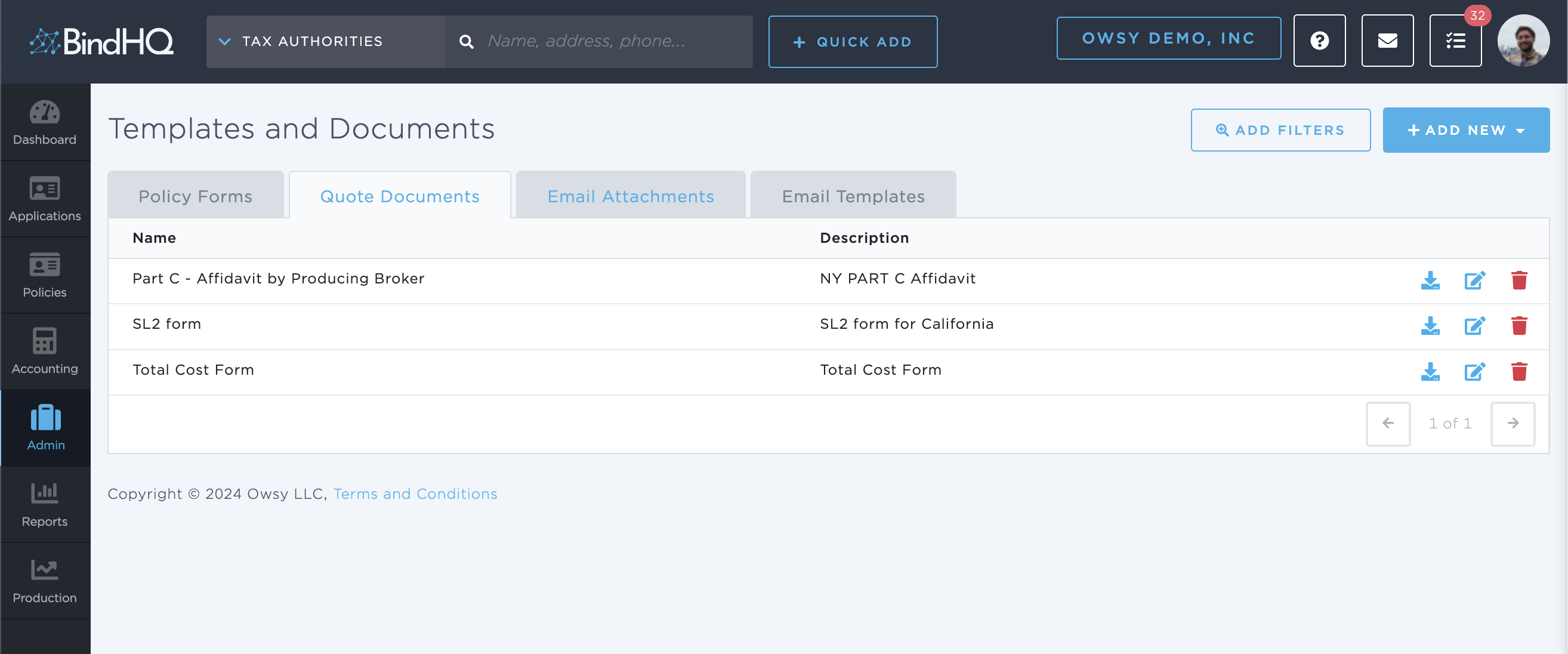
The list of Quote Documents can be filtered, edited, or deleted. Click Add New / Quote Document to add and configure a new quote document.
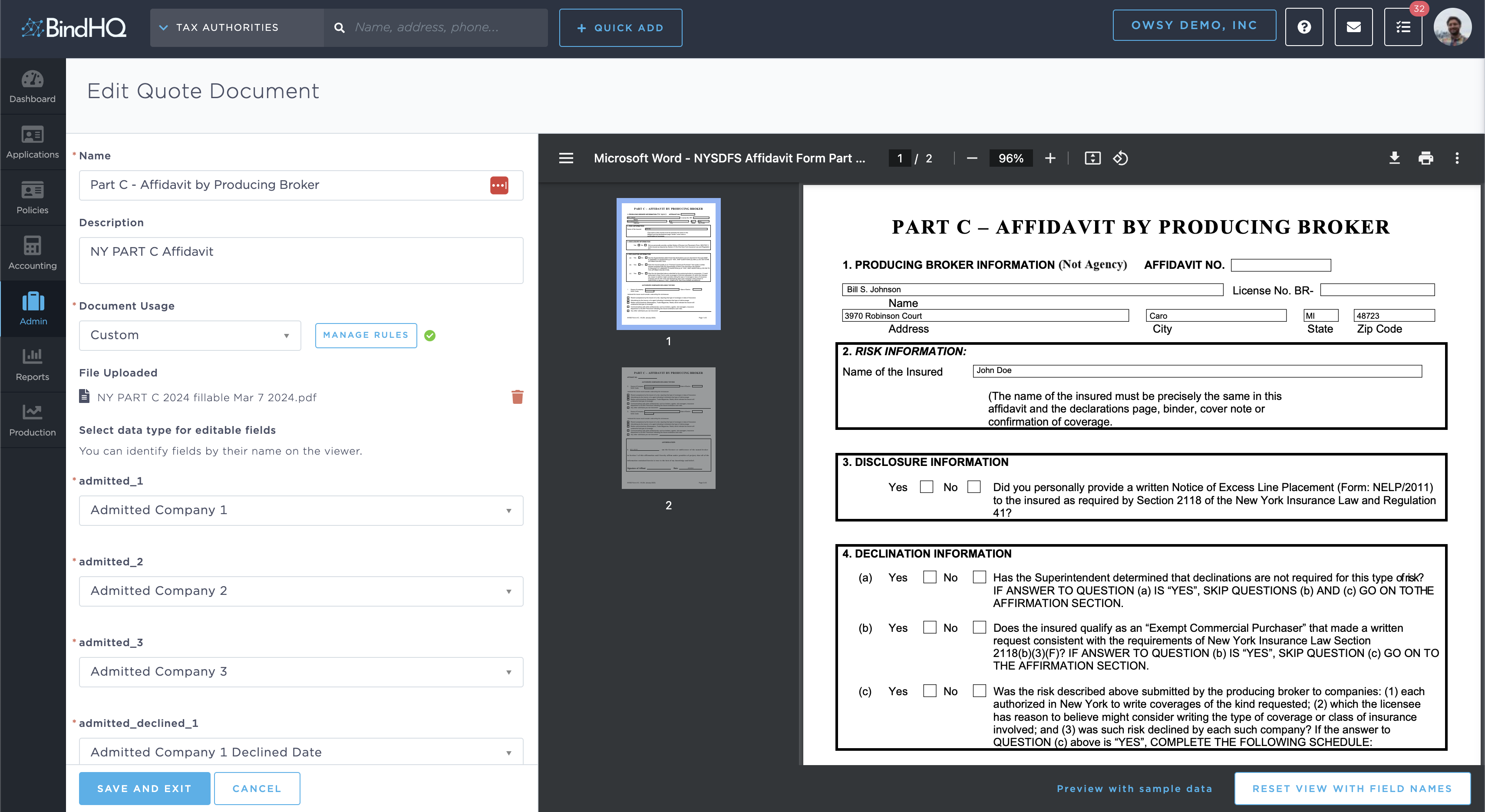
Document Usage can be used to configure the availability of the Quote Document on each Quote based on several input criteria. Use this to configure state-specific affidavits, coverage or class-specific supplemental documents, etc.
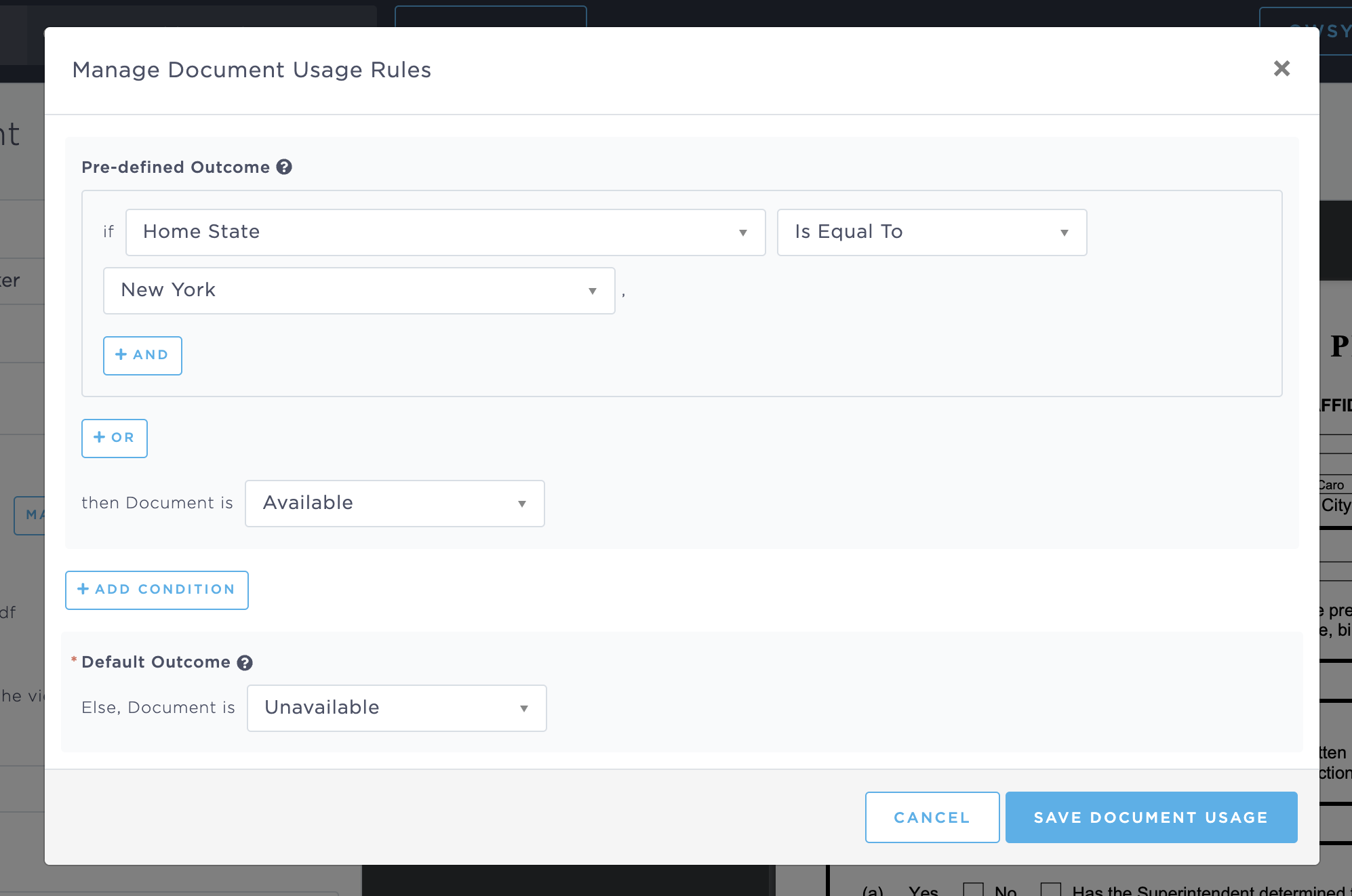
If the PDF document contains fillable fields template replacements can be selected to dynamically fill the PDF document, using BindHQ Data. For instance: Insured Name, Retail Agency Name, etc.
Quote Documents on Applications
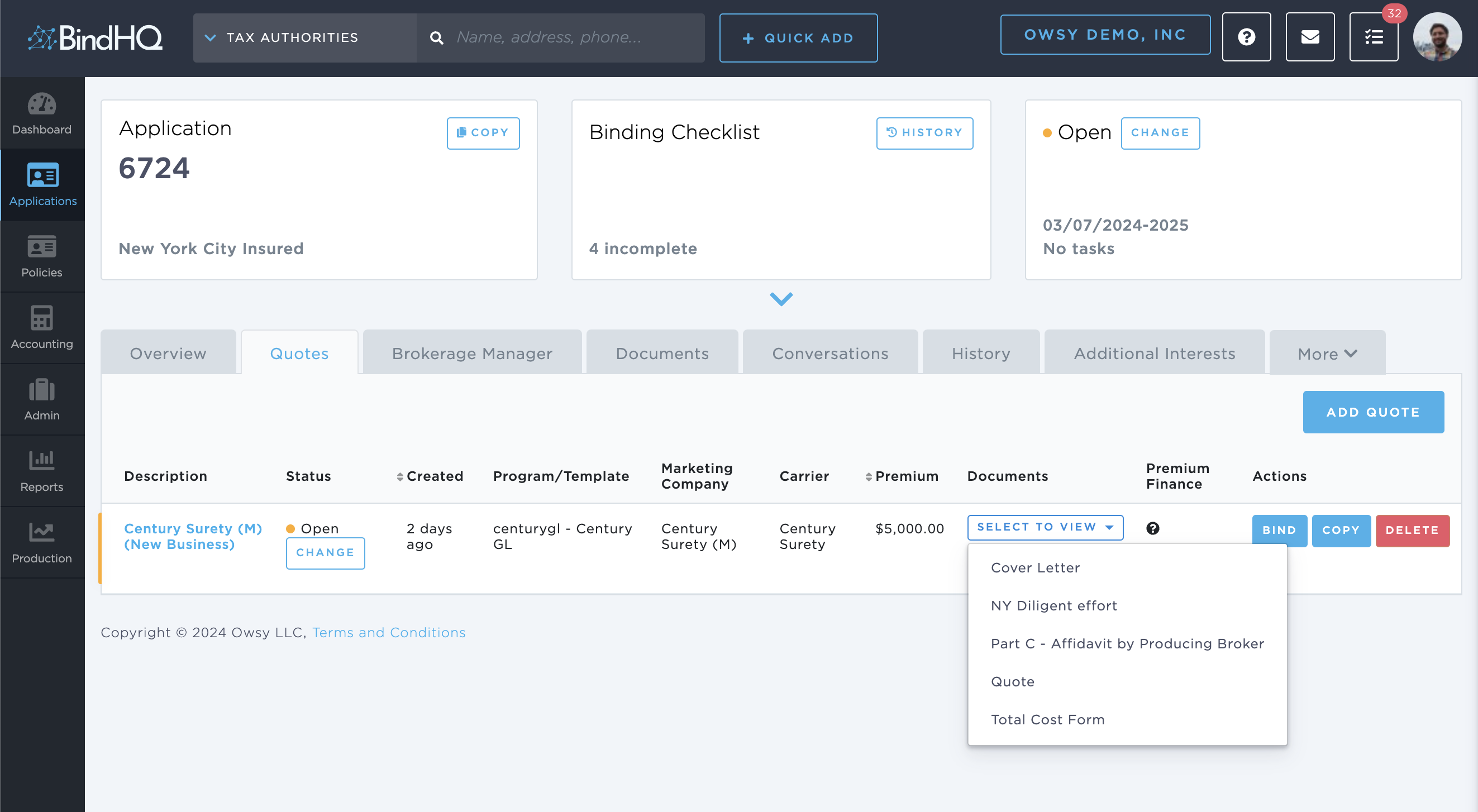
The uploaded and configured Quote Documents will appear under the Documents dropdown for each quote on the Quotes tab of Applications. These documents are always generated at the time of request, so if the data points are updated on the quote, the document will always contain the latest values.
These Quote Documents can later be used as attachments for sending out emails from BindHQ.
Keywords for Search:
- Quote Documents
- Affidavits
- SL-2
- Total Cost Form
- Supplemental