Using the LOB Production Report
Last updated: July 5, 2025
You can use the LOB Production Report to quickly see what Lines of Business your agency is placing by policy count, premium amount and revenue
Applies to:
- Agency Owners
- Managers
- Producers
This article explains how you can access and use the LOB Production Report to understand the composition of your agency’s book of business broken down by a specific line of business.
You can use this report to answer the following questions:
- What Lines of Business is my agency writing?
- What is the policy count for each line of business?
- What is the premium amount for each Line of Business?
- What is the revenue account for each Line of Business?
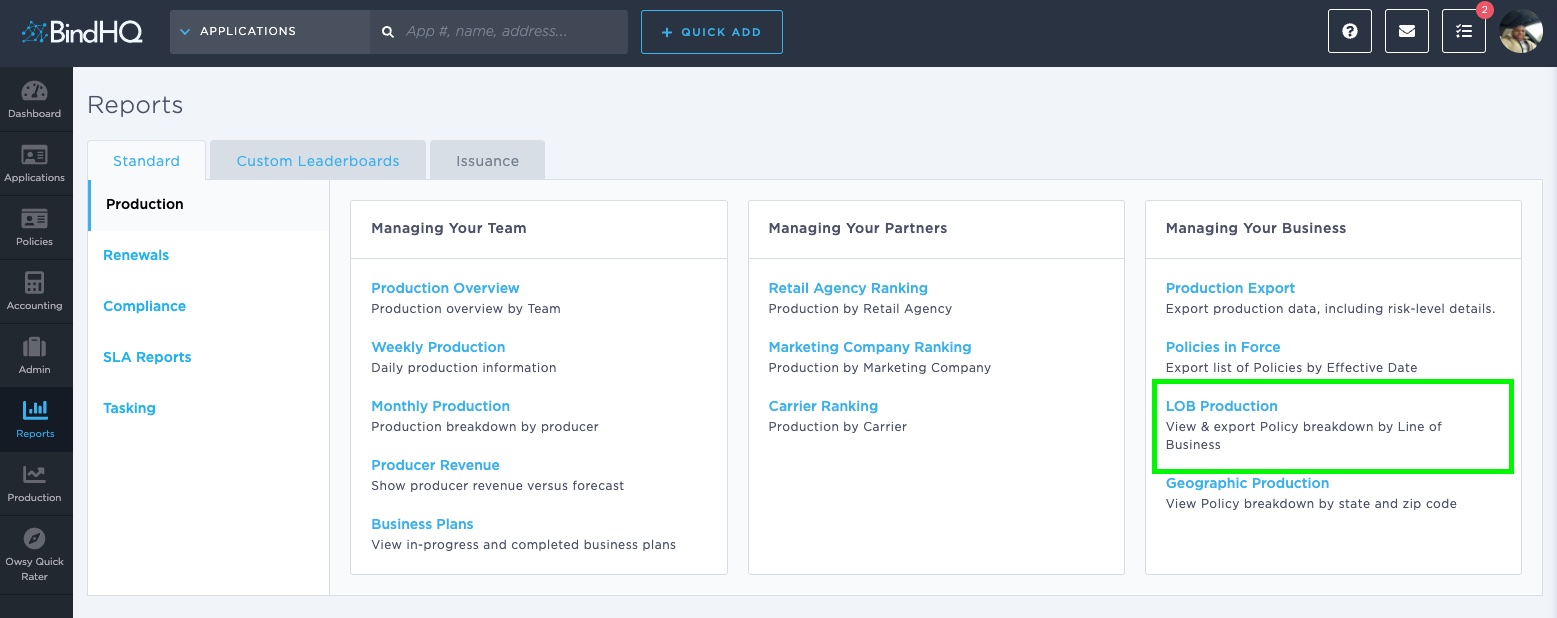
You can find this report by going to the “Reports” tab in the side navbar, then going to “Production”, and then selecting “LOB Production Report”
This report displays a list of all the LOBs that your agency is placing with the number of policies, premium, and revenue for each of them. It gives you an idea of the concentration of policies and premium for each Line of Business for your agency.
You can filter the time parameters by using the “From” date and by the “To” date pickers.
The LOB Production Report can be displayed on screen or downloaded as a CSV.
The columns in this report include:
- LOB - [Line(s) of Business]
- Policy Count - [# Binds]
- Premium - [Net Premium ($)]
- Revenue - [Gross Revenue ($)]