Using the Browse, View & Edit Posting Periods Page
Last updated: July 5, 2025
You can use the Browse, view & edit posting periods page to generate a list of posting periods for your agency.
Applies to: Accountants, Accounting Assistants
This article explains how you can use the “Browse, view & edit posting periods” page to generate a list of posting periods for your agency. You can look at the name, starting date, ending date, and open status of the posting period. You can also edit the posting periods.
You can use this page to answer the following questions:
- How can I generate a list of posting periods for my agency?
- How can I close an existing posting period?
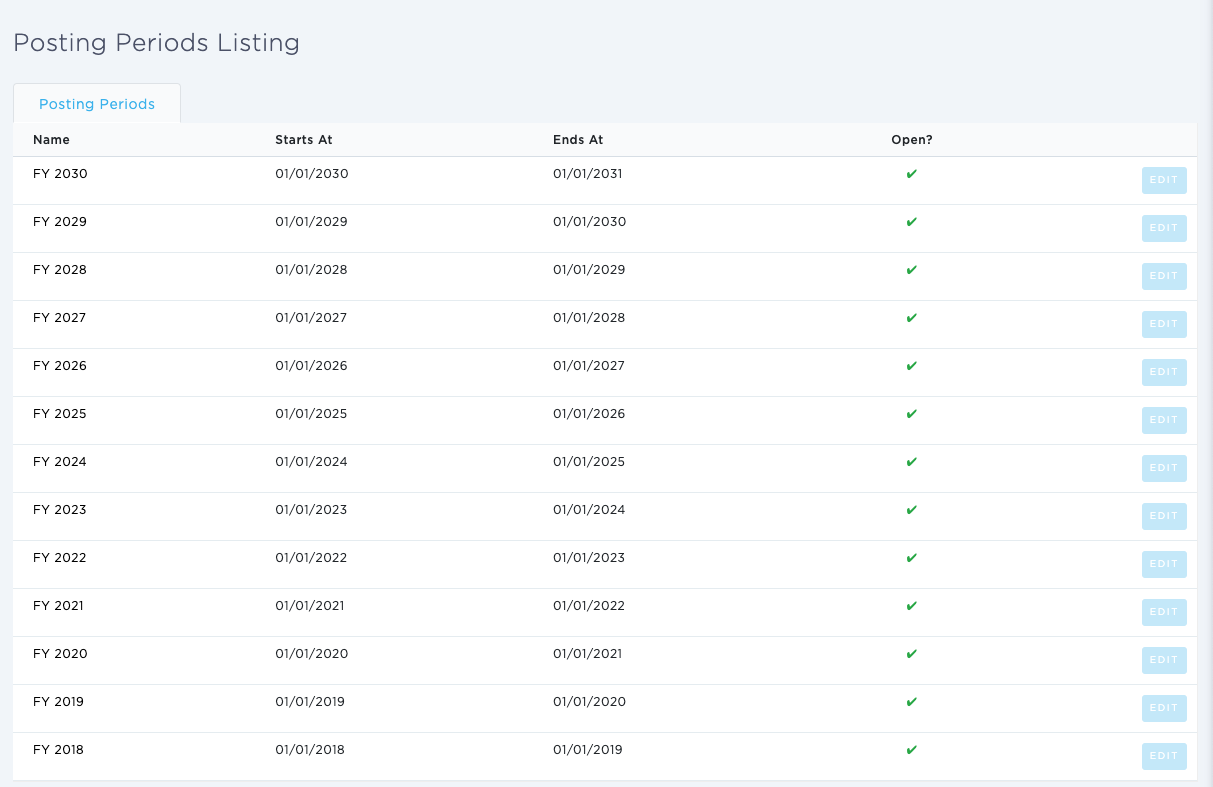
Our team has updated the opening and closing accounting periods feature to make it more intuitive and easier to use. In order to manage posting periods, first ensure you are configured to have access to Accounting features and specifically the role titled 'Create/edit posting periods' in your user settings.
Once confirmed, follow these instructions:
- Use the left-hand side navigation to go to the Accounting module
- Once in the accounting module select 'G/L Account Admin'
- Then select 'Browse, view and edit posting periods'
The video below showcases how to edit an existing posting period: