Undeposited Funds
Last updated: July 5, 2025
Applies to:
- Accountants
- Accountant Assistants
Last Updated: June 2024
This article explains how you can add and remove undeposited funds. You can use this page to answer to the following questions:
- What is an undeposited fund?
- How to add an Undeposited Funds bank account
- How to add an undeposited fund?
- Recording an Undeposited Fund to the Bank Account
What is an Undeposited Fund
An Undeposited Funds account is used to temporarily record the money received from customers via check or batches until it is deposited into a bank account. It helps track cash and checks that are yet to be deposited.
Adding an Undeposited Funds Bank Account
- Navigate to the Accounting tab.
- Access the G/L Account Admin.
-
Choose "Add New Account".
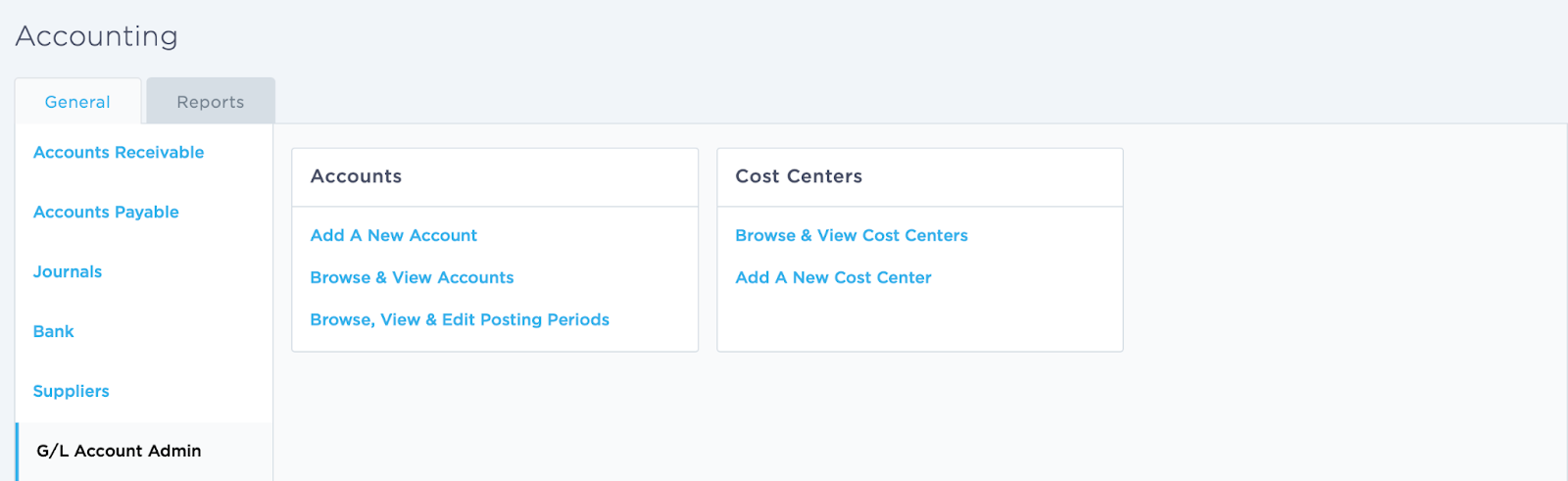
- Fill in the number, name, and description fields.
-
Select "Undeposited Funds" as the account type.
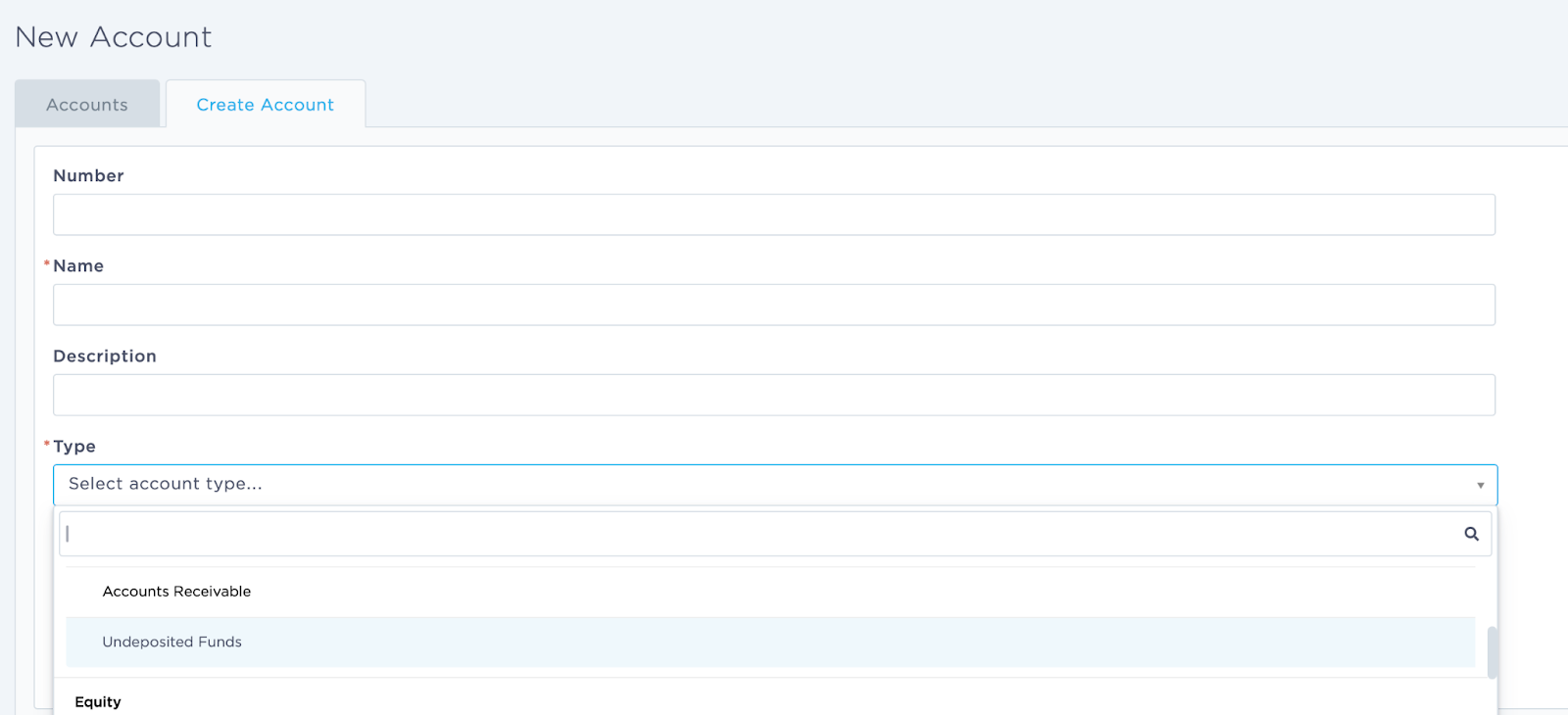
- Click "Create Account".
Adding an Undeposited Fund
It is possible to add a receipt to the Undeposited Funds following the steps below:
- Navigate to the Accounting tab
- Access Accounts Receivable
-
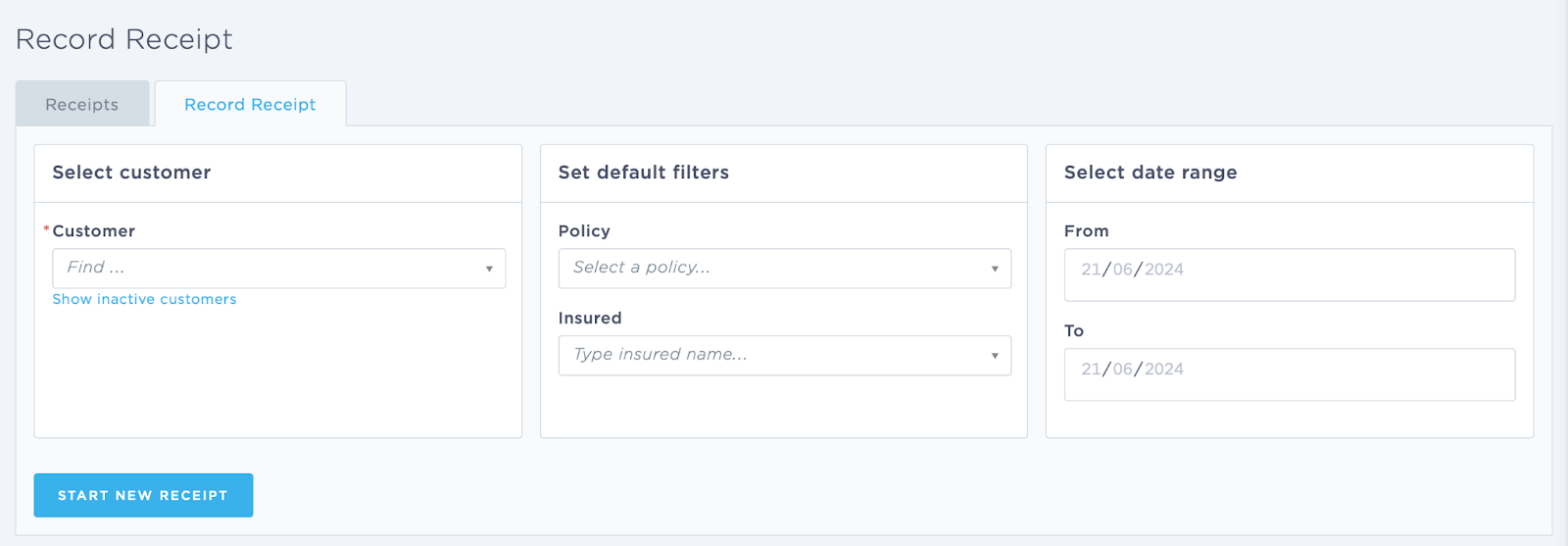
Record a Receipt
-
Fill in Customer Information
- Enter the Customer name.
-
Start a New Receipt
- Click on Start New Receipt.
-
Select Undeposited Funds in the bank account section
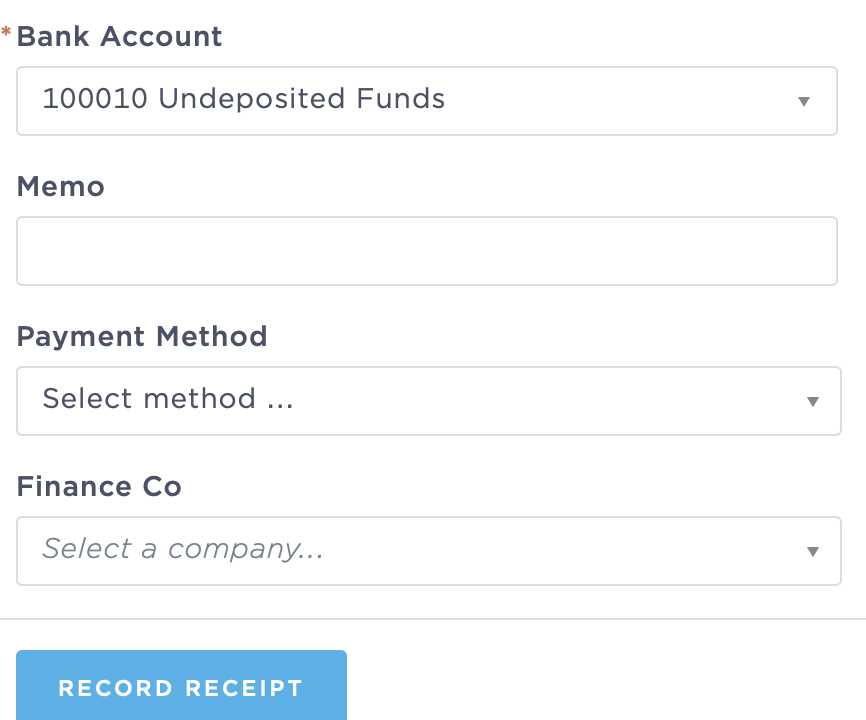
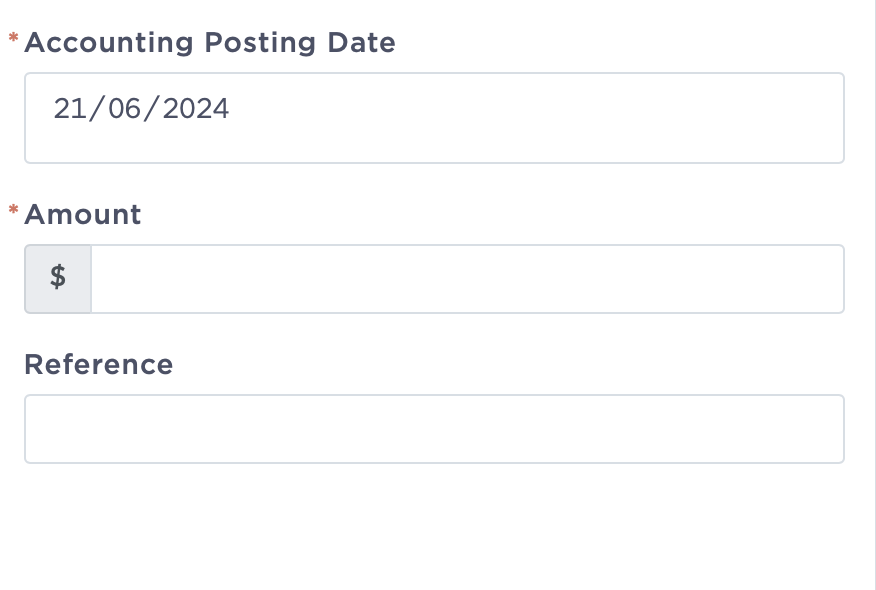
- Add amount of receivables
-
Complete the Receipt
- Enter the amount and any additional details required.
- Review the information for accuracy.
- Save or submit the receipt to complete the process.
This will ensure that the funds received are properly tracked in the Undeposited Funds account until they are deposited into the bank.
Recording an Undeposited Fund to the Bank Account
- Navigate to the Accounting tab
- Access Bank
- Find and select the option to record a deposit.
-
Select the bank account where the deposit will be made.
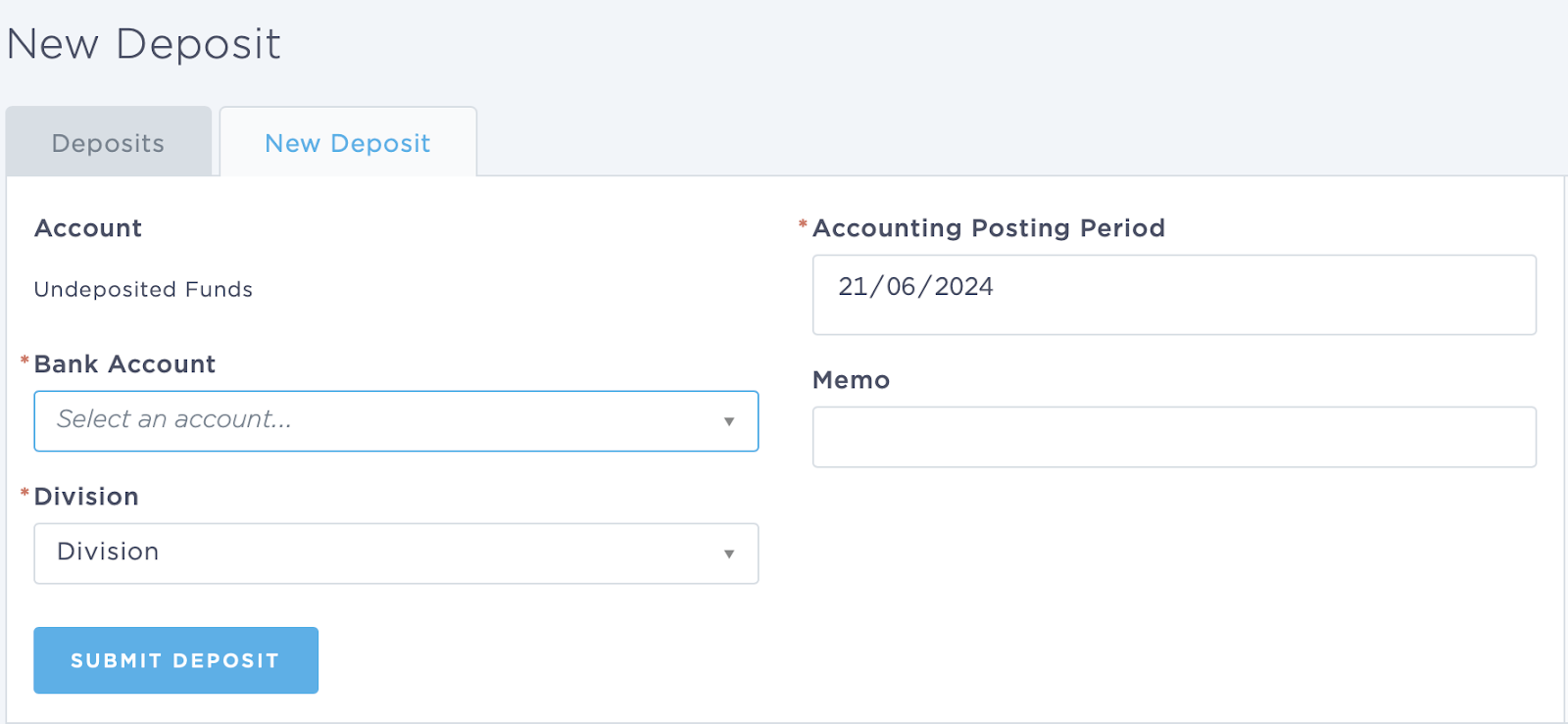
- Choose the correct posting period for the deposit.
- Identify and select the line items that are to be included in this deposit.
- Confirm the details and click submit a deposit.