Using the Offset Detail Page
Last updated: July 5, 2025
You can use the Offset Detail Page to view individual offsets created by your agency.
Applies to: Accountants, Accounting Assistants
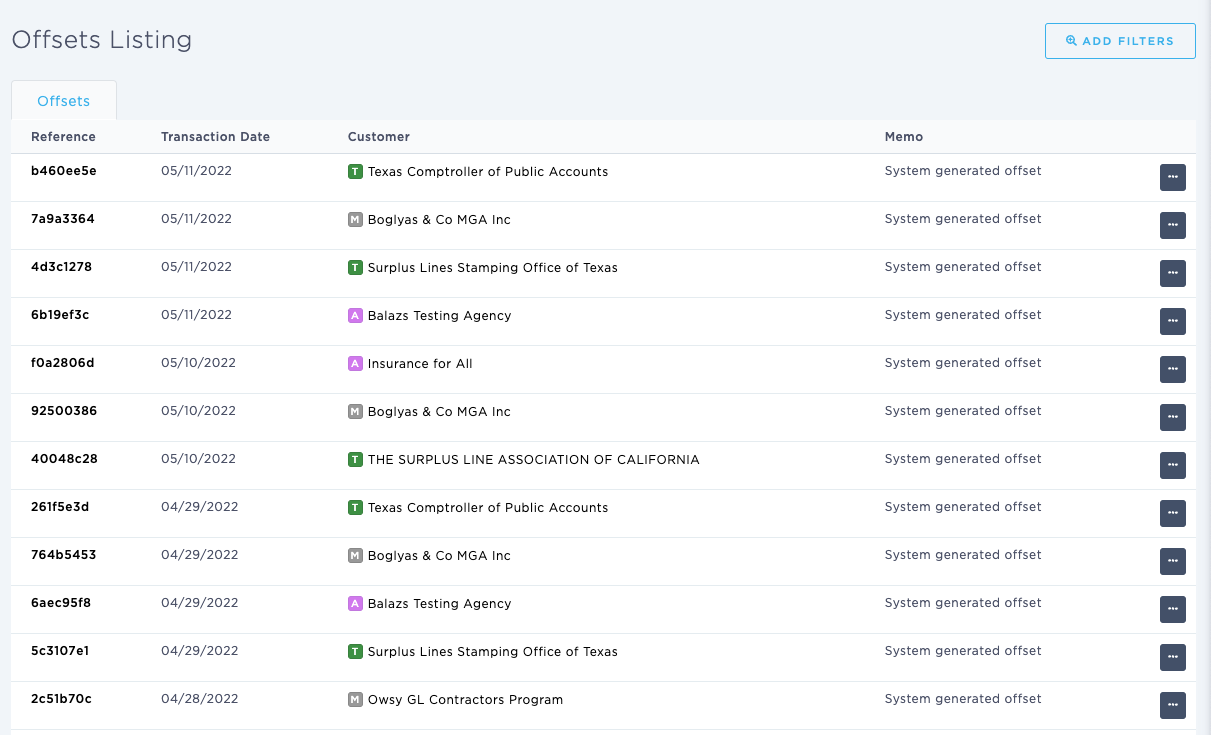
This article explains how you can view an individual Offsets created by your agency. You can filter by division and customer. In this instance, a customer can be any of the following entities saved within BindHQ: Insureds, Retail Agencies, Marketing Companies, Tax Authority, Suppliers
You can find this page by going to the “Accounting” tab in the side navbar, then going to “General”, and then selecting “Browse & View Offsets” from the Journals tab. [The Reference column hyperlinks to the Offest Detail Page]
You can use this page to answer the following questions:
- What are the details of an individual Offset
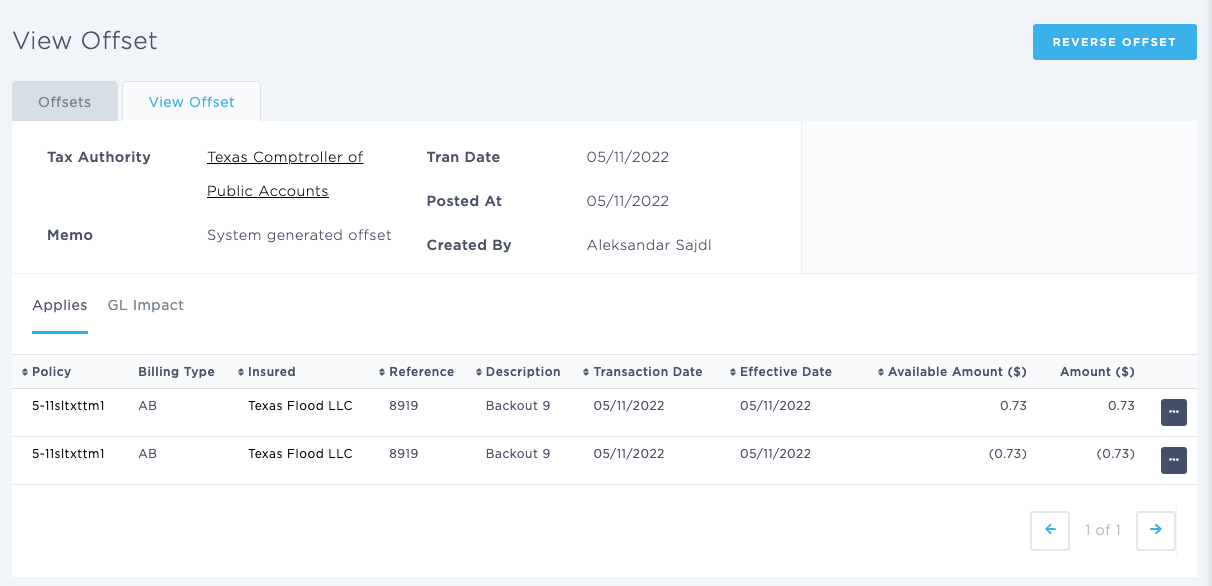
The Offset Detail page displays the details of the specific Offset, listing the entity types of the customer to whom the Offset applies. This can be any of the following entities saved within BindHQ: Insureds, Retail Agencies, Marketing Companies, Tax Authority, Suppliers
The On-Screen display shows the Policy, Billing Type, Insured, Reference, Description, Transaction Date, Effective Date, Total, Amount
Note the following:
- The Policy column hyperlinks to the Policy page to which the Offset relates
- The Customer column hyperlinks to the Insured, Market, Agent or Tax Authority page to which the Offset relates
The Offset will always display at least two entries:
- the original Bill; and
- the Bill Credit
You can view both the Bill and the Bill Credit by clicking on the CTA on the right hand side
From the Offset Detail page, you can also ‘Reverse Offset.’