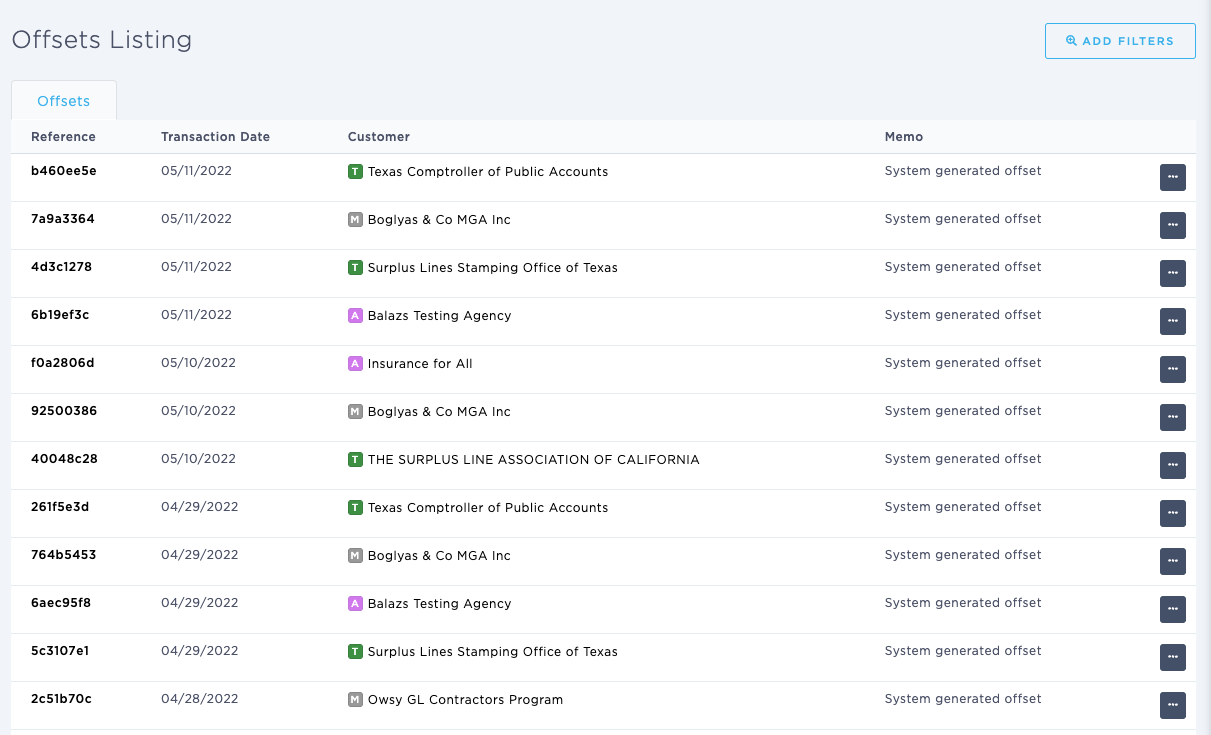
Using the Browse & View Offsets [Listing] page
Last updated: July 5, 2025
You can use the Browse & View Offsets [Listing] page to view offsets for your agency.
Applies to: Accountants, Accounting Assistants
This article explains how you can view all the accounting Offsets for your agency. You can filter by division and customer. In this instance, a customer can be any of the following entities saved within BindHQ: Insureds, Retail Agencies, Marketing Companies, Tax Authority, Suppliers
You can find this page by going to the “Accounting” tab in the side navbar, then going to “General”, and then selecting “Browse & View Offsets” from the Journals tab
You can use this page to answer the following questions:
- How can I view offsets for my agency?
The On-Screen Offset [Listing] page displays the following columns: reference, transaction date, customer, and memo.
- The Reference column hyperlinks to the Offset Detail page which provides detailed information
- The Customer column hyperlinks to the Customer page to which the Offset relates