Using the Weekly Production Report
Last updated: June 23, 2026
Use the weekly production report to analyze production numbers by individual producer and team.
This article explains how to use the Weekly Production Report to more effectively manage your agency. This report provides an overview of the policies written by each producer and team on a weekly basis and enables you to hyperlink down to an individual policy level.
You can use the Weekly Production Report to seek insight into the following questions:
How are my production numbers?
Which producers are producing the most premium per week?
Which producers are most effective at converting applications into quotes?
Which producers are most effective at converting quotes into bound policies?
How much premium is being generated per producer per day?
To access this report, click "Reports" on the left sidebar, and within the Production section, click "Weekly Production".
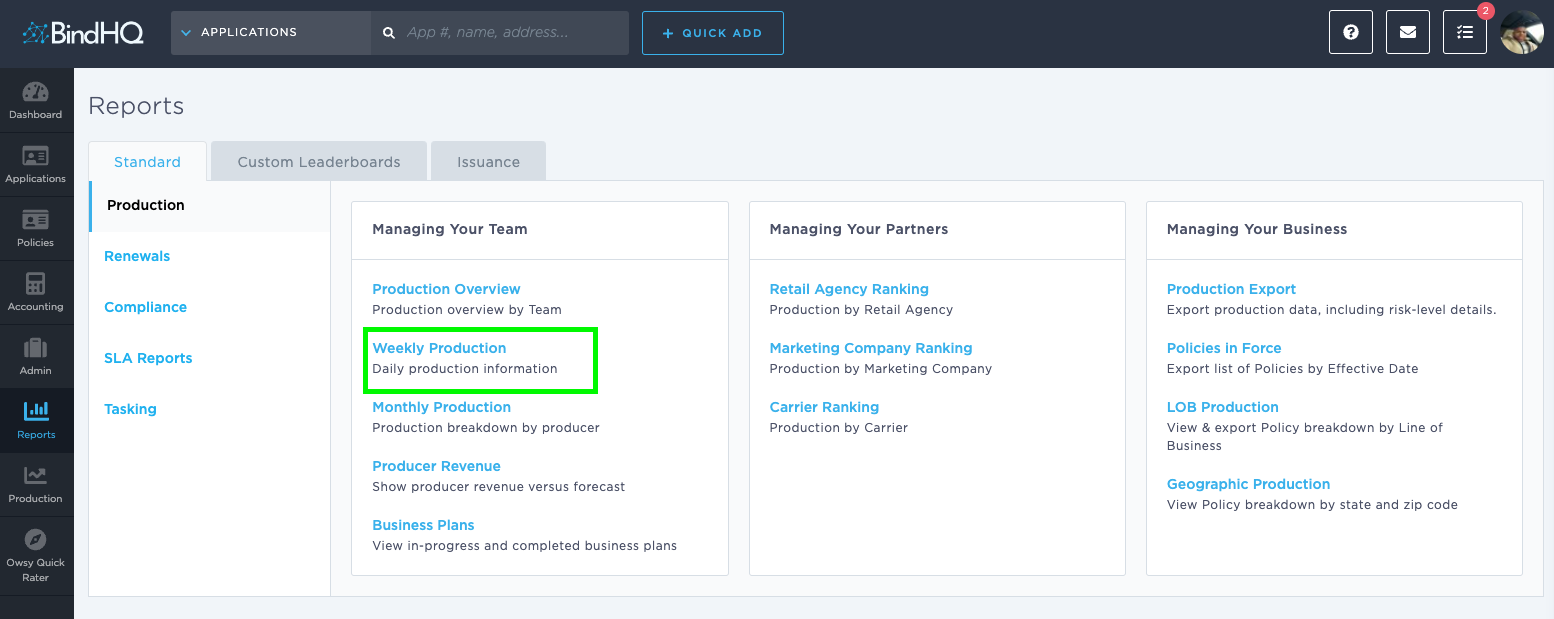
The report shows the production of your agency on a weekly basis. You can also download the number of applications, quotes, and binders via clickable links.
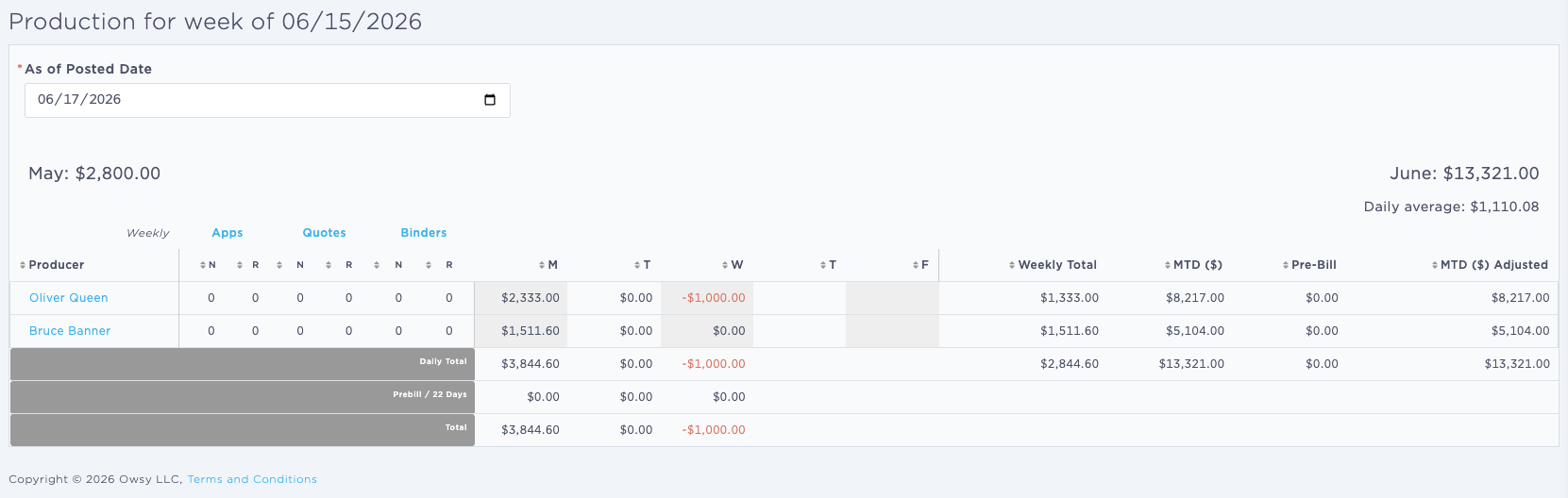
The overall revenue for each day of the week is also shown in the report.
The columns in the report include:
Producer [Producer]
Apps - New and Renewal [# Applications]
Quotes - New and Renewal [# Quotes]
Binders - New and Renewal [# Binds]
Days of the week - Monday through Friday [M, T, W, Th, F]
Weekly Total - [Weekly Total]
MTD ($) - [MTD ($)]
Pre-Bill - [Pre-Bill]
MTD ($) Adjusted - [MTD ($) Adjusted]
Keywords for Search:
Weekly Production Report
Team Production Numbers
Sales performance
Last Updated June 2026