Assigning and Customizing User Roles
Last updated: April 1, 2026
Introduction
Each Role within BindHQ includes a set of default rights and permissions. Administrators can override these default settings for individual users to grant additional access or restrict certain capabilities within the platform.
This article explains how Administrators can modify user permissions across different areas of BindHQ.
Set Additional Permissions
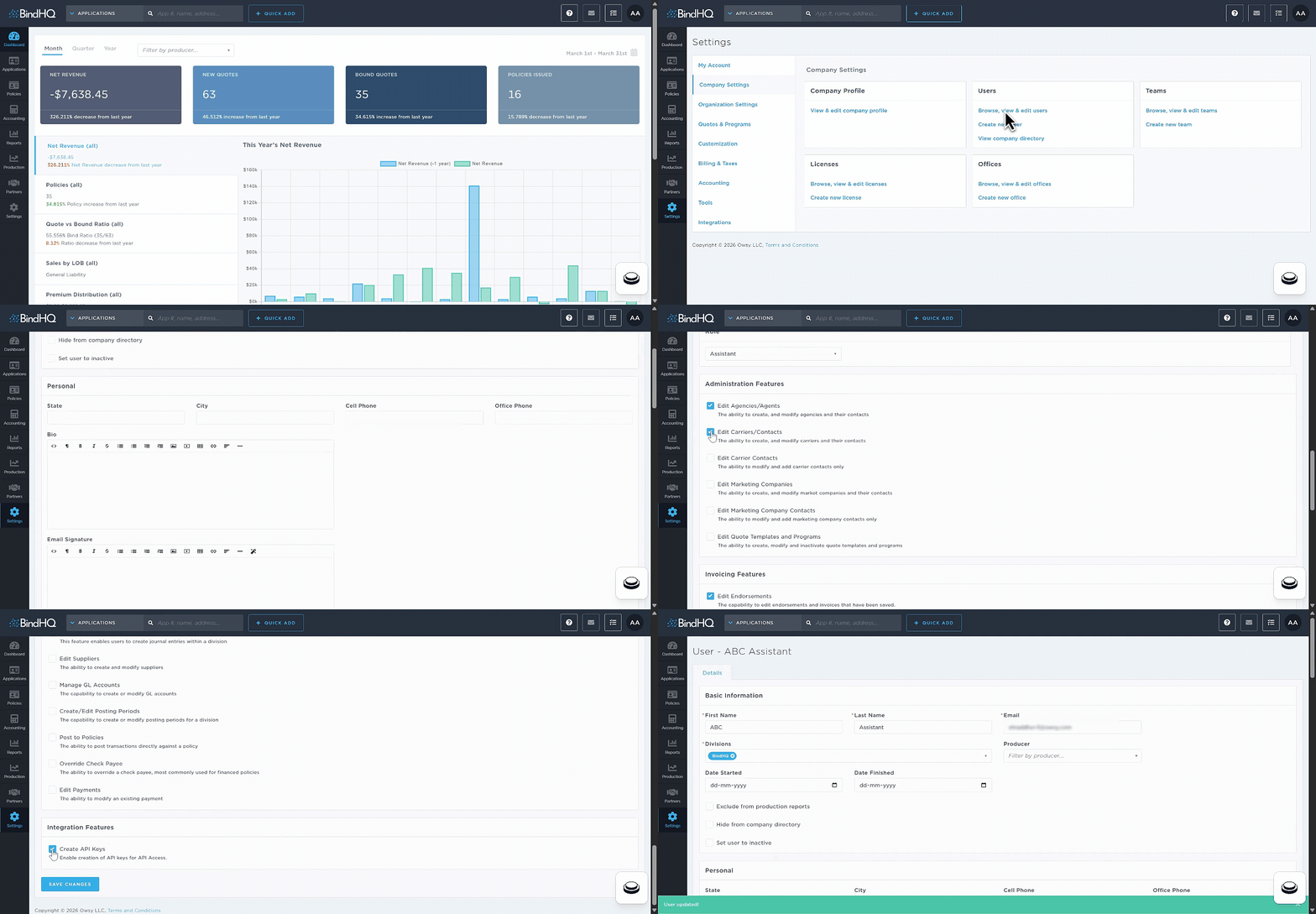
Navigate to Settings.
Select Company Settings.
Under Users, click Browse, View & Edit Users.
The Users page displays all users configured in your BindHQ environment.
Click on a user’s name to open their user record.
In the Features section, select or deselect individual permissions as needed.
After configuring all required permissions, scroll to the bottom of the page and click Save Changes.
Assign Individual Permissions
The Features section contains a complete list of individual permissions that can be assigned to users. These permissions are grouped by functional area and can be enabled independently of the user’s default role.
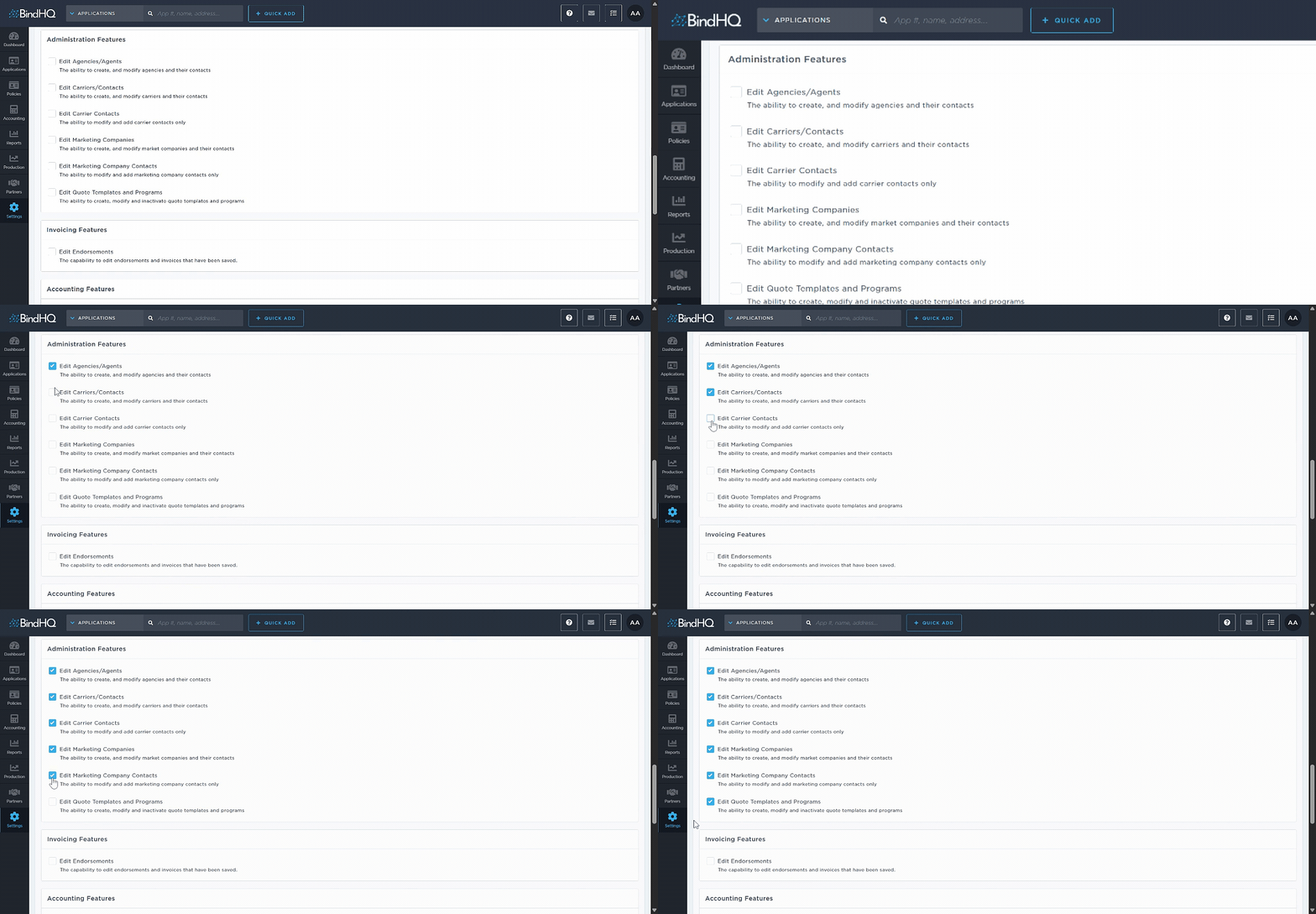
Administration Features
Edit Agencies/Agents - The ability to create and modify agencies and their contacts
Edit Carriers/Contacts - The ability to create and modify carriers and their contacts
Edit Carrier Contacts - The ability to modify and add carrier contacts only
Edit Marketing Companies - The ability to create and modify market companies and their contacts
Edit Marketing Company Contacts - The ability to modify and add marketing company contacts only
Edit Quote Templates and Programs - The ability to create, modify and inactivate quote templates and programs
Invoicing Features
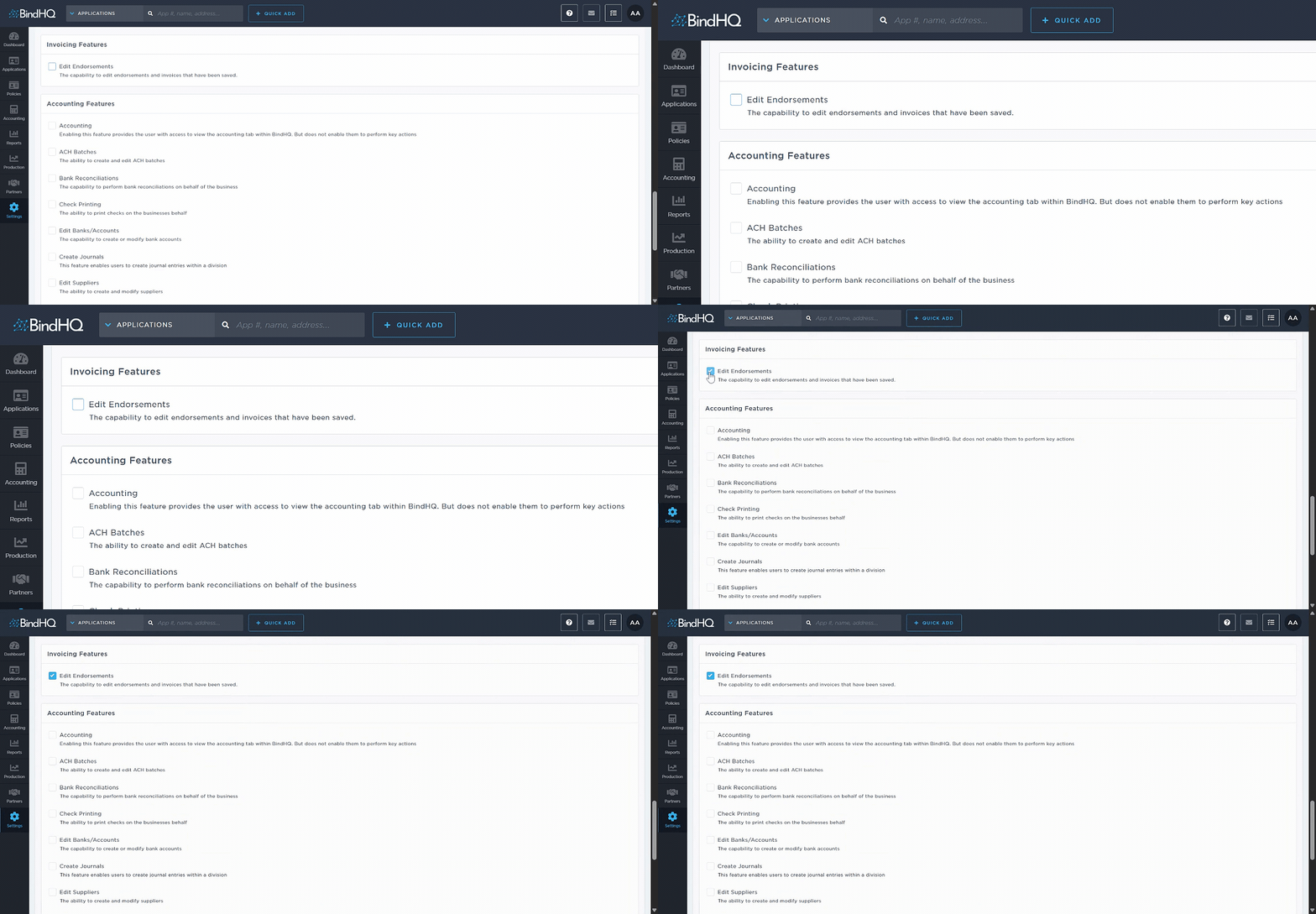
Edit Endorsements - The capability to edit endorsements and invoices that have been saved.
Accounting Features
Note: Users without this feature can still view a policy’s Accounting tab.
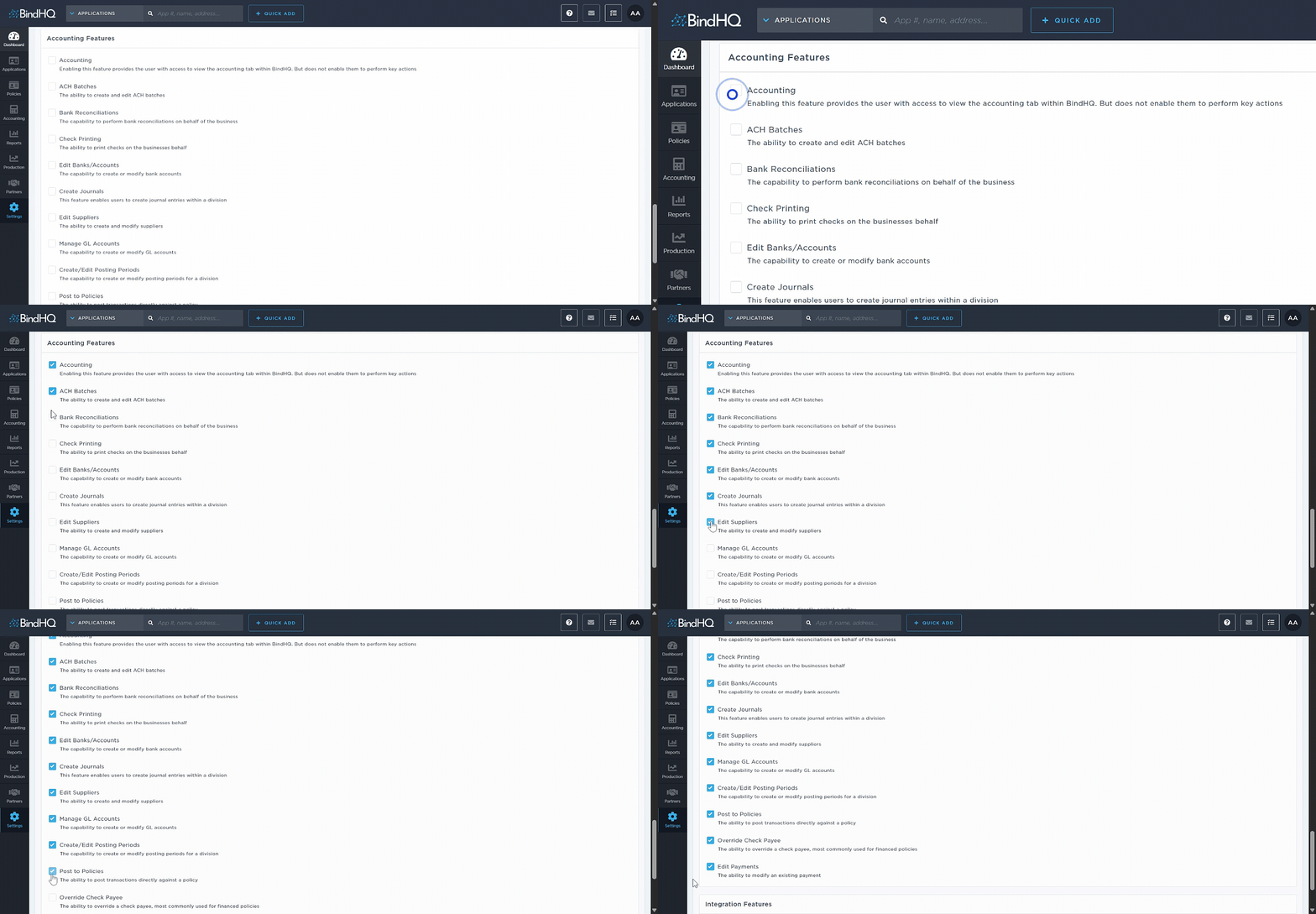
Accounting - Enabling this feature provides the user with access to view the accounting tab within BindHQ. But does not enable them to perform key actions
ACH Batches - The ability to create and edit ACH batches
Bank Reconciliations - The capability to perform bank reconciliations on behalf of the business
Check Printing - The ability to print checks on the business's behalf
Edit Banks/Accounts - The capability to create or modify bank accounts
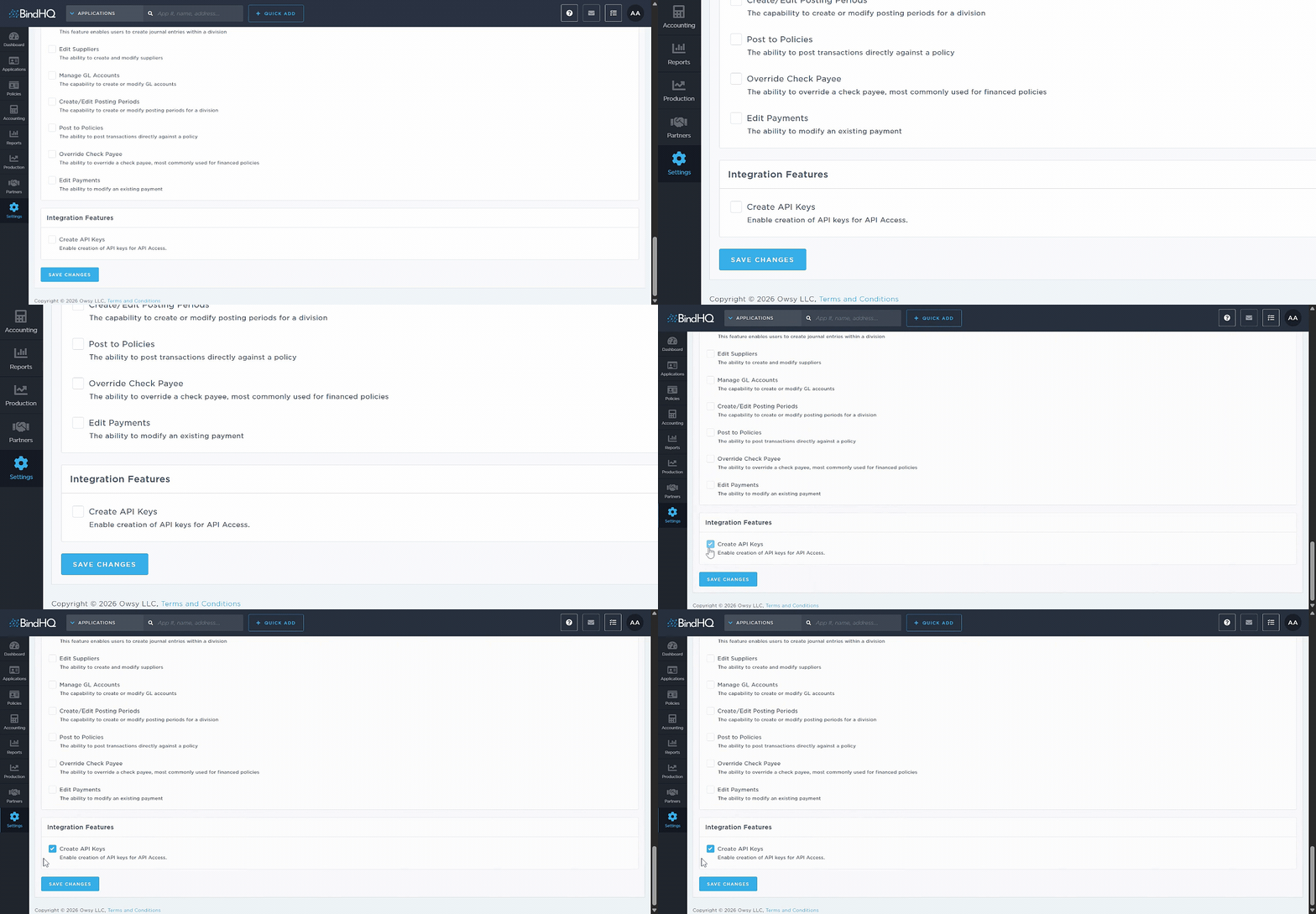
Create Journals - This feature enables users to create journal entries within a division
Edit Suppliers - The ability to create and modify suppliers
Manage GL Accounts - The capability to create or modify GL accounts
Create/Edit Posting Periods - The capability to create or modify posting periods for a division
Post to Policies - The ability to post transactions directly against a policy
Override Check Payee - The ability to override a check payee, most commonly used for financed policies
Edit Payments - The ability to modify an existing payment
Integration Features
Create API Keys - Enable creation of API keys for API Access.
Last Update: March 2026