Using the Retrieve Policy Documents Report
Last updated: July 5, 2025
You can use the Retrieve Policy Documents report to retrieve a complete data dump of all policy documents in your agency’s system.
Applies to:
- Administrators
- Managers
- Producers
- Producer Assistants
Last Updated: February 2022
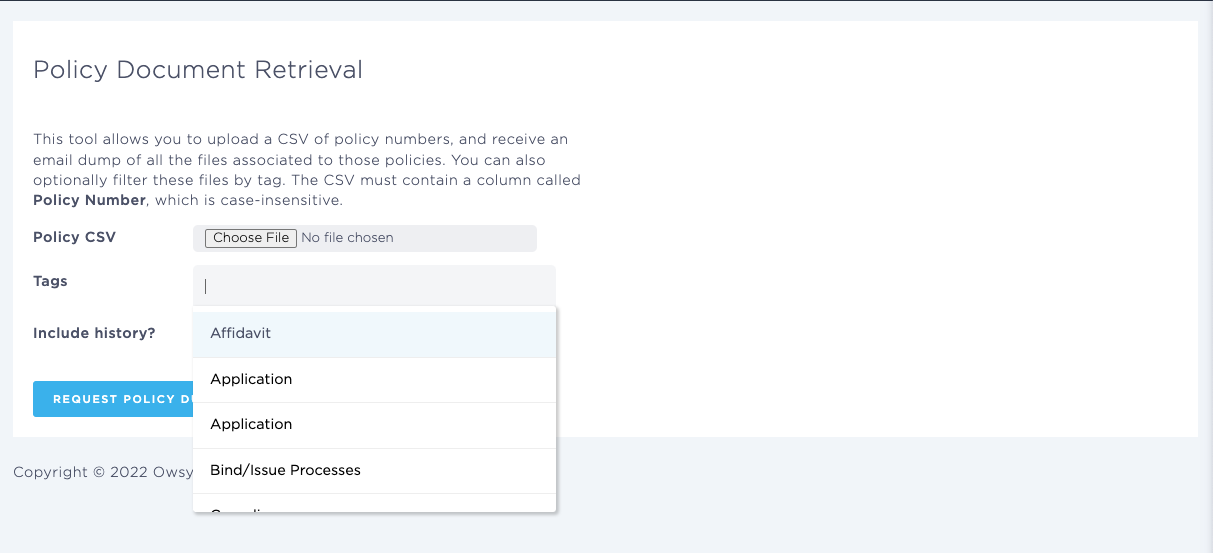
This article explains how you can access and use the Retrieve Policy Documents Report to retrieve an email dump of all files associated with your agency’s policy documents. To use the report and retrieve the outstanding documents for the policies, you need to upload a CSV document of policy numbers. The CSV document must contain a column called “Policy Number.” The column name is not case-sensitive. You can also include tags to tag which documents are of interest when you retrieve them in the report, and choose to include the document history for the policies as well.
You can use the Retrieve Policy Documents Report to answer the following questions:
- Which policies in the platform have outstanding items or documents?
- Which items are missing for policies with outstanding information?
- Which policy documents are outstanding for specific policies and lines of business?