Using the Policy Issuance Report
Last updated: July 5, 2025
You can use the Policy Issuance Report page to quickly look for bound and issued policies within a specific time frame for your agency.
Applies to:
- Administrators
- Managers
- Producers
- Producer Assistants
This article explains how you can access and use the Policy Issuance page to create and save specific reports which display all of the policies your agency has bound within a specific time frame you can choose. You can also filter for ‘Bound but Unissued’, ‘Voided’ and ‘Cancelled’ policies in aggregate and by individual carrier [Marketing Company].
You can use Policy Issuance Report to answer the following questions:
- What policies are recorded as bound and issued within BindHQ?
- What policies are recorded as bound but remain unissued within BindHQ?
- What policies are recorded as cancelled within BindHQ?
- What policies are recorded as voided within BindHQ?
- How can bound policies be filtered by carrier and effective date within BindHQ?
The Policy Issuance Report page works by asking users to create specific report which can be generated using the following filters:
- Date
- Carrier [Marketing Company]
- Bound but unissued policies
- Policy status - In force, voided, cancelled
You can elect to see the Policy Issuance Report on screen in the following orders:
- Date Effective (latest first),
- Date Effective (oldest first),
- Date Bound (latest first),
- Date Bound (oldest first)
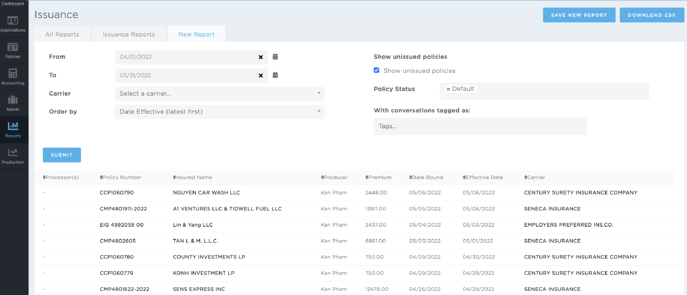
It can be downloaded in a CSV format.
The columns in this report include:
- Processor(s)
- Policy Number - [Policy #]
- Insured Name - [Insured]
- Producer - [Producer]
- Premium - [Gross Premium ($)]
- Date Bound - [Policy Binding Date]
- Effective Date - [Policy Effective Date]
- Carrier - [Carrier or Marketing Company]
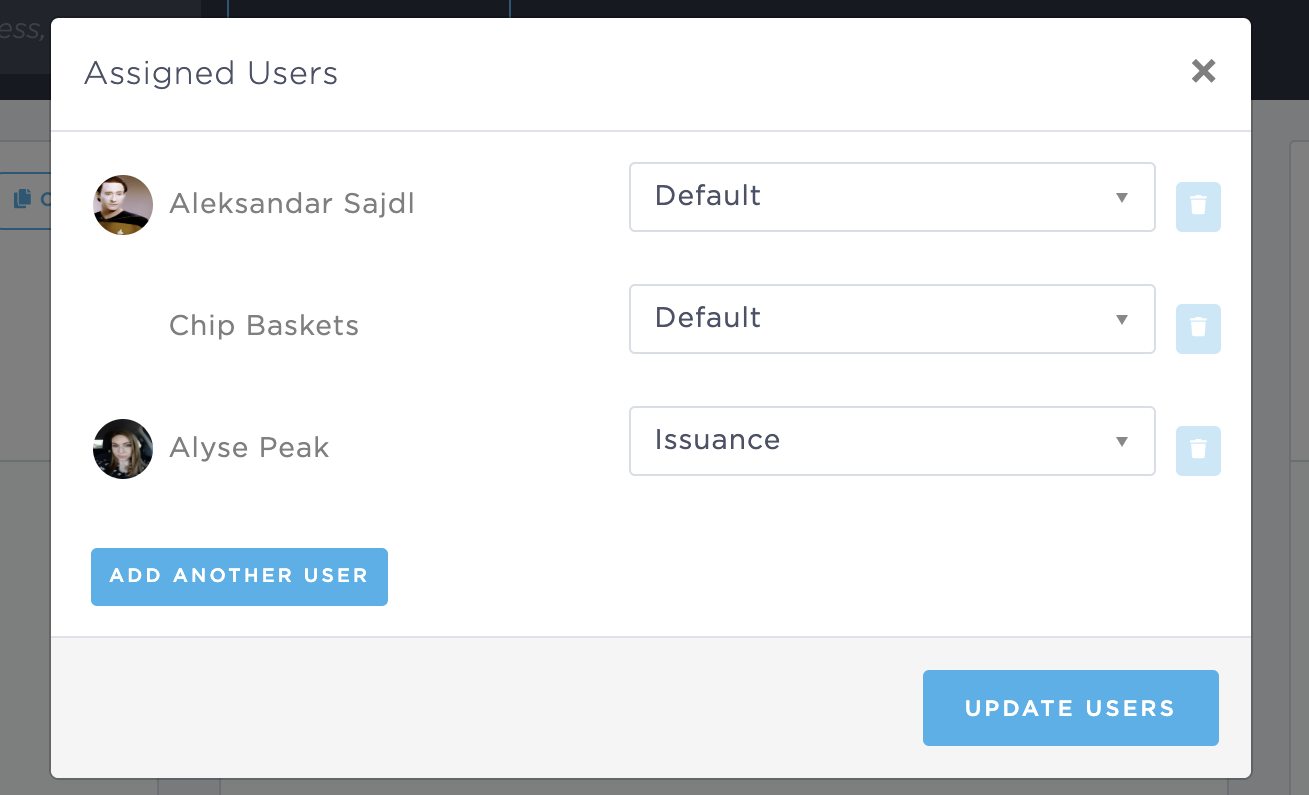
The Processor(s) are the users assigned to the policy with the role of "Issuance".
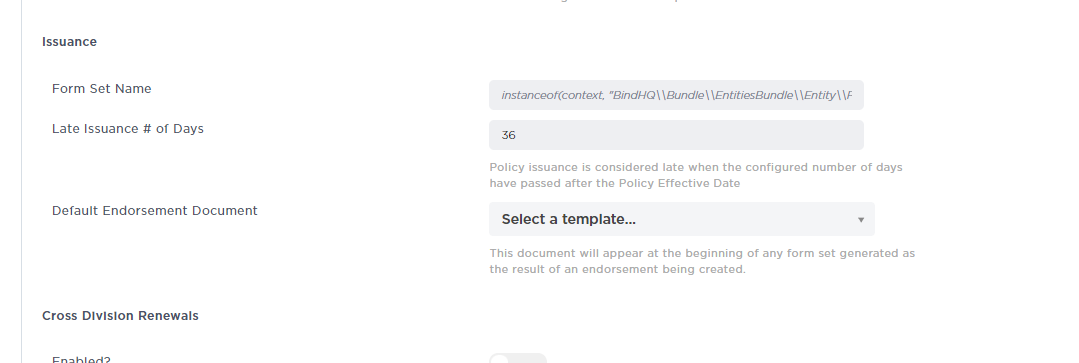
The report displays the number of policies that are issued late. A policy is considered late-to-issue if it is past 30 days after the effective date of the policy by default. However, this can be changed by admins in Admin / Advanced Settings / Issuance.