Using the Monthly Production Report
Last updated: July 5, 2025
You can use the monthly production report to analyze production numbers by individual producer and team.
Applies to:
- Agency Owners
- Managers
- Producers
- Producer Assistants
Last Updated: January 2022
This article explains how you can use the Monthly Production Report to more effectively manage your agency. It provides an overview of the policies written by each producer and team on a weekly basis and enables you to hyperlink down to an individual policy level.
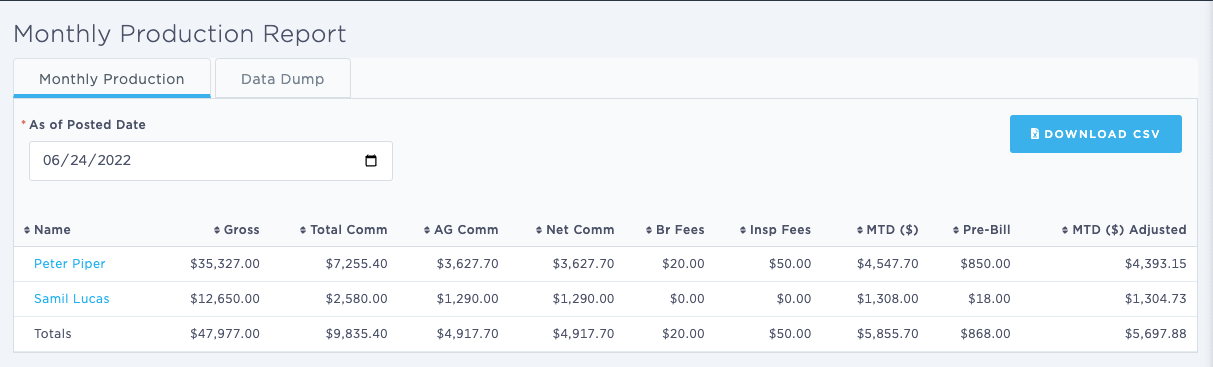
You can use this report to sort monthly production by producer and see total commissions by producer for each month. In addition, you can download a CSV file of the report.
You can use this report to answer the following questions:
- What is the production level per producer per month at the agency?
- What is the production level per team per month at the agency?
- What are the total commissions per producer per month at the agency?
The columns in this report include:
- ID
- User ID
- User Name
- Policy
- Agency ID
- Agency
- Agent
- Pre-Bill
- Date Bound
- Date Issued
- Effective Date
- Premium
- Total Commission
- Total Commission $
- Agent Commission
- Agent Commission $
- Net Revenue
- Company Fee
- Broker Fee
- Inspection Fee
- Company Inspection Fee
- State Tax
- Stamp Fee
- Fees
- Taxes
- Carrier ID
- Carrier Name
- Marketing Company ID
- Marketing Company Name
- New/Renewal
- Insured Name
- Insured Address
- Insured State
- Insured Type
- Term Effective
- Term Expiry
- FEIN
- Lines of Business
- Class Codes
- Endorsement Type
- Billing Type
- Finance Company ID
- Finance Company Name
- Invoice Number
- Invoice Date Posted
- Assigned Users
- Division ID
- Division Name
Data Dump:
The Monthly Production Report also enables users to download the raw data that makes up the report as a CSV file. To access it open the Monthly Production Report and select the second tab labeled 'Data dump'.
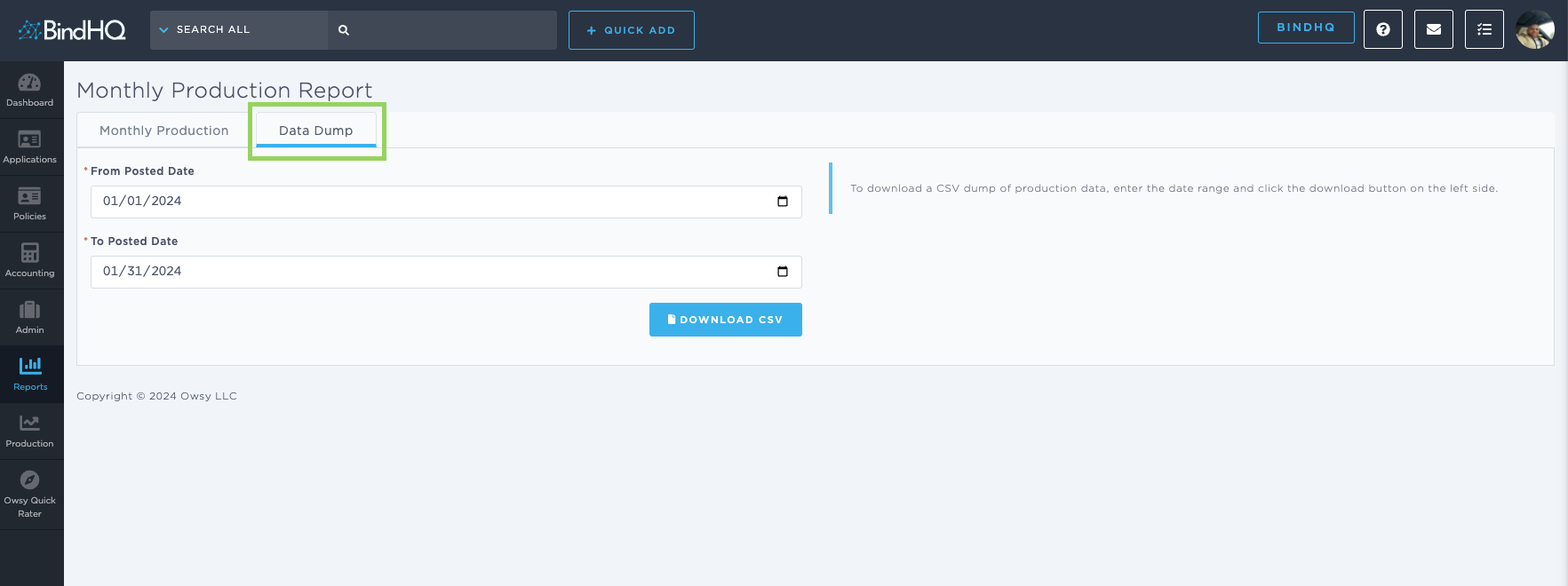
Select the Date Range you are interested in, the report will run based on the posted date
Click on Download CSV to access the file.