Using the Browse & View Check Batches page
Last updated: July 5, 2025
You can use the Browse & View Check Batches page to look at check batches for your agency.
Applies to:
- Accountants
- Accounting Administration
Last Updated: June 2024
This article provides instructions on how to browse and view check batches for your agency.
To access this page, navigate to the "Accounting" tab in the sidebar, select "General," and then choose "Browse & View Check Batches" from the Bank tab.
This page can help you answer the following questions:
- How can I look at check batches for my agency?
- Which checks are in each batch?
The Check Batches Listing page includes fields for:
- Transaction Date - this is the date the check batch was processed
- Total Items - this is the total amount of checks contained in the batch
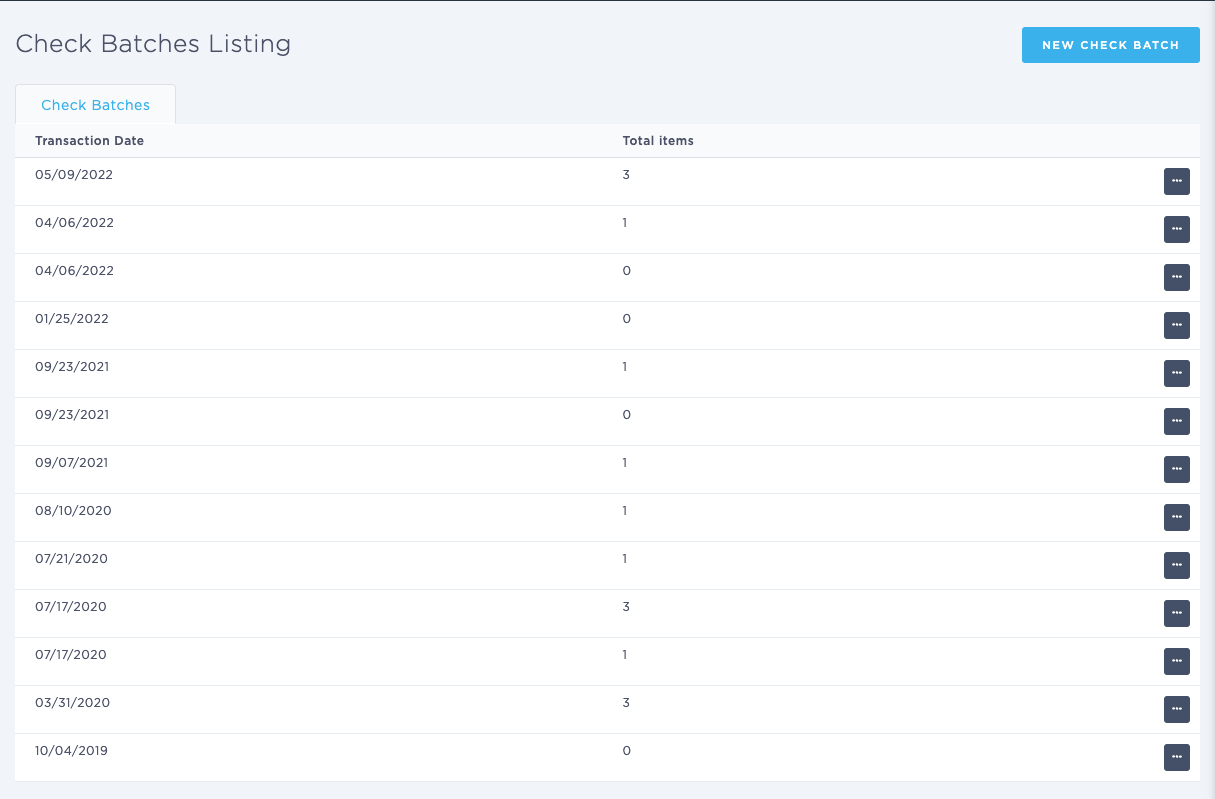
To view the details of each batch, click on the ellipsis button (...) on the right side of the screen.
The Check Batch Detail screen provides information on all payments made by check within that batch, displaying the following details:
- Check Creation Date
- User
- Customer
- Check #
- Reference
- Memo
- Check Amount