Using the Record a Deposit Page
Last updated: July 5, 2025
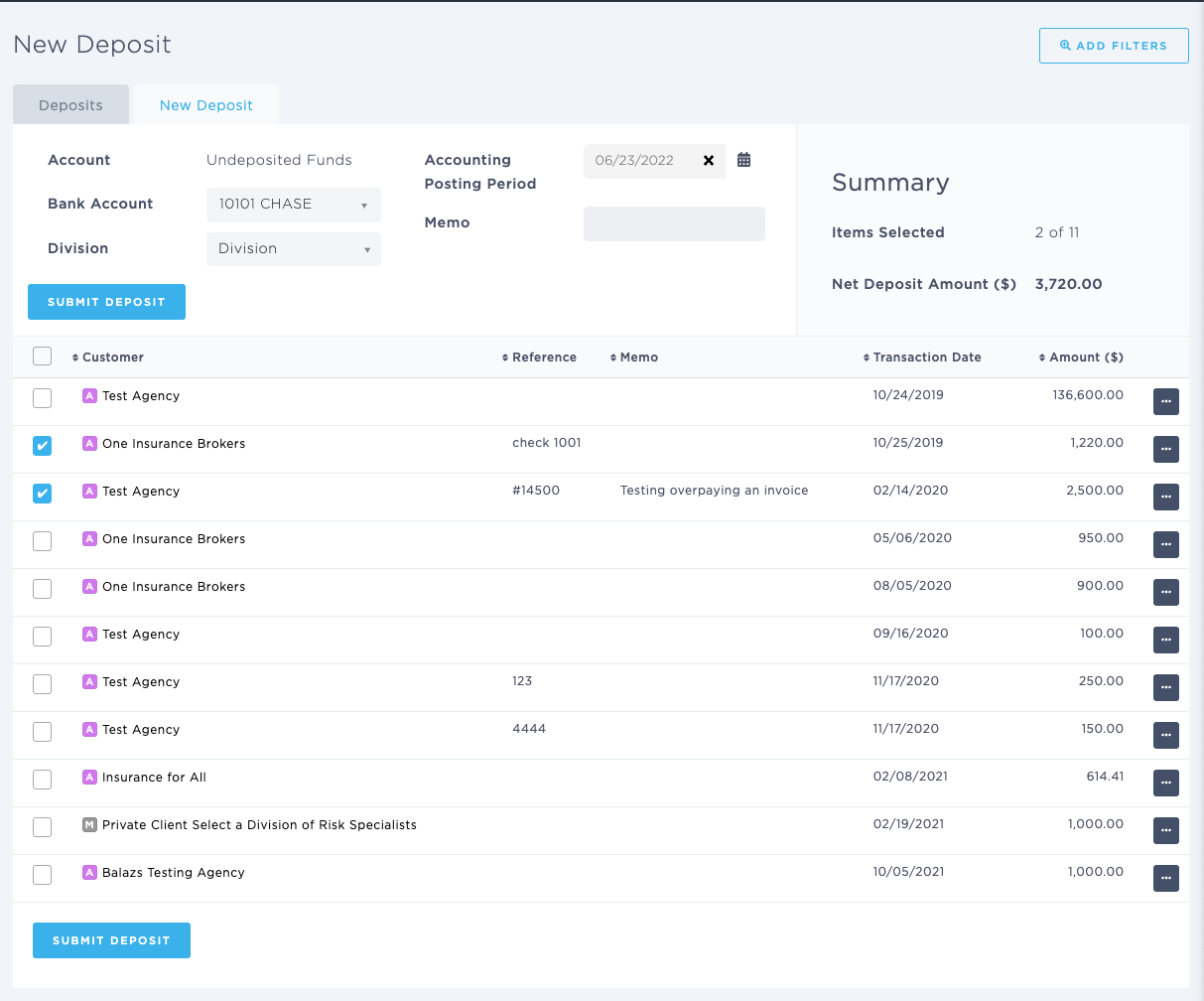
You can use the Record a Deposit page to record a deposit.
Applies to: Accountants, Accounting Assistants
This article explains how you can record a deposit. You can select a bank account, division, posted date, and memo.
You can find this page by going to the “Accounting” tab in the side navbar, then going to “General”, and then selecting “Record a Deposit” from the Bank tab. You can also add the relevant information under the "Submit Deposit", "Customer", "Net Deposit Amount ($), and "Accounting Posting Period" categories in BindHQ.
You can use this page to answer the following questions:
- How can I record a deposit?