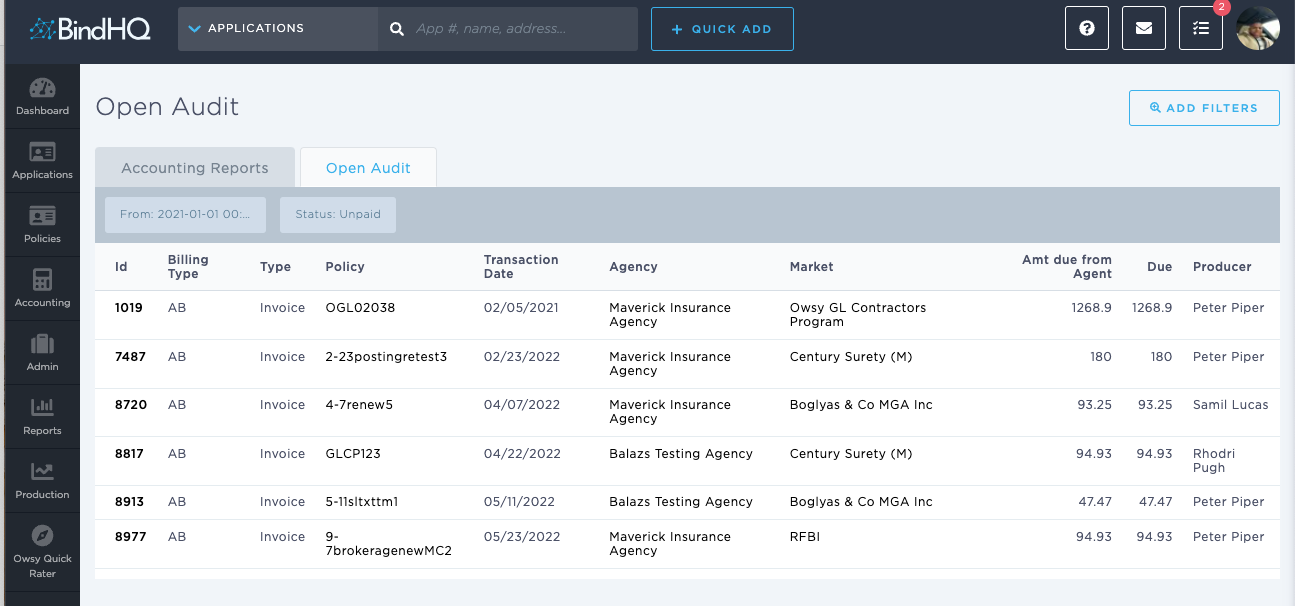
Using the Audit Report
Last updated: July 5, 2025
You can use the Audit Report to identify unpaid audit transactions.
Applies to: Accountants, Accounting Assistants
This article explains how to use the Audit report to generate a list of unpaid audit transactions.
You can find this report by going to the “Accounting” tab in the side navbar, then going to “Reports”, and then selecting “Audit Report” from the General tab.
You can use this report to answer the following questions:
- How can I understand which audit transactions are outstanding and remain to be paid?
Audit transactions happen when carriers audit a policy at the end of the policy term and charge an additional premium to the insured.