Accounting Reports
Last updated: July 9, 2026
This article explains how to navigate the full range of accounting reports in BindHQ.
Start by accessing the Accounting Tab in the Sidebar Navigation
Navigate to the second tab labeled 'Reports'
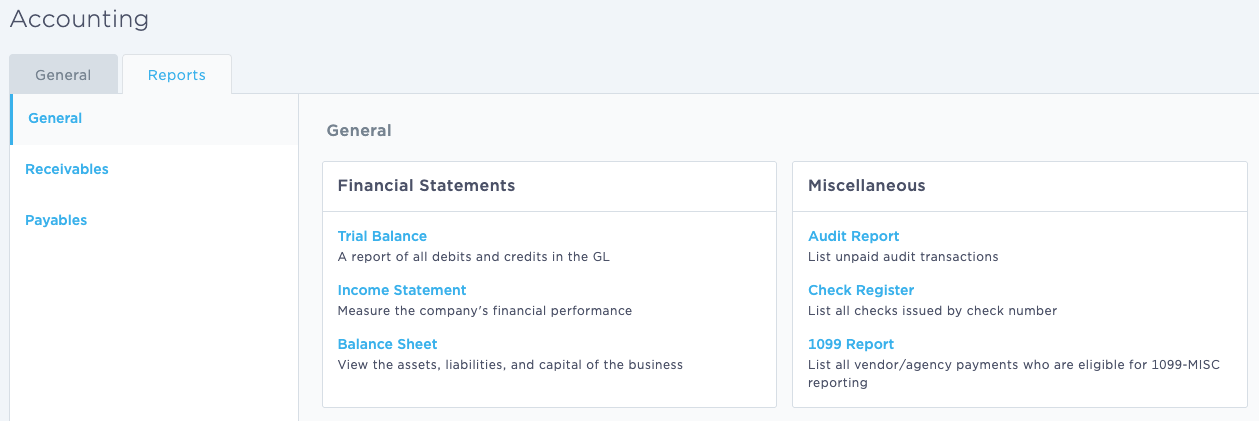
Note: Accounting reports are available based on your user profile. If you don't see the "Reports" tab shown above, contact your system administrator to make sure you're listed as an accounting user. You can read more about user roles here.
Accounting Reports are organized by function in three categories: General, Receivables and Payables. The default reports provided are listed below:
General:
Trial Balance: A report of all debits and credits in the GL
Income Statement: Measure the company's financial performance
Balance Sheet: View the assets, liabilities, and capital of the business
Audit Report: List unpaid audit transactions
Check Register: List all checks issued by check number
1099 Report: List all vendor/agency payments who are eligible for 1099-MISC-reporting
Receivables:
Total Receivables Report: List customer's unpaid invoices, and unused credits by aged period
AR Aging Summary Report: List unpaid invoices, and unused credits by aged period
AR Aging Detail Report: Transaction level detail for AR Aging
Customer Statements: Generate customer statements by period
Line Items As Collected: Transaction level details with invoice collection status
Payables:
AP Aging Summary Report: List unpaid bills, and unused bill credits by aged period
AP Aging Detail Report: Transaction level detail for AP Aging
Marketing Company Payables Report: List bills where invoice amount has been received
Agency Payables (Agency Bill): List credits where bill credit amount has been received
Agency Payables (Direct Bill): List bills where invoice amount has been received
Agency Payables (Insured Direct Bill): List bills where invoice amount has been received
Exporting
Reports in BindHQ allow users with access to export data as a CSV ("comma-separated values" file) for analysis or use by other systems.
Select reports can be printed to PDF .
We recommend you use Adobe Reader 6 or newer to view PDFs.
Last Updated July 2026