Using the AR Aging Detail Report
Last updated: July 5, 2025
You can use the AR Aging Detail Report to quickly generate transaction level detail for AR Aging accounts.
Applies to: Accountants, Accounting Assistants
This article explains how to use the AR Aging Detail Report to see at a granular level what receivables are owed to your agency. The report lists all the receivables owed to your agency by account and broken down by transaction type.
You can find this report by going to the “Accounting” tab in the side navbar, then going to “Reports”, and then selecting “AR Aging Detail Report” from the Receivables tab.
You can use this report to answer the following questions:
- How can I review transaction level detail for AR Aging accounts?
You can:
- Filter by division (if relevant)
- Calculate again by either Invoice Due Date OR Transaction Date
- Calculate the AR Aging Detail Report by a certain date
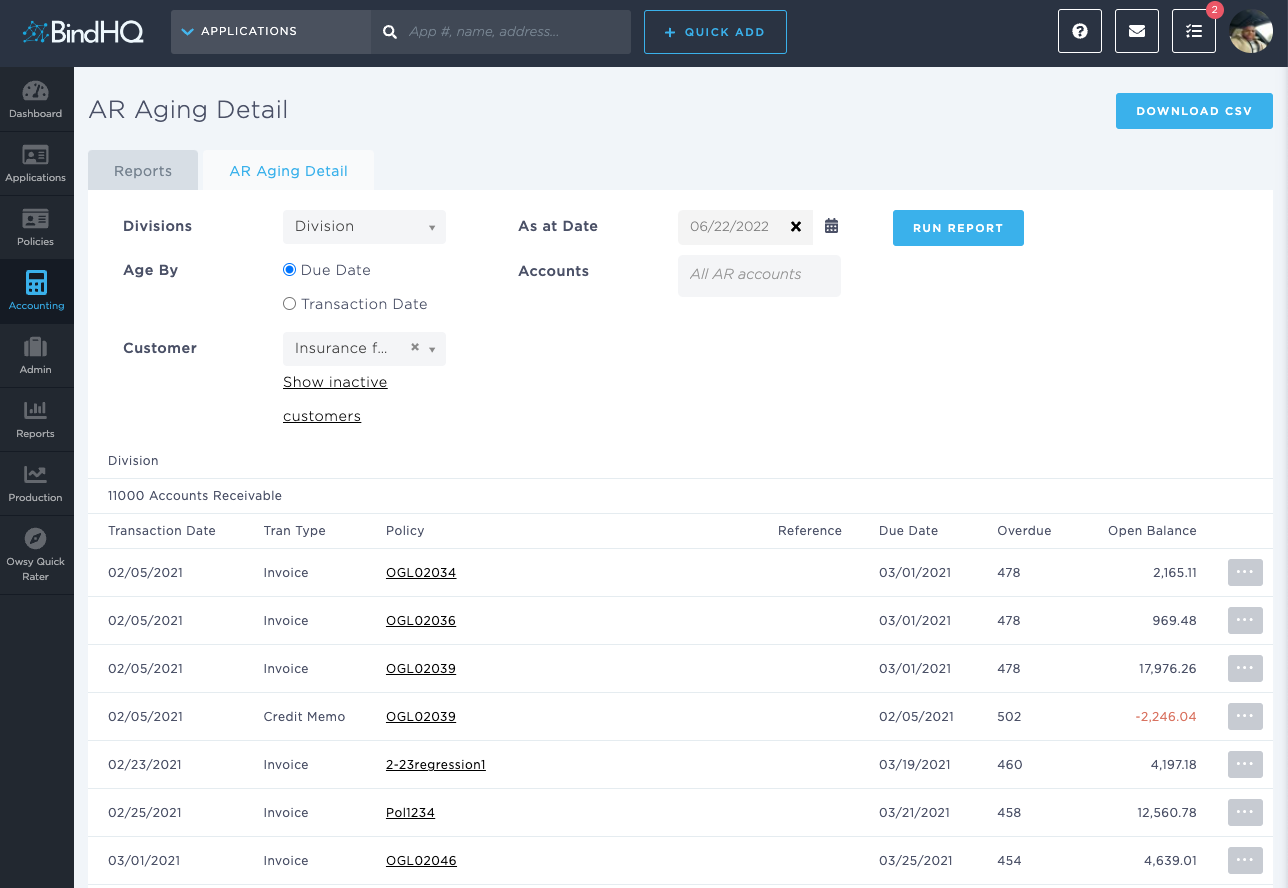
You can download the AR Aging Detail Report by clicking the Download CSV button.