Using the Total Receivables Report
Last updated: July 5, 2025
You can use the Total Receivables Report to quickly see the status of your receivables in absolute amounts and by defined time period.
This article explains how to look at the status of your agency’s receivables based on a defined time period.
You can find this report by going to the “Accounting” tab in the side navbar, then going to “Reports”, and then selecting “Total Receivables Report” from the Receivables tab.
You can use this report to answer the following questions:
- Which Retail Agency owes my agency?
- Which Supplier owes my agency?
- Which invoices should I consider writing off?
- Which invoices should I follow up on?
- You can search for a specific Retail Agency or Supplier by using the search function in your browser (Ctrl F)
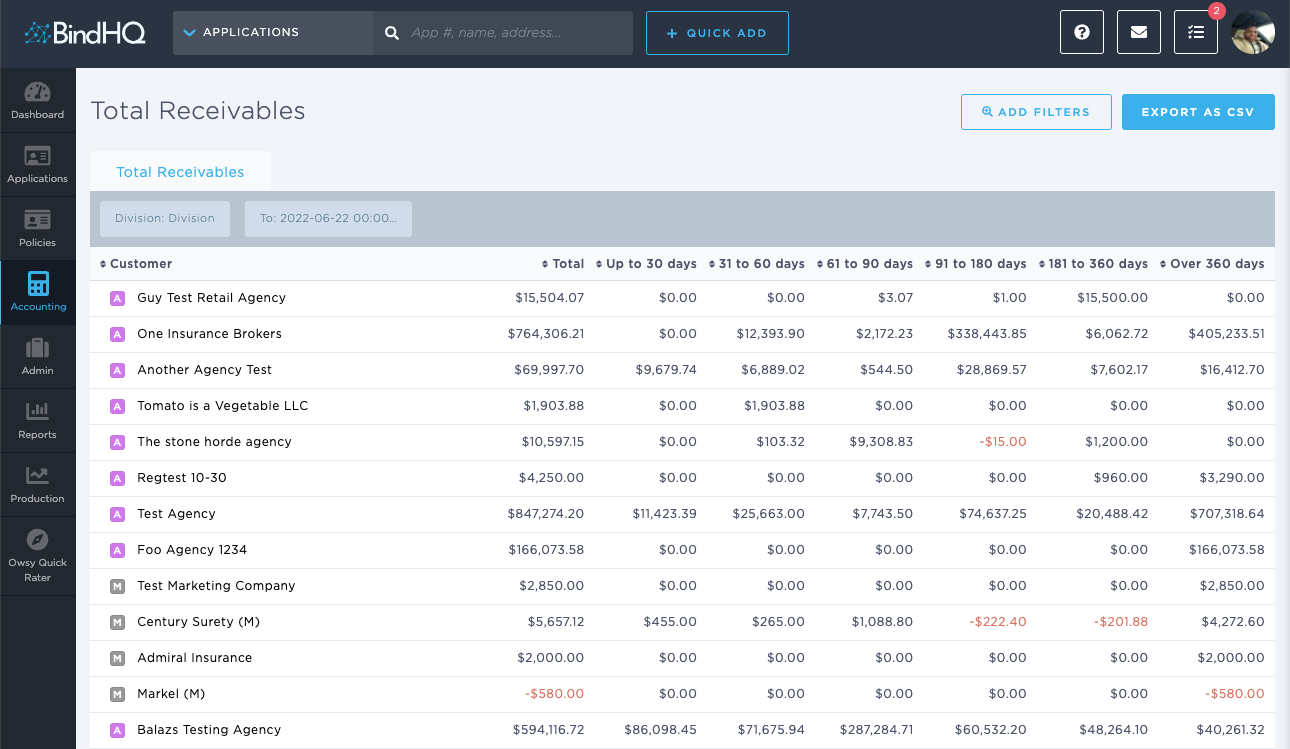
The on-screen customer order has a default setting, but each of the columns are sortable.