Using the [Retail] Agency Commission Report
Last updated: July 5, 2025
You can use this report to track retail agency commissions.
Applies to: Accountants, Accounting Assistants
This article explains how to use the [Retail] Agency Commission report to generate commissions paid for your retail agency partners.
You can find this report by going to the “Accounting” tab in the side navbar, then going to “Reports”, and then selecting “[Retail] Agency Commission” from the General tab.
You can use this report to answer the following questions:
- How much commission is being paid to specific retail agencies?
- What is the distribution of commission payments by retail agency?
- Which retail agency provides the most profitable business to your agency?
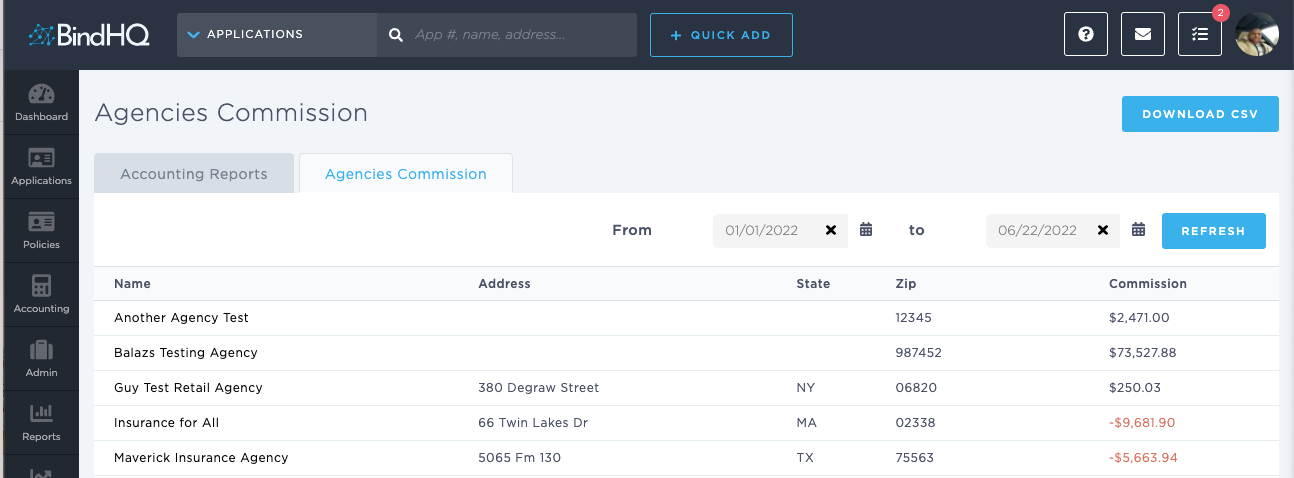
The Retail Agency name hyperlinks to the Retail Agency listing page.
You can download the [Retail] Agency Commission Report by clicking on the Download CSV button