Customer Statement Report
Last updated: September 11, 2026
Introduction
The Customer Statement Report allows you to pull a report of all customer statements with a current balance within a given accounting date range.
Generating Customer Statements via the Customer Statement Report
Navigate to the Accounting section on the left side bar
Click the Reports tab.
Click Receivables. (Note: The report will also include statements with a payable balance.)
Click to open the Customer Statement Report.
Enter the date range for your statements, and select the type of statement you'd like the system to generate.
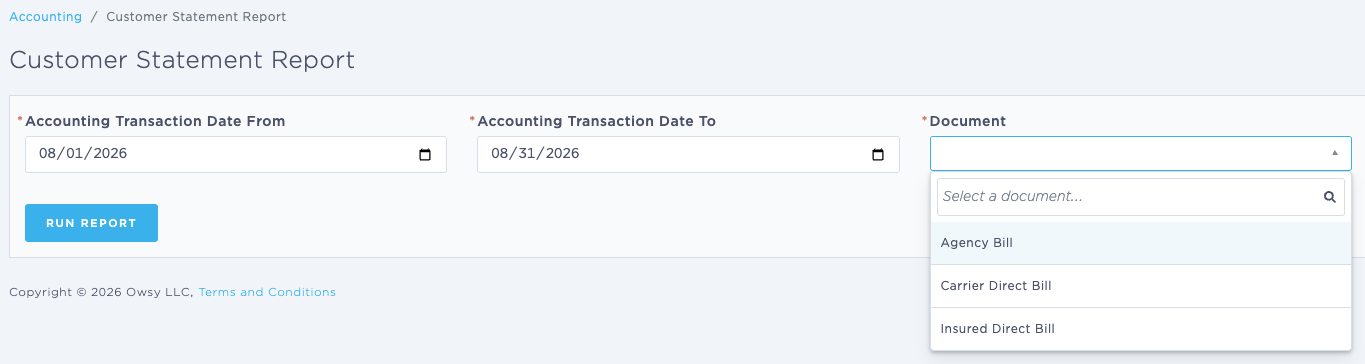
Click Run Report to generate the list of statements.
Using the Customer Statement Report
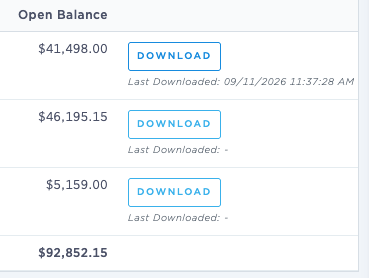
Once you've run your report, the screen will display a list of statements for retail agencies with an open balance in your system.

From here, you can click to download a statement, or click on the name of an agency to review information in more detail.
When you click to download a statement, the system will also display that download date and time below the download button.
Last Update: September 2026